
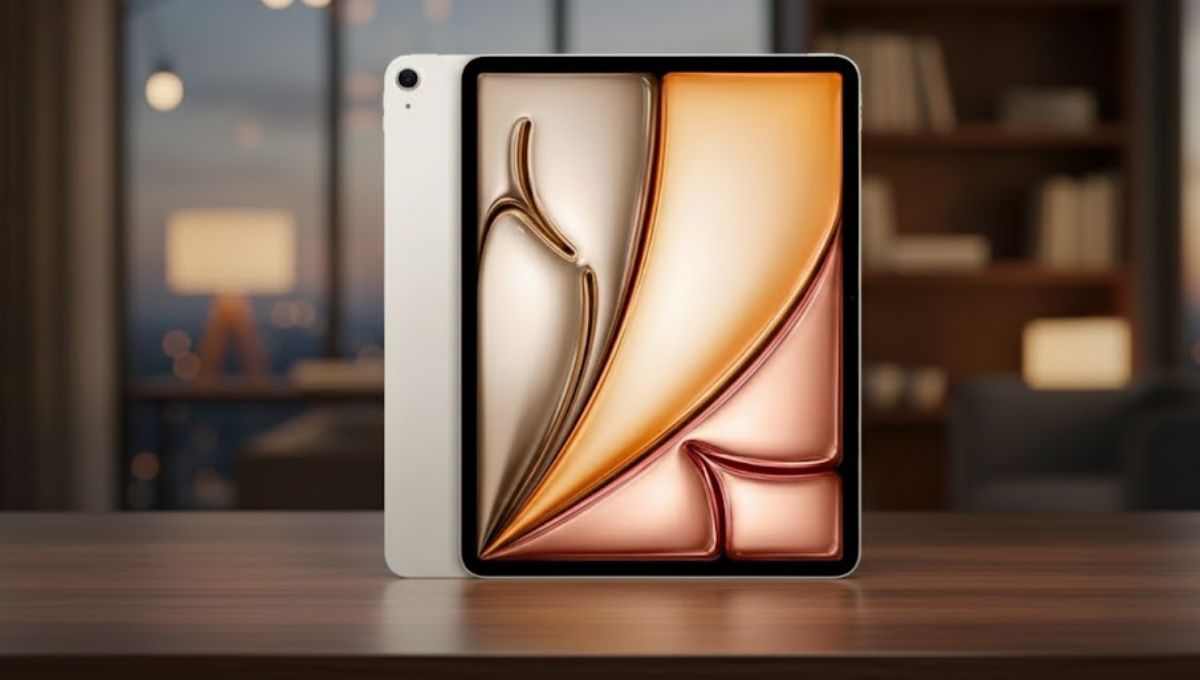
The Apple iPad Air has firmly established itself as one of the most versatile and well-balanced tablets in Apple’s lineup. It sits comfortably between the standard iPad and the high-end iPad Pro, offering strong performance, a premium design, and advanced features at a more accessible level. Whether you are a student, professional, creative user, or casual consumer, the Apple iPad Air delivers a smooth and reliable experience for everyday tasks and beyond.
In this detailed guide, we will explore every important aspect of the Apple iPad Air, including its design, display, performance, battery life, cameras, software, accessories, and real-world usability. This article is written in a natural, human tone and focuses on practical information that helps you decide if the Apple iPad Air is right for you.
The Apple iPad Air is designed for users who want power and portability without the premium pricing of the Pro models. Over the years, Apple has continuously improved the iPad Air, turning it into a device that can handle productivity, creativity, and entertainment equally well.
With a modern design, powerful Apple silicon, and support for advanced accessories like Apple Pencil and Magic Keyboard, the Apple iPad Air feels like more than just a tablet. It can easily adapt to different roles, whether you are taking notes in class, editing documents for work, or relaxing with movies and games.
Design and Build Quality

Apple is known for its premium design language, and the Apple iPad Air is no exception. The tablet features a slim, lightweight body that is easy to carry and comfortable to hold for long periods. Its flat edges and clean finish give it a modern and professional look.
The Apple iPad Air is available in multiple attractive colors, allowing users to choose a style that matches their personality. Despite being thin and light, the build quality feels solid and durable, making it suitable for daily use at home, school, or work.
Display Quality and Viewing Experience
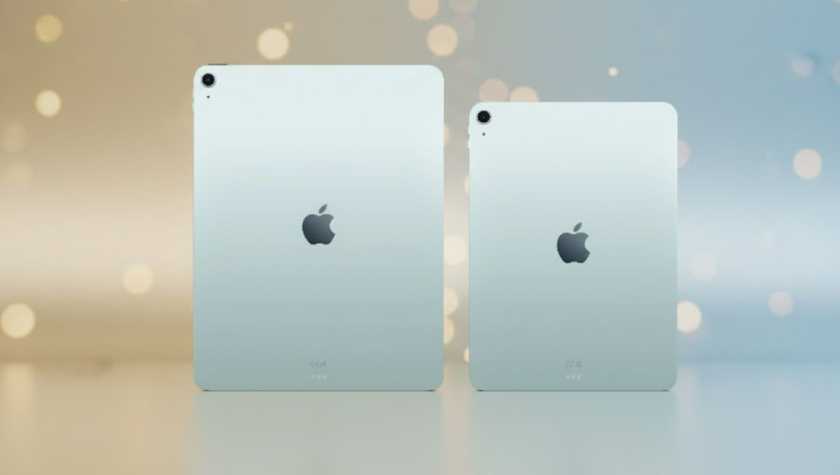
One of the highlights of the Apple iPad Air is its high-quality Liquid Retina display. Available in 11-inch and 13-inch sizes, the screen delivers sharp visuals, accurate colors, and excellent brightness. Text looks crisp, images appear detailed, and videos feel immersive.
The display supports True Tone technology, which automatically adjusts color temperature based on your environment. This makes reading, browsing, and watching content more comfortable for your eyes, especially during long sessions. Whether you are editing photos, attending online classes, or streaming your favorite shows, the Apple iPad Air offers a consistently enjoyable viewing experience.
Performance and Processing Power
Performance is where the Apple iPad Air truly stands out. Powered by Apple’s advanced M-series chip, the iPad Air delivers fast and efficient performance that rivals many laptops. Everyday tasks like web browsing, video calls, and app switching feel smooth and responsive.
For more demanding tasks, such as video editing, graphic design, or multitasking with multiple apps, the Apple iPad Air handles them with ease. Apps load quickly, animations are fluid, and even intensive workflows run without noticeable lag. This makes the iPad Air suitable for users who need reliable performance for both work and creativity.
Software Experience with iPadOS
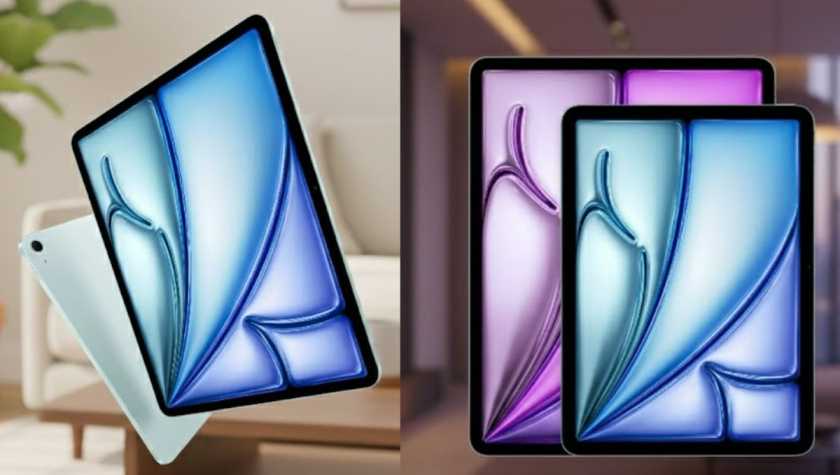
The Apple iPad Air runs on iPadOS, Apple’s operating system specifically designed for tablets. iPadOS enhances productivity with features like Split View, Slide Over, and Stage Manager, allowing you to use multiple apps at the same time.
The software experience feels intuitive and polished, even for first-time users. Gestures are smooth, settings are easy to navigate, and the App Store offers a wide range of apps optimized for the iPad’s larger screen. From note-taking and document editing to creative tools and entertainment apps, iPadOS helps unlock the full potential of the Apple iPad Air.
Apple Pencil and Keyboard Support
One of the biggest advantages of the Apple iPad Air is its support for Apple Pencil and keyboard accessories. The Apple Pencil allows users to write, draw, and sketch naturally on the screen, making the iPad Air a great tool for students, artists, and professionals.
With the Magic Keyboard or other compatible keyboards, the Apple iPad Air transforms into a productivity device suitable for typing documents, emails, and reports. The combination of touchscreen, stylus, and keyboard gives users the flexibility to work in a way that suits them best.
Camera and Audio Capabilities
The Apple iPad Air is equipped with capable cameras that meet everyday needs. The rear camera is suitable for taking photos, scanning documents, and recording videos. While it may not replace a smartphone camera, it performs well for practical use.
The front camera is especially useful for video calls, online meetings, and virtual classes. With smart framing features, it keeps you centered during calls, making communication feel more natural. The audio system, supported by high-quality speakers and microphones, delivers clear sound for calls, media playback, and recordings.
Battery Life and Charging
Battery life is another strong point of the Apple iPad Air. Designed to last through a full day of typical use, the iPad Air can handle hours of browsing, streaming, note-taking, and work without needing frequent charging.
The USB-C charging port not only supports fast charging but also allows the connection of external devices such as storage drives and displays. This adds to the flexibility of the Apple iPad Air, especially for users who want to expand its functionality.
Connectivity and Storage Options
The Apple iPad Air is available in both Wi-Fi and Wi-Fi + Cellular models. This gives users the freedom to choose whether they want internet access only at home or on the go as well. Wireless performance is fast and reliable, supporting smooth video streaming and online work.
In terms of storage, the Apple iPad Air offers multiple options to suit different needs. Whether you mainly use cloud storage or keep large files locally, there is a storage variant that fits your usage.
Read more:- The Google Pixel 10 Review: Redefining Android with Intelligence and Style
Everyday Use Cases of Apple iPad Air
For Students
The Apple iPad Air is an excellent choice for students. It supports digital note-taking, online learning, research, and assignment completion. With Apple Pencil and keyboard support, it can replace notebooks and, in some cases, even laptops.
For Professionals
Professionals can use the Apple iPad Air for emails, presentations, document editing, and meetings. Its portability makes it ideal for travel, while its performance ensures productivity on the go.
For Creators
Artists, designers, and content creators benefit from the iPad Air’s powerful processor and stylus support. It is well-suited for drawing, photo editing, video editing, and creative experimentation.
For Entertainment
For entertainment, the Apple iPad Air excels. The large display, strong speakers, and smooth performance make it perfect for watching movies, playing games, reading, and browsing the web.
The Apple iPad Air is one of the most balanced tablets available today. It combines powerful performance, a beautiful display, long battery life, and excellent accessory support in a lightweight and stylish design. Whether you are a student, professional, creator, or casual user, the Apple iPad Air adapts easily to your lifestyle.
If you are looking for a tablet that delivers premium features without stepping into the highest price range, the Apple iPad Air is a smart and future-ready choice that continues to impress across all areas of use.
FAQs
Is the Apple iPad Air good for everyday use?
Yes, the Apple iPad Air is excellent for everyday use, including browsing, streaming, studying, and working.
Can the Apple iPad Air replace a laptop?
For many users, the Apple iPad Air can replace a laptop for daily tasks, especially when paired with a keyboard and productivity apps.
Does Apple iPad Air support Apple Pencil?
Yes, the Apple iPad Air supports Apple Pencil, making it ideal for note-taking and creative work.
How long does the Apple iPad Air battery last?
The Apple iPad Air is designed to last a full day with regular use, depending on activity.
Is the Apple iPad Air suitable for gaming?
Yes, the powerful processor and high-quality display make the Apple iPad Air suitable for gaming and graphics-intensive apps.
Motorola Edge 70 Pro vs Nothing (4a) Pro: The ₹40,000 Showdown That Might Change Your Buying Decisio...
Discounted M5 MacBook Pro Hits Apple Refurb Store With Key Storage Advantage: Is This the Smartest B...
Motorola's 5G Monster Battery Phone Goes on Sale: 7000mAh Power, 144Hz Display, and 68W Fast Chargin...