
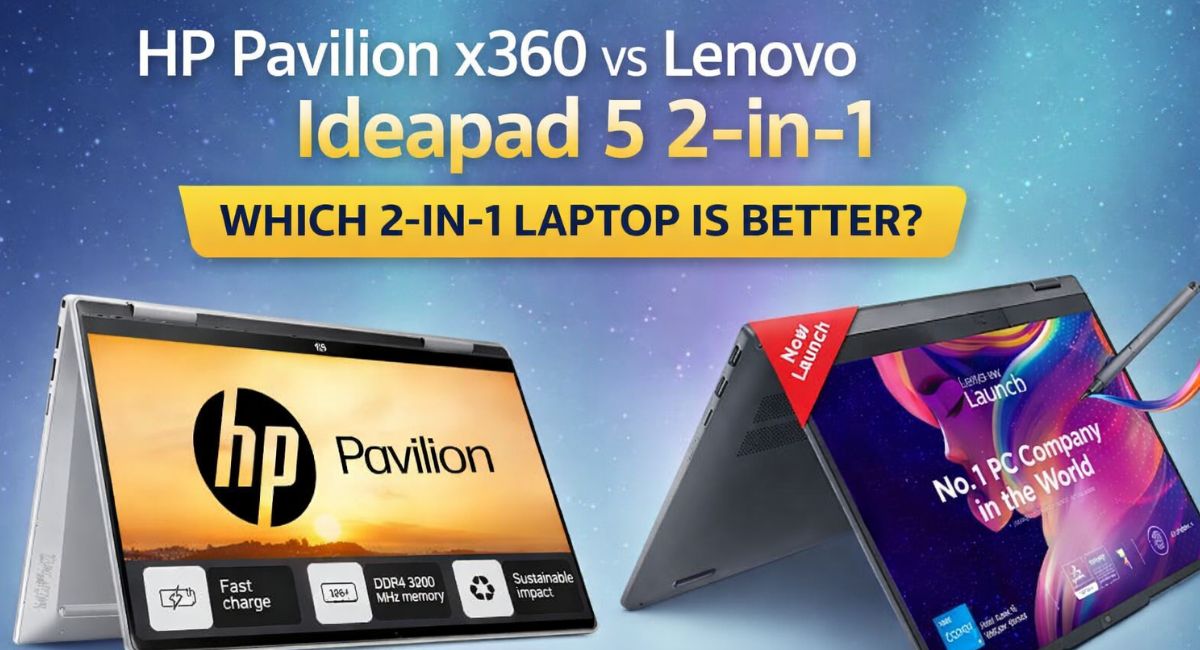
Choosing a 2-in-1 laptop in today’s market isn’t as simple as comparing processor speeds or price tags. Convertible laptops have evolved into versatile productivity machines that must balance performance, portability, touchscreen precision, and battery efficiency — all while maintaining premium build quality.
Two strong contenders in this category are the HP Pavilion x360 and the Lenovo Ideapad 5 2-in-1. Both aim to offer flexible usage modes, solid everyday performance, and competitive pricing. But when placed side by side, meaningful differences begin to emerge.
This in-depth comparison of HP Pavilion x360 vs Lenovo Ideapad 5 2-in-1 is based on practical usability, performance metrics, build quality assessment, and real-world experience. By the end of this guide, you’ll know exactly which model suits your workflow and budget.
Design & Build Quality: Practical Elegance or Refined Minimalism?
A 2-in-1 laptop must feel comfortable in all four modes: laptop, tablet, tent, and stand. Both models deliver 360-degree hinges, but their design philosophies differ slightly.
HP Pavilion x360
HP’s Pavilion x360 carries a polished, slightly premium aesthetic with a metallic finish (in most configurations). The chassis feels solid, and the hinge mechanism offers reassuring resistance. It holds stable in tent mode for streaming and remains comfortable for note-taking in tablet mode.
The keyboard deck feels sturdy with minimal flex, and the overall finish gives a professional vibe suited for students and office users alike.
Lenovo Ideapad 5 2-in-1
Lenovo leans toward understated minimalism. The Ideapad 5 2-in-1 features a clean, modern look with rounded edges and a sleek profile. The hinge movement is smooth, and Lenovo’s reputation for durable hinges is evident here.
While both laptops feel well-built, Lenovo’s slightly lighter construction gives it an advantage in tablet mode comfort.
Design Verdict:
If you prefer a slightly more premium look and feel, HP may appeal more. If portability and sleekness matter most, Lenovo edges ahead.
Display Comparison: Brightness, Color, and Usability
Touchscreen quality is central to any convertible laptop experience. Let’s examine how the two models compare.
HP Pavilion x360 Display Specs
- 14-inch Full HD (1920 x 1080) IPS touchscreen
- Brightness up to around 250–300 nits (varies by model)
- Anti-glare option in select variants
- Multi-touch support
The display delivers good clarity and decent color reproduction. It’s sufficient for everyday productivity, video streaming, and light creative work. However, brightness may feel slightly limited under strong outdoor lighting.
Lenovo Ideapad 5 2-in-1 Display Specs
- 14-inch Full HD (1920 x 1080) IPS touchscreen
- Higher brightness output in many configurations
- Narrow bezels for better screen-to-body ratio
- Multi-touch with optional stylus support
Lenovo’s display often feels slightly brighter and more vibrant. Color reproduction appears marginally better, especially for media consumption and light editing tasks.
Display Verdict:
For better brightness and immersive viewing, Lenovo Ideapad 5 2-in-1 has a slight edge.
Read more:- Best Star Projectors 2026: Why Bringing the Cosmos Indoors Has Never Felt More Real?
Performance: Real-World Power for Everyday Tasks
Performance defines whether a laptop can handle multitasking, video calls, browsing, and light creative workloads smoothly.
Both laptops are available in multiple configurations. Common processor options include:
- Intel Core i3 (entry level)
- Intel Core i5 (mainstream productivity)
- Intel Core i7 (higher-tier variants)
- AMD Ryzen options (in select models)
HP Pavilion x360 Performance Overview
Typical configuration:
- Intel Core i5 (11th/12th Gen depending on model year)
- 8GB or 16GB RAM
- 512GB SSD
- Integrated Intel Iris Xe Graphics
The Pavilion x360 handles:
- Office productivity tasks
- Web browsing with multiple tabs
- Streaming
- Light photo editing
- Basic coding
Thermal management is decent for its class, though extended heavy workloads may trigger mild throttling.
Lenovo Ideapad 5 2-in-1 Performance Overview
Typical configuration:
- Intel Core i5 or AMD Ryzen 5
- 8GB or 16GB RAM
- 512GB SSD
- Integrated graphics
Lenovo’s thermal optimization feels slightly more refined, especially in AMD variants. Multitasking performance remains stable under moderate loads.
Performance Verdict:
In similar configurations, performance differences are minimal. However, AMD-powered Ideapad 5 models may offer better value-to-performance ratios in some regions.
Keyboard & Trackpad Experience
Productivity hinges on typing comfort and trackpad accuracy.
HP Pavilion x360
- Well-spaced keys
- Good tactile feedback
- Optional backlit keyboard
- Responsive trackpad with precision drivers
Typing feels comfortable for long sessions, making it suitable for students and writers.
Lenovo Ideapad 5 2-in-1
Lenovo’s reputation for excellent keyboards carries through:
- Comfortable key travel
- Balanced tactile response
- Optional backlighting
- Smooth and accurate trackpad
Many users find Lenovo keyboards slightly more refined for prolonged typing.
Keyboard Verdict:
Lenovo may have a marginal advantage in typing comfort, though both are strong performers.
Battery Life: Which Lasts Longer?
Battery life is critical for students and professionals who work on the go.
HP Pavilion x360 Battery
- Approximately 8–10 hours of mixed usage
- Fast charging support in some models
Real-world performance includes browsing, streaming, and document editing.
Lenovo Ideapad 5 2-in-1 Battery
- Approximately 9–11 hours depending on configuration
- Efficient power management
Lenovo appears slightly more efficient under moderate workloads.
Battery Verdict:
Lenovo Ideapad 5 2-in-1 generally lasts a bit longer on a single charge.
Ports & Connectivity
HP Pavilion x360 Ports
- USB Type-C
- USB Type-A ports
- HDMI
- Headphone/microphone combo
- SD card reader (in select models)
Lenovo Ideapad 5 2-in-1 Ports
- USB Type-C
- USB Type-A
- HDMI
- Audio combo jack
- MicroSD slot (varies by model)
Port selection is comparable. Neither device severely limits connectivity.
Specifications Comparison Table
| Feature | HP Pavilion x360 | Lenovo Ideapad 5 2-in-1 |
| Display | 14-inch FHD IPS Touch | 14-inch FHD IPS Touch |
| Processor | Intel Core i3/i5/i7 | Intel Core / AMD Ryzen |
| RAM | 8GB / 16GB | 8GB / 16GB |
| Storage | 256GB / 512GB SSD | 256GB / 512GB SSD |
| Graphics | Integrated | Integrated |
| Battery Life | 8–10 hours | 9–11 hours |
| Weight | Approx. 1.5–1.6 kg | Slightly lighter |
| Convertible Design | 360-degree hinge | 360-degree hinge |
Audio & Multimedia
HP often integrates tuned speakers, delivering clear sound for casual streaming. Lenovo provides balanced audio but may not match HP’s tuning in some variants.
For video calls, both laptops include HD webcams suitable for online meetings.
Software & User Experience
Both devices run Windows 11 (in newer configurations). Pre-installed apps are minimal and manageable.
HP includes its utility apps for diagnostics and system management. Lenovo offers similar system optimization tools.
Neither laptop overloads the user with unnecessary software.
Pricing & Value Proposition
Pricing varies by region and configuration. Generally:
- HP Pavilion x360 often positions itself slightly higher in premium appeal.
- Lenovo Ideapad 5 2-in-1 frequently delivers competitive pricing, especially with AMD variants.
If value per dollar is a priority, Lenovo may offer stronger cost efficiency in certain markets.
HP Pavilion x360 vs Lenovo Ideapad 5 2-in-1: Final Recommendation
Choosing between these two depends on priorities:
Choose HP Pavilion x360 if you want:
- Slightly more premium aesthetics
- Strong multimedia tuning
- Reliable Intel-based performance
Choose Lenovo Ideapad 5 2-in-1 if you want:
- Slightly better battery life
- Brighter display
- Potentially better pricing
- Excellent keyboard comfort
For most users, Lenovo Ideapad 5 2-in-1 provides marginally better overall value. However, HP Pavilion x360 remains a dependable and polished convertible laptop.
The comparison of HP Pavilion x360 vs Lenovo Ideapad 5 2-in-1 highlights how competitive the mid-range convertible laptop segment has become. Both devices deliver solid performance, flexible design, and dependable battery life.
If you prioritize value, battery efficiency, and keyboard comfort, Lenovo stands out. If design polish and brand aesthetics matter more, HP remains a compelling option.
Ultimately, both are safe and smart choices — the better one depends entirely on your usage style and budget priorities.
FAQs
Is HP Pavilion x360 better than Lenovo Ideapad 5 2-in-1?
It depends on your needs. Lenovo often offers better battery life and display brightness, while HP provides a slightly more premium feel and solid multimedia performance.
Which laptop is better for students?
Both are suitable, but Lenovo Ideapad 5 2-in-1 may be better for students due to slightly longer battery life and competitive pricing.
Can both laptops be used as tablets?
Yes, both feature 360-degree hinges, allowing use in laptop, tablet, tent, and stand modes.
Are these laptops good for gaming?
They are not designed for heavy gaming. Integrated graphics allow only light or casual gaming.