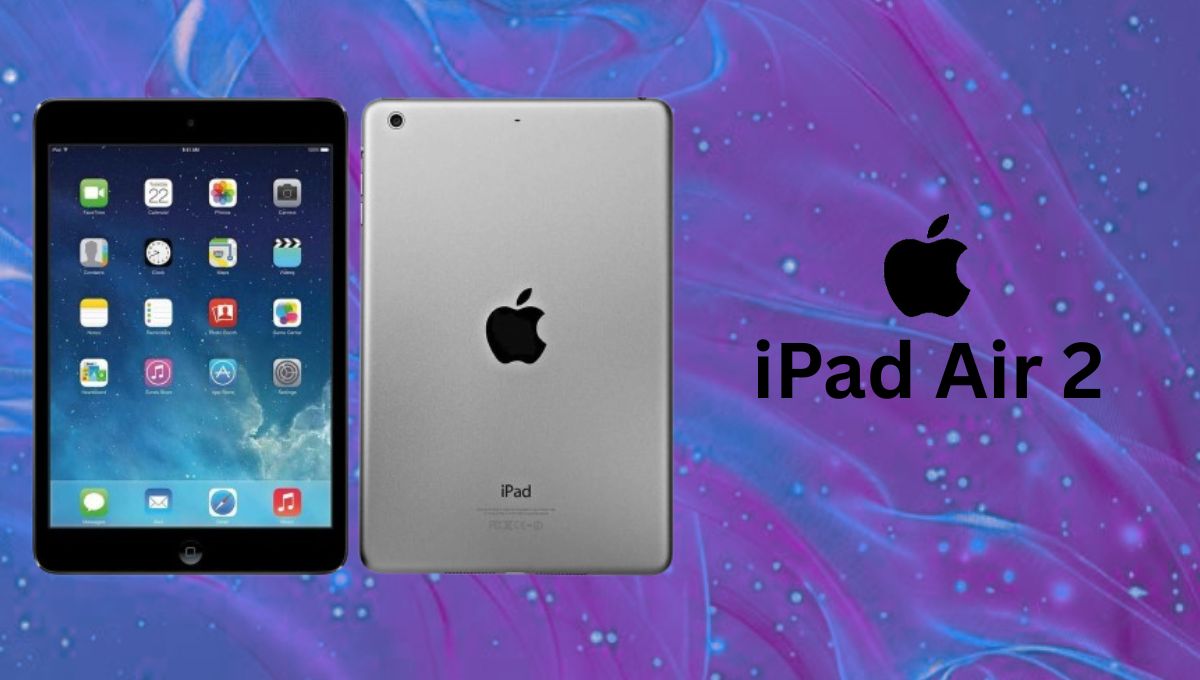
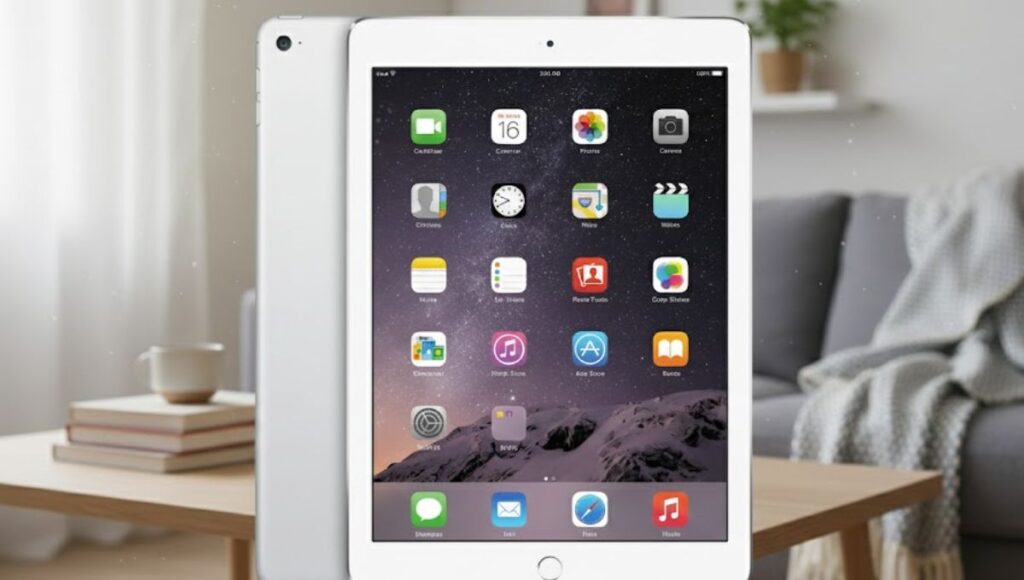
The iPad Air 2 is one of Apple’s most iconic tablets. When it launched, this device stood out with its slim profile and powerful performance. It became a favorite among users who wanted a strong tablet experience without the bulk of larger devices.
Sleek and Stylish Design
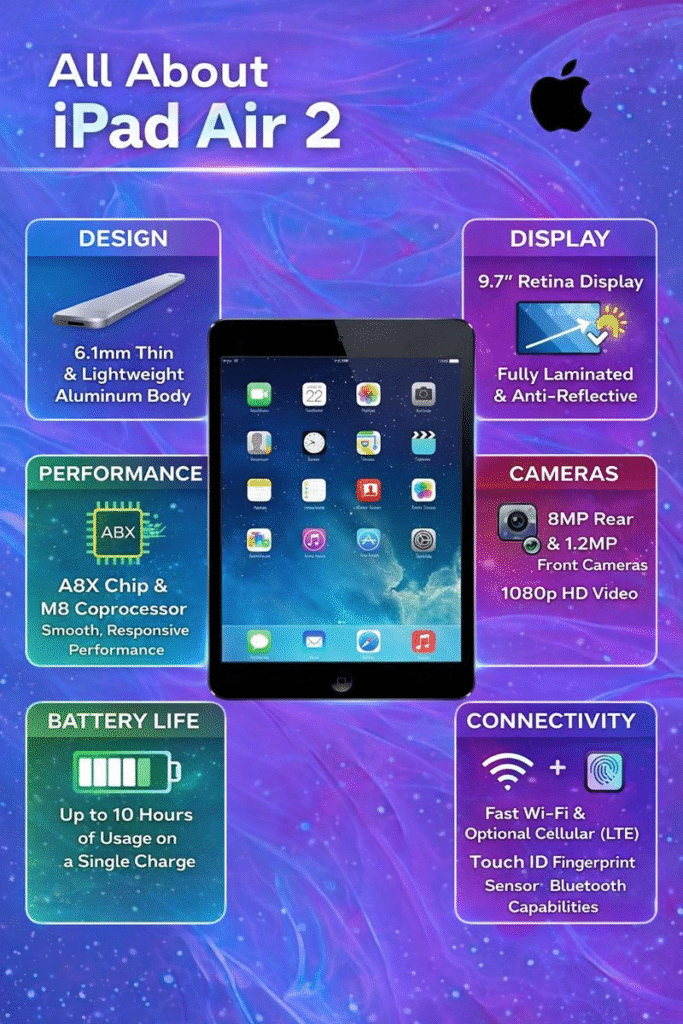
The first thing you notice about the iPad Air 2 is its design. Apple engineered this tablet to be incredibly thin, measuring just 6.1 mm in thickness. This sleek form makes it easy to hold for reading, watching videos, or browsing the web. The aluminum body feels solid and premium, giving a satisfying sense of quality in your hands.
Brilliant Display for Everyday Use
This tablet comes with a 9.7-inch Retina display that offers crisp visuals and vibrant colours. The screen uses a fully laminated design with an anti-reflective coating, which reduces glare and helps make content more readable outdoors or in bright lighting. Whether you’re watching videos, editing photos, or browsing apps, the display on the iPad Air 2 remains sharp and enjoyable to look at.
Performance That Still Performs
Under the hood, the iPad Air 2 packs an A8X chip paired with the M8 motion coprocessor. This combination delivers smooth performance for everyday tasks like web browsing, emails, streaming, and casual gaming. While it cannot compete with modern processors, it still handles basic usage reliably.
Camera and Video Capabilities
The iPad Air 2 includes an 8-megapixel rear camera capable of capturing clear photos and full HD videos. The front camera supports video calls and selfies. Features like panorama mode and burst photography add extra flexibility for casual photography needs.
The iPad Air 2 is available in both Wi-Fi and Wi-Fi + Cellular variants. It supports fast wireless connectivity, Bluetooth, and a wide range of LTE bands in cellular models. These features ensure stable connections for streaming, browsing, and online work.
Long-Lasting Battery Life
Despite its slim body, the iPad Air 2 offers impressive battery life. Users can expect up to 10 hours of usage on a single charge, making it suitable for travel, workdays, and extended entertainment sessions.
Who Should Consider It Today?
Although it is an older device, the iPad Air 2 is still suitable for light users. It works well for reading, browsing, watching videos, and basic apps. However, it may not support the latest software updates or heavy multitasking features found in newer iPads.
FAQs
What makes the iPad Air 2 different from earlier iPads?
The iPad Air 2 introduced a slimmer design, a laminated Retina display, and a more powerful processor compared to earlier models.
Can iPad Air 2 run modern apps?
It can run many basic and older apps, but some newer apps may not be compatible due to software limitations.
How long does the battery last on the iPad Air 2?
On average, the battery lasts up to 10 hours, depending on usage.
Does iPad Air 2 support Apple Pencil?
No, the iPad Air 2 does not support Apple Pencil.
Is the iPad Air 2 worth buying today?
It can be a good budget option for simple tasks, but users needing better performance should consider newer models.
AirPods are best known for working effortlessly with iPhones and iPads, but many people don’t realize that they can also be connected to a laptop. Whether you want to attend online meetings, watch movies, listen to music, or make voice calls, AirPods can work just like any other Bluetooth headset on a laptop.
The good news is that you don’t need any extra apps or cables. As long as your laptop has Bluetooth, connecting AirPods is simple. In this guide, you’ll learn how to connect AirPods to a laptop, starting with a quick summary and then a detailed, step-by-step explanation for different operating systems.
Quick Summary: How to Connect AirPods to a Laptop
Turn on Bluetooth on your laptop
Put your AirPods into pairing mode
Open Bluetooth settings on the laptop
Select AirPods from the device list
Confirm the connection
Once connected, your AirPods can automatically reconnect whenever Bluetooth is enabled.
Things to Check Before You Start
Before pairing your AirPods with a laptop, make sure:
Your AirPods and charging case have enough battery
Bluetooth is available and enabled on the laptop
You are within Bluetooth range
No other nearby device is actively connected to the AirPods
These small checks can help avoid connection issues later.
How to Connect AirPods to a Windows Laptop
Step 1: Enable Bluetooth on Windows
Click the Start menu
Open Settings
Go to Bluetooth & devices
Turn Bluetooth on
Your laptop is now ready to search for wireless devices.
Step 2: Put AirPods in Pairing Mode
Place both AirPods inside the charging case
Open the case lid
Press and hold the button on the back of the case
Release when the light starts flashing white
This means your AirPods are discoverable.
Step 3: Pair AirPods with Windows
In Bluetooth settings, click Add device
Select Bluetooth
Choose AirPods from the list
Wait for the connection message
Once connected, your AirPods are ready to use.
Step 4: Set AirPods as the Default Audio Device
Sometimes Windows doesn’t switch audio automatically.
Right-click the speaker icon on the taskbar
Open Sound settings
Select AirPods as both input and output
This ensures sound and microphone work properly.
How to Connect AirPods to a MacBook
Step 1: Turn On Bluetooth on macOS
Click the Apple menu
Open System Settings or System Preferences
Select Bluetooth
Make sure Bluetooth is turned on
Step 2: Activate Pairing Mode on AirPods
Keep the AirPods inside the case
Open the lid
Press and hold the setup button until the light flashes white
Step 3: Connect AirPods to Mac
Find AirPods in the Bluetooth device list
Click Connect
Wait for confirmation
If your Mac and AirPods use the same Apple ID, they may connect automatically.
Step 4: Choose AirPods as Audio Output
Click the sound icon in the menu bar
Select AirPods as the output device
Audio will now play through your AirPods.
Connecting AirPods to Other Laptops (Chromebook or Linux)
AirPods also work with other Bluetooth-enabled laptops.
General Steps
Open Bluetooth settings
Turn Bluetooth on
Put AirPods into pairing mode
Select AirPods from the list
Confirm the connection
The steps are similar across most platforms.
Common Problems and Easy Fixes
AirPods Not Appearing in Bluetooth
Make sure the case lid is open
Hold the setup button longer
Restart Bluetooth on the laptop
Sound Playing from Speakers Instead
Manually select AirPods as the output device
Restart the laptop if needed
Microphone Not Working
Set AirPods as the default input device
Disconnect and reconnect AirPods
Will AirPods Reconnect Automatically?
Yes. Once paired, AirPods usually reconnect when:
Bluetooth is turned on
AirPods are taken out of the case
They are close to the laptop
If not, you can reconnect them manually from Bluetooth settings.
Connecting AirPods to a laptop is easier than most people think. Even though AirPods are designed for Apple devices, they work perfectly well with Windows laptops, MacBooks, and other Bluetooth-enabled systems. With just a few steps, you can enjoy wireless audio for work, entertainment, or online calls.
Follow this guide once, and you’ll be able to connect your AirPods to any laptop without confusion.
Can I connect AirPods to any laptop?
Yes, AirPods can be connected to any laptop that supports Bluetooth. This includes Windows laptops, MacBooks, Chromebooks, and most Linux-based laptops. No additional software is required.
Why are my AirPods not showing up on my laptop?
This usually happens if the AirPods are not in pairing mode. Make sure they are inside the charging case, the lid is open, and the setup button on the back is pressed until the light flashes white. Also, ensure Bluetooth is turned on on your laptop.
Do AirPods work the same on Windows as on Mac?
AirPods work as standard Bluetooth earphones on Windows laptops. However, features like automatic device switching, Siri, and spatial audio are limited or unavailable outside Apple devices.
Can I use AirPods for calls and meetings on a laptop?
Yes, AirPods can be used for audio calls, video meetings, and voice chats. Just make sure AirPods are selected as both the input (microphone) and output (speaker) device in your laptop’s sound settings.
Why is sound coming from the laptop speakers instead of the AirPods?
Sometimes the laptop does not automatically switch the audio output. You can manually select AirPods as the output device from the sound settings or speaker icon on the taskbar or menu bar.
Can AirPods connect to multiple devices at the same time?
No, AirPods cannot play audio from multiple devices simultaneously. They can remember multiple devices but will connect to only one device at a time.
Do AirPods automatically reconnect to a laptop?
Yes, once paired, AirPods usually reconnect automatically when Bluetooth is enabled and the AirPods are taken out of the charging case. If not, they can be reconnected manually from Bluetooth settings.
How do I disconnect AirPods from a laptop?
You can disconnect AirPods by turning off Bluetooth on the laptop, switching to another audio device, or selecting “Disconnect” or “Remove device” from Bluetooth settings.
Is there audio delay when using AirPods with a laptop?
In most cases, audio delay is minimal. However, some Windows laptops may experience slight latency during video playback or gaming due to Bluetooth limitations.
Do AirPods need to be reset to connect to a new laptop?
No, resetting is not required. Simply put AirPods into pairing mode and select them from the laptop’s Bluetooth device list.
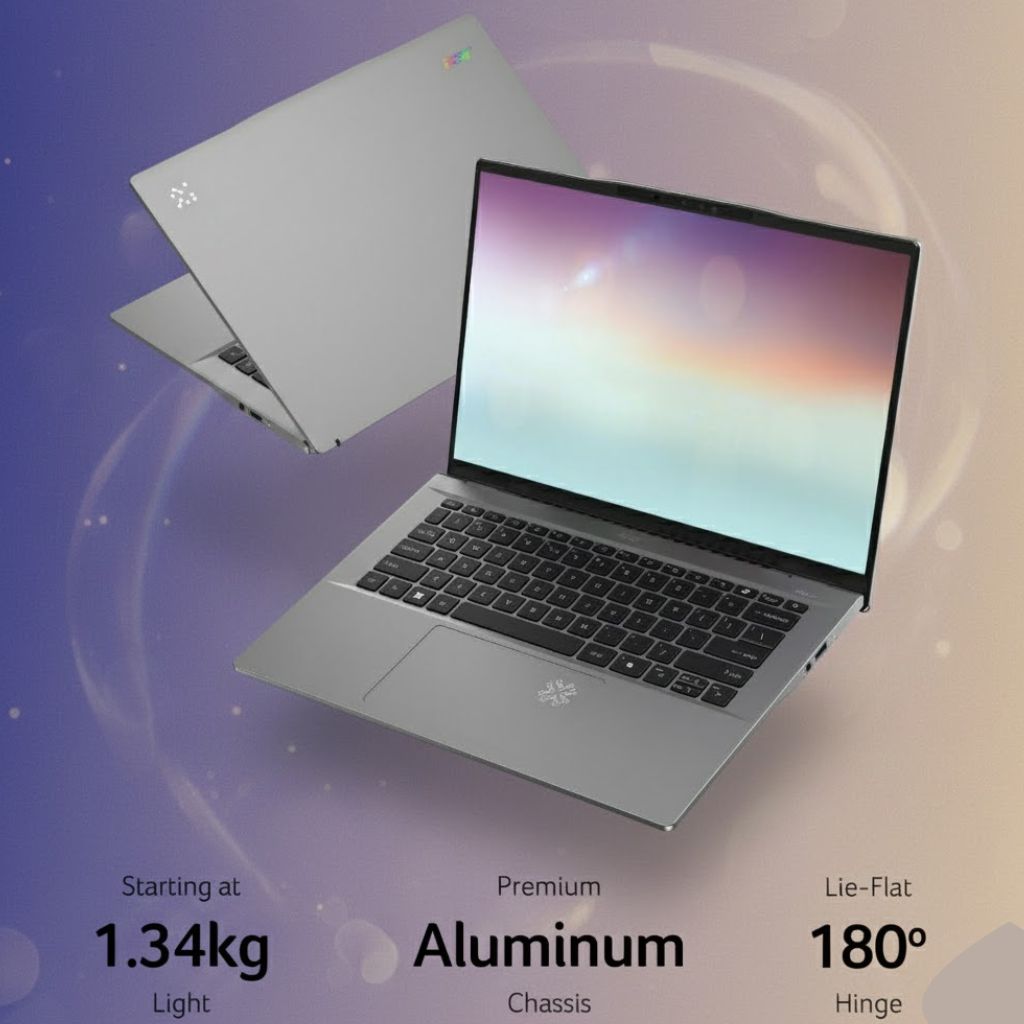
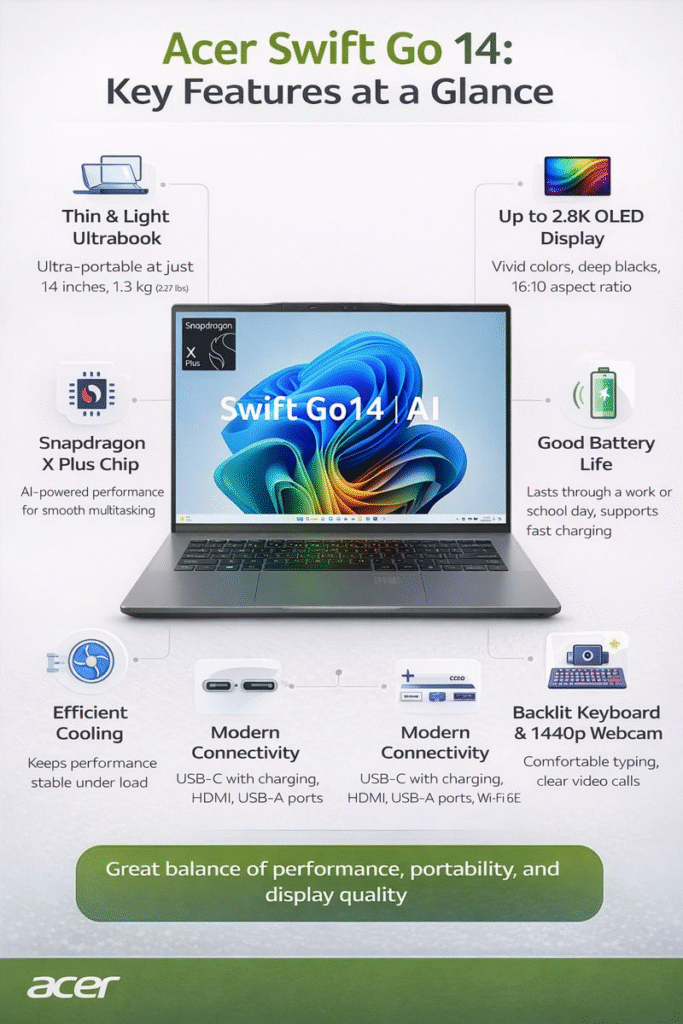
Finding a laptop that offers the right mix of performance, portability, and display quality is not easy, especially in the crowded mid-range segment. Many thin and light laptops compromise on power, battery life, or screen quality. The Acer Swift Go 14 aims to break this pattern by delivering a balanced experience suitable for students, professionals, and everyday users.
In this detailed review, we take a closer look at the Acer Swift Go 14, covering its design, build quality, display, performance, battery life, keyboard, connectivity, and real-world usability. By the end, you will have a clear idea of whether this laptop fits your daily needs.
Design, Build, and Portability
The Acer Swift Go 14 is designed with mobility as a priority. Its slim body and lightweight construction make it easy to carry throughout the day, whether you are commuting to work, attending classes, or traveling. The laptop slips easily into a backpack without adding noticeable weight.
Acer has kept the design clean and professional. The subtle branding and smooth finish make it suitable for both formal and casual environments. While the materials may not feel as premium as more expensive ultrabooks, the overall build quality is solid and reliable for daily use.
The hinge feels stable and allows smooth opening and closing of the lid. There is minimal flex during normal use, which adds to the laptop’s overall durability.
Display: A Major Highlight
One of the most impressive features of the Acer Swift Go 14 is its display. The laptop comes with multiple display options, including high-resolution OLED panels. The 14-inch screen with a 16:10 aspect ratio offers more vertical space, which improves productivity when working on documents, spreadsheets, or web pages.
The OLED display variant delivers excellent contrast, deep blacks, and vibrant colors. This makes it ideal for watching movies, editing photos, and consuming multimedia content. Text appears sharp and easy on the eyes, even during long working sessions.
Users who choose the non-OLED versions still get a sharp and bright display that performs well for everyday tasks. Overall, screen quality is one of the strongest reasons to consider the Acer Swift Go 14.
Performance and Real-World Usage
The Acer Swift Go 14 is powered by modern processors designed for efficiency and smooth multitasking. These processors handle everyday activities such as web browsing, document editing, video calls, and streaming without any issues.
For students and office professionals, the laptop delivers consistent and reliable performance. Applications load quickly, and multitasking feels smooth. Light creative tasks such as basic photo editing or short video edits are also manageable.
However, this laptop is not built for heavy workloads like advanced video editing, 3D modeling, or high-end gaming. During prolonged heavy use, the laptop may get warm, and the fan noise can become noticeable. For typical daily usage, though, performance remains stable.
Graphics and Multimedia Experience
The Acer Swift Go 14 uses integrated graphics, which are suitable for most everyday needs. Streaming high-resolution videos, attending virtual meetings, and running productivity software are all handled smoothly.
Casual gaming is possible with older or less demanding titles at lower settings. However, users who need powerful graphics performance should consider laptops with dedicated GPUs.
For entertainment and general use, the graphics performance of the Acer Swift Go 14 is more than sufficient.
Battery Life and Charging Support
Battery life on the Acer Swift Go 14 depends on usage and configuration. For light to moderate tasks such as browsing, writing, and media consumption, the laptop can last several hours on a single charge.
More demanding tasks, higher brightness levels, and OLED displays may reduce battery life. Thankfully, fast charging support helps reduce downtime by allowing quick recharging when needed.
While it may not offer true all-day battery life for heavy users, the battery performance is reasonable for a thin and lightweight laptop.
Keyboard and Touchpad Comfort
The keyboard on the Acer Swift Go 14 provides a comfortable typing experience. The keys are well-spaced, and the key travel is suitable for long typing sessions. The backlit keyboard adds convenience when working in low-light conditions.
The touchpad is responsive and accurate, supporting multi-touch gestures smoothly. It performs well for everyday navigation and productivity tasks, although power users may still prefer an external mouse.
Webcam, Audio, and Online Communication
A high-quality webcam makes the Acer Swift Go 14 suitable for online meetings, virtual classes, and video calls. The image quality is clear enough for professional communication.
The speakers deliver decent audio output for video calls, movies, and casual music listening. While they may lack deep bass, they are sufficient for everyday use.
Connectivity and Port Selection
Despite its slim design, the Acer Swift Go 14 includes a practical selection of ports. Users get USB-C ports for charging and data transfer, USB-A ports for older accessories, an HDMI port for external displays, and a card reader for added convenience.
Wireless connectivity is stable and reliable, ensuring smooth internet access and file sharing.
Advantages and Disadvantages
Advantages
Lightweight and easy to carry
Excellent display options, including OLED
Smooth performance for daily productivity
Good port selection for a thin laptop
Disadvantages
Integrated graphics limit gaming and heavy creative work
Battery life varies depending on configuration
Limited internal upgrade options
The Acer Swift Go 14 is a smart choice for users looking for a well-balanced laptop with strong display quality, reliable performance, and excellent portability. While it is not designed for heavy gaming or professional creative workloads, it excels as an everyday laptop for work, study, and entertainment.
Considering its features and pricing, the Acer Swift Go 14 offers good value and stands out as a competitive option in the 14-inch laptop segment.
The way people consume entertainment at home is changing rapidly. Traditional televisions are no longer the only option for enjoying movies, shows, and sports. Smart projectors are becoming popular because they offer large screen viewing without taking up much space. One such option that has gained attention is the Atom 3X from E Gate.
Designed for home users who want a smart, flexible, and easy-to-use projector, the Atom 3X combines Full HD visuals, built-in smart features, and a compact design. In this detailed guide, we will explore every aspect of the Atom 3X to help you decide if it suits your entertainment needs.
What Is Atom 3X?
The Atom 3X is a smart home projector developed by E Gate for users who want a large-screen experience without complicated setup. It is designed to work as a standalone entertainment device, meaning you do not need external streaming sticks or media players.
With built-in smart software, good picture quality, and flexible placement options, the Atom 3X is suitable for watching movies, streaming TV shows, casual gaming, and even basic presentations.
Design and Build Quality
Compact and Modern Look
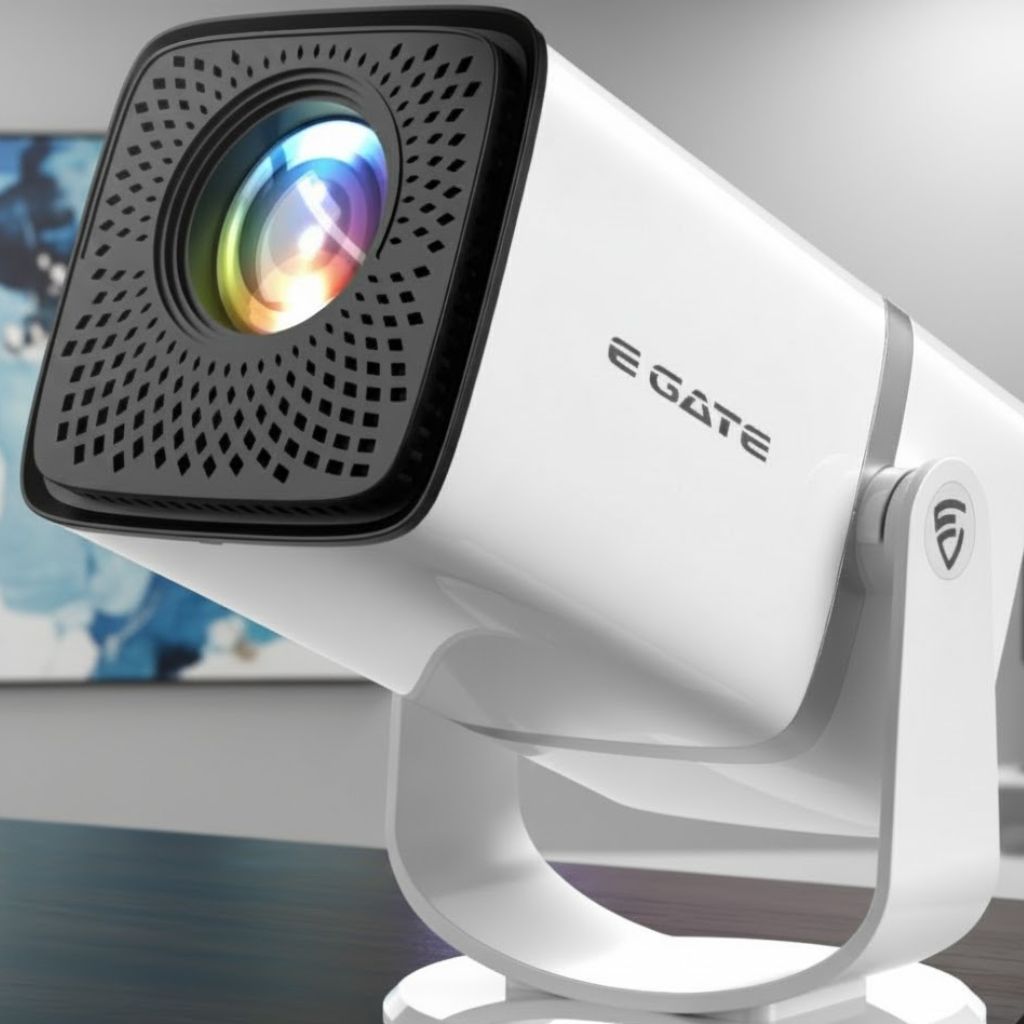
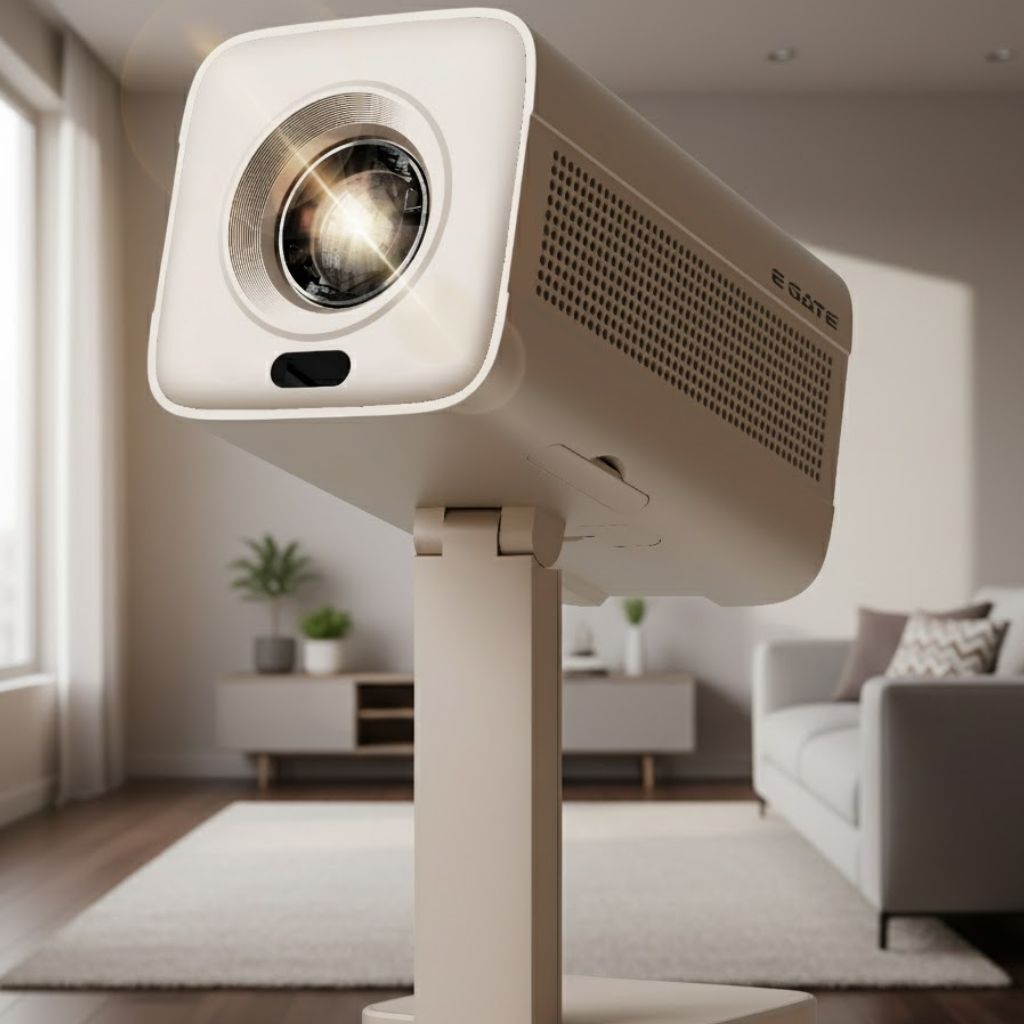
The Atom 3X has a clean and modern design that fits well in any home environment. Its compact body allows it to sit easily on a table, shelf, or stand. The overall design focuses on practicality rather than flashy elements, making it suitable for living rooms, bedrooms, or study spaces.
Rotatable Design for Flexible Placement
One of the standout design features of the Atom 3X is its rotatable structure. This allows users to adjust the projection angle without moving the entire projector. This is especially useful in rooms where space is limited or where ceiling or wall projection is preferred.
Lightweight and Portable
The Atom 3X is easy to carry and move from one room to another. This portability makes it a good option for people who want to use the projector in different locations or store it away when not in use.
Display and Picture Quality
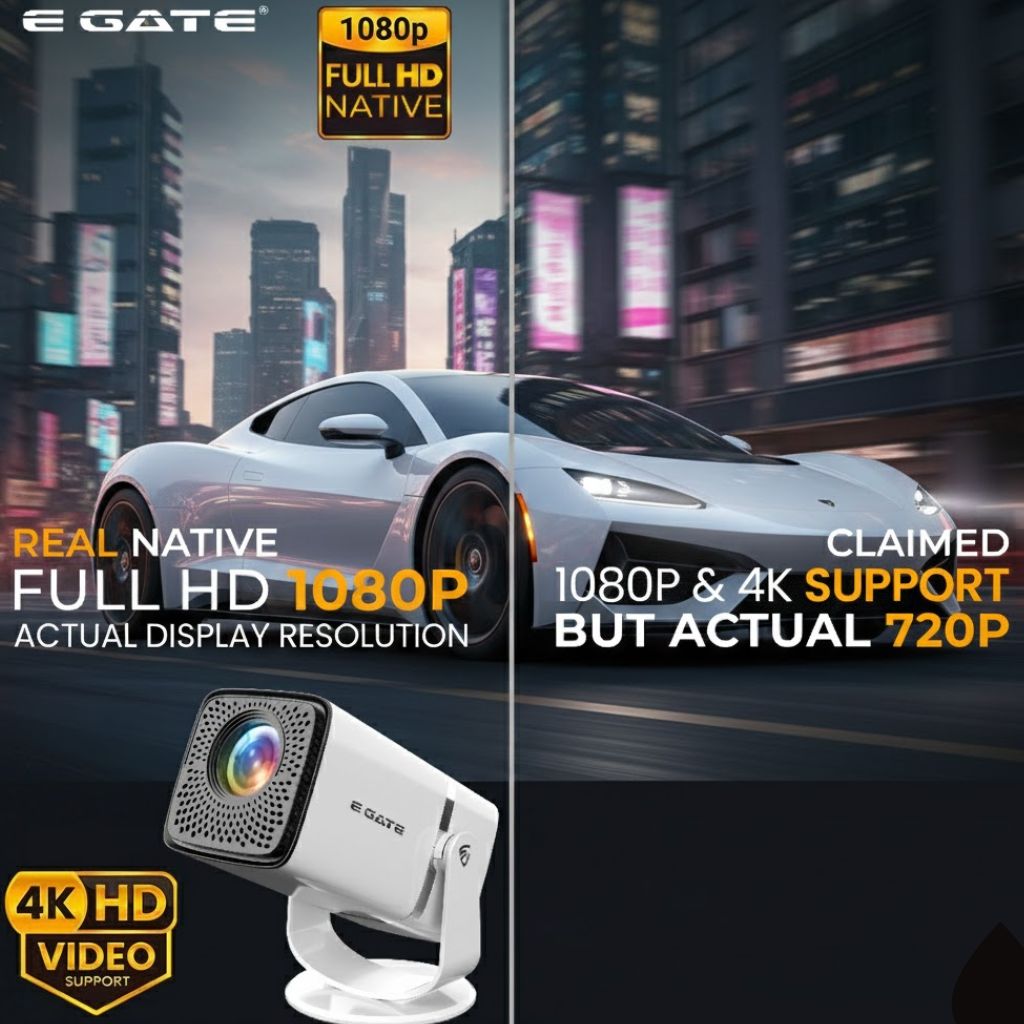
Native Full HD Resolution
The Atom 3X features native Full HD resolution, delivering sharp and clear visuals. Text appears crisp, and images look detailed, making it suitable for watching high-quality content. For most home users, Full HD resolution offers a satisfying viewing experience without the need for very high-end equipment.
Support for High-Quality Content
Although the native resolution is Full HD, the Atom 3X supports high-resolution content playback. This allows users to enjoy modern video formats with better clarity and improved color output.
Large Screen Projection
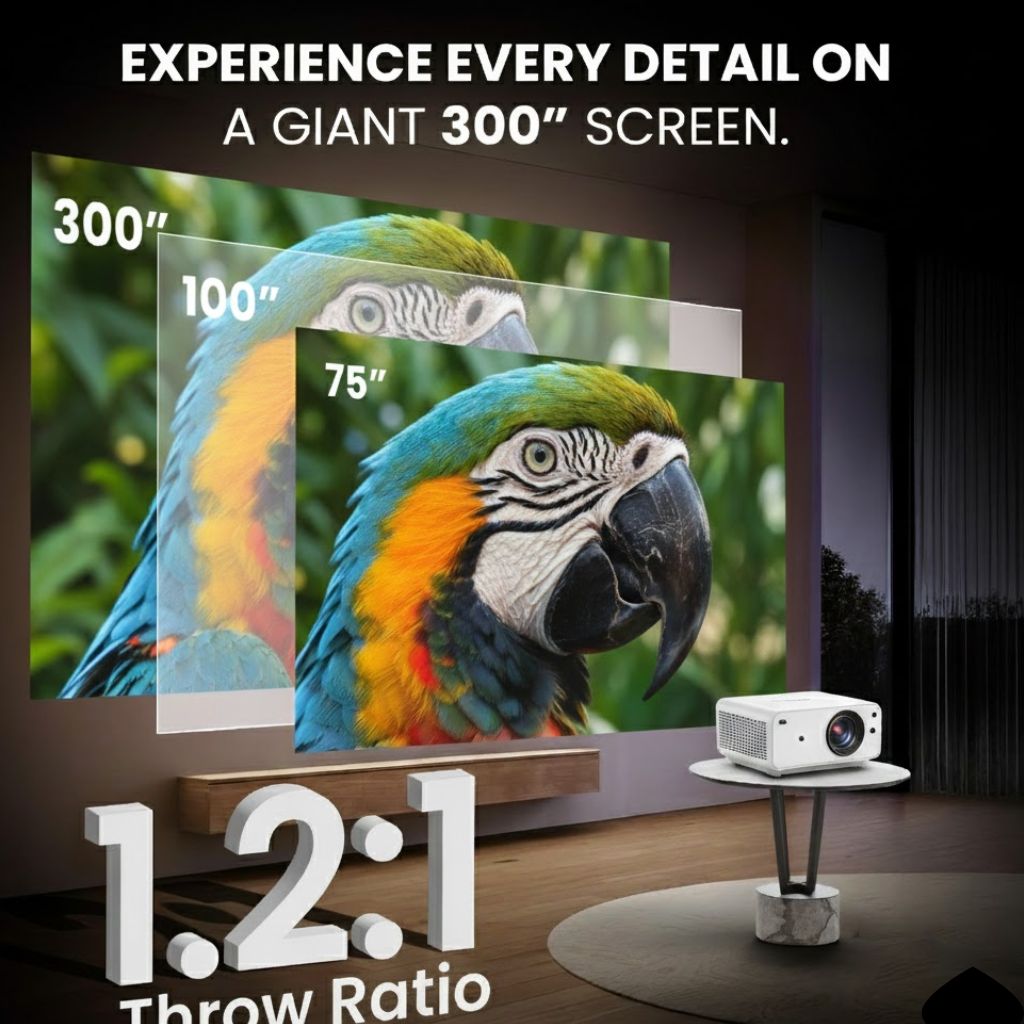
One of the biggest advantages of the Atom 3X is its ability to project a large screen. You can enjoy a cinema-style experience with a screen size that easily matches or exceeds most televisions. This makes movie nights and sports viewing more immersive.
Brightness and Viewing Conditions
The Atom 3X is best suited for indoor use in low to moderate lighting. In darker rooms, the visuals look more vibrant and detailed. Like most projectors in this category, it performs better when direct sunlight or strong ambient light is reduced.
This makes the Atom 3X ideal for evening viewing, movie nights, or rooms with curtains or controlled lighting.
Smart Features and Operating System
Built-In Smart Platform
One of the main reasons users choose the Atom 3X is its built-in smart system. The projector runs on a modern operating system that allows users to access streaming apps directly. There is no need to connect external devices to watch content online.
Streaming and App Support
With the Atom 3X, users can enjoy movies, TV shows, videos, and other content through popular streaming applications. This makes the projector function like a smart TV, but with the added benefit of a much larger screen.
Simple and User-Friendly Interface
The user interface of the Atom 3X is designed to be simple and easy to navigate. Menus are clear, and switching between apps or settings does not require technical knowledge. This makes it suitable even for first-time projector users.
Setup and Ease of Use
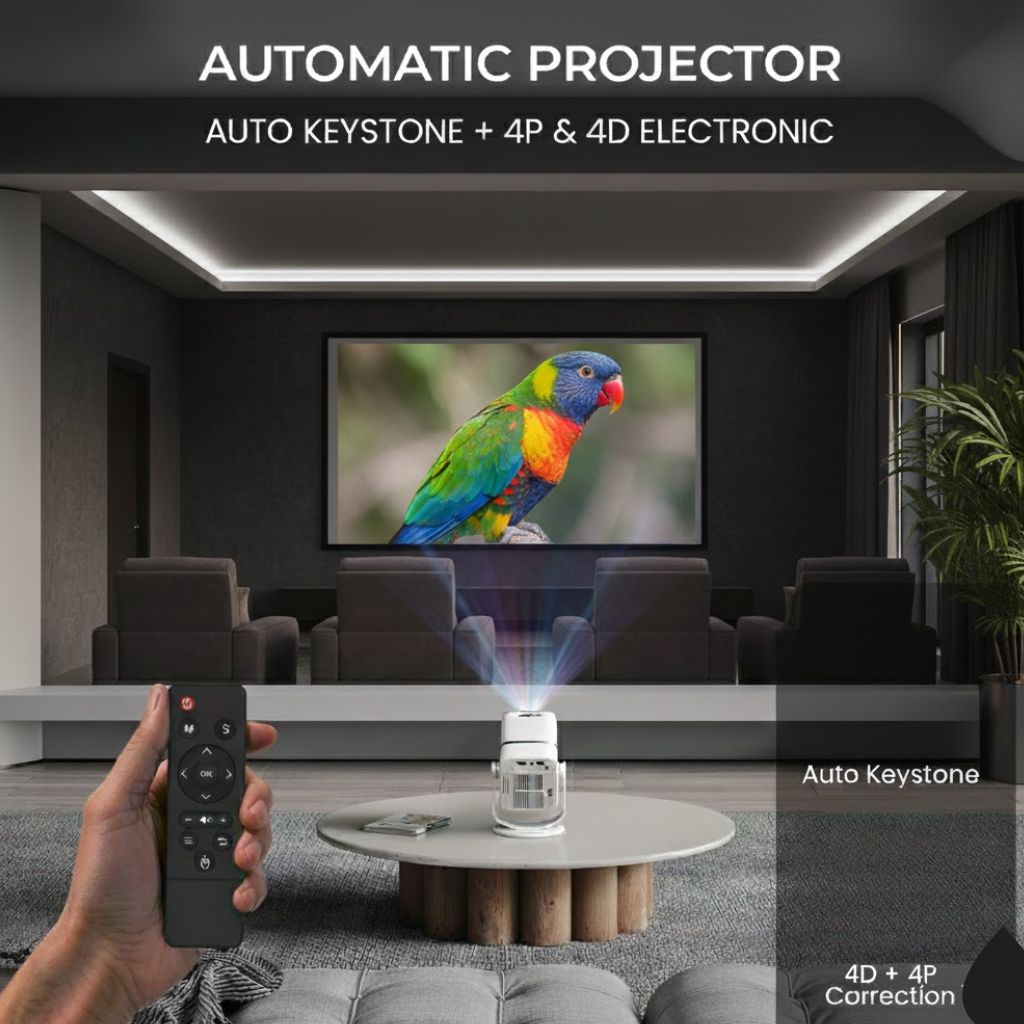
Automatic Image Adjustment
The Atom 3X includes automatic image adjustment features that help deliver a clear and properly aligned picture. These features reduce the need for manual adjustments and save time during setup.
Keystone Correction
Keystone correction ensures that the projected image remains rectangular even if the projector is placed at an angle. This is especially useful in real-life home setups where perfect placement is not always possible.
Quick Installation
Setting up the Atom 3X is straightforward. Once powered on, users can connect to Wi-Fi, log in to their accounts, and start streaming within minutes.
Audio Performance
Built-In Speakers
The Atom 3X comes with built-in speakers that offer clear sound for everyday viewing. Dialogue is easy to understand, and volume levels are sufficient for small to medium-sized rooms.
External Audio Support
For users who want a richer audio experience, the Atom 3X supports external speakers. You can connect sound systems or wireless speakers to enhance sound quality, making it more suitable for movies and music.
Connectivity Options
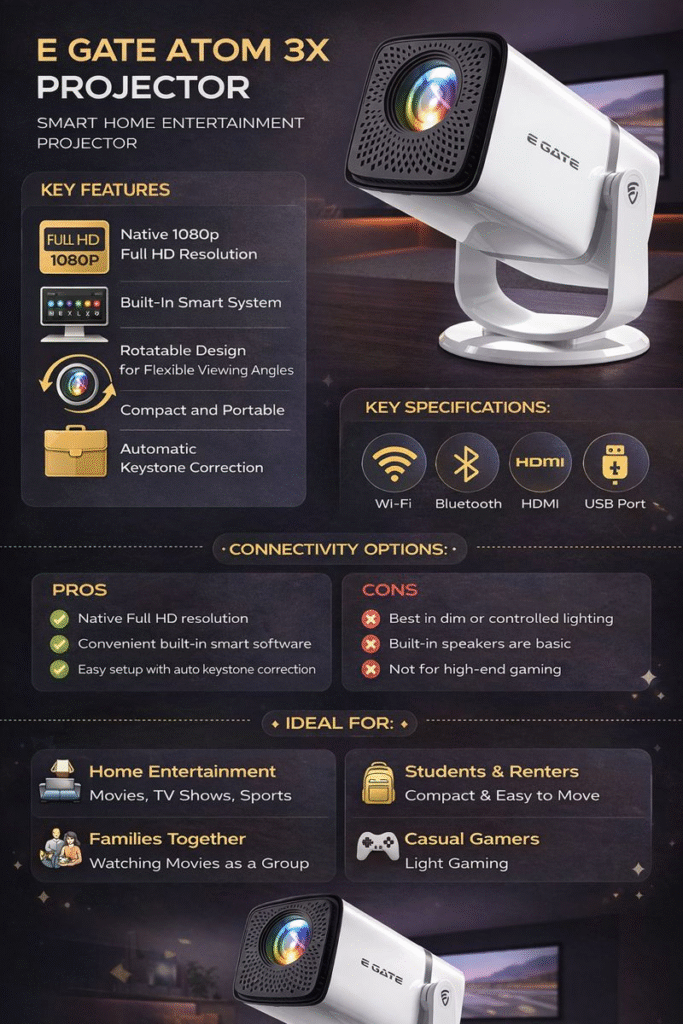
The Atom 3X provides several connectivity options to support different use cases:
Wireless connectivity for smooth streaming
Bluetooth support for speakers and accessories
HDMI input for laptops, gaming consoles, and media players
USB port for playing content from storage devices
Audio output for external sound systems
Screen mirroring from smartphones and laptops
These options make the Atom 3X versatile and compatible with a wide range of devices.
In daily use, the Atom 3X performs smoothly. Apps load at a reasonable speed, and navigation feels responsive. Users can switch between streaming platforms or input sources without major delays.
Suitable for Casual Gaming
The Atom 3X handles casual gaming well. While it is not designed for professional gaming, it works fine for light games and family-friendly entertainment.
Who Should Buy Atom 3X?
The Atom 3X is a good choice for:
Home users looking for a big-screen entertainment solution
Families who enjoy watching movies and shows together
Students or renters who need a portable projector
Users who want a smart projector without extra devices
It may not be ideal for users who need very high brightness for daytime viewing or advanced gaming features.
Pros and Cons
Pros
Native Full HD resolution
Built-in smart platform for streaming
Large screen projection capability
Easy setup with auto adjustments
Portable and compact design
Multiple connectivity options
Cons
Best performance in controlled lighting
Built-in speakers are average for large rooms
Not meant for high-end gaming
The Atom 3X is a practical and user-friendly smart projector that delivers strong value for home entertainment. With Full HD visuals, built-in smart features, flexible placement, and simple setup, it meets the needs of most everyday users.
If you are looking for a projector that combines ease of use with a large screen viewing experience, the Atom 3X is a solid and dependable choice for modern homes.
Is Atom 3X a smart projector?
Yes, the Atom 3X includes a built-in smart system that allows streaming without external devices.
Can Atom 3X replace a TV?
Yes, for many users, the Atom 3X can replace a TV, especially if you prefer a large screen experience.
Is Atom 3X easy to install?
Yes, the projector is easy to install and includes automatic image adjustment features.
Can I connect my phone to Atom 3X?
Yes, the Atom 3X supports screen mirroring from smartphones and laptops.
Is Atom 3X good for small rooms?
Yes, it works well in small and medium-sized rooms with controlled lighting.
The demand for smart projectors has grown rapidly as people look for flexible and affordable alternatives to traditional televisions. Among the many options available today, the Atom 4X Plus stands out as a feature-rich projector designed for everyday home entertainment. With smart functionality, Full HD visuals, and easy setup, this projector is built for users who want a big-screen experience without complexity.
In this comprehensive guide, we will delve into every aspect of the Atom 4X Plus, including its design, performance, features, connectivity, and practical usability. This article is written in simple language to help you understand whether this projector is right for your needs.
What Is Atom 4X Plus?
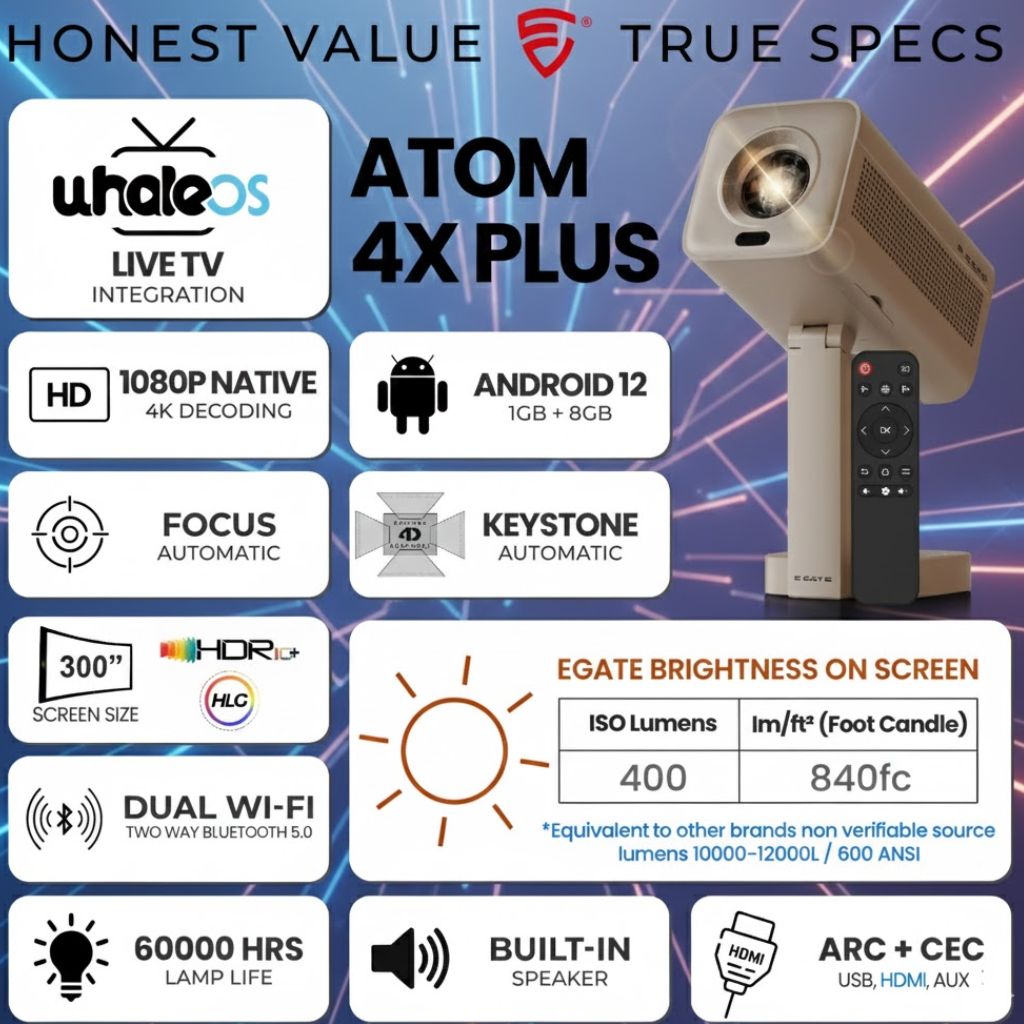
The Atom 4X Plus is a smart home projector developed by E Gate for users who want a compact yet powerful entertainment device. It combines a modern projection system with built-in smart software, allowing users to stream content directly without needing external devices.
This projector is suitable for watching movies, TV shows, sports, casual gaming, and even basic office presentations. Its user-friendly approach makes it ideal for both beginners and experienced users.
Design and Build Quality
Compact and Minimal Design
The Atom 4X Plus features a clean and modern design that fits easily into any home setup. Its compact body allows it to be placed on a table, shelf, or stand without taking up much space. The design focuses on practicality rather than flashy elements, which many users appreciate.
Portable and Easy to Move
One of the key advantages of the Atom 4X Plus is portability. You can move it from one room to another without effort. This makes it suitable for living rooms, bedrooms, or even outdoor movie nights in controlled lighting conditions.
Display Quality and Visual Performance
Full HD Resolution for Sharp Viewing
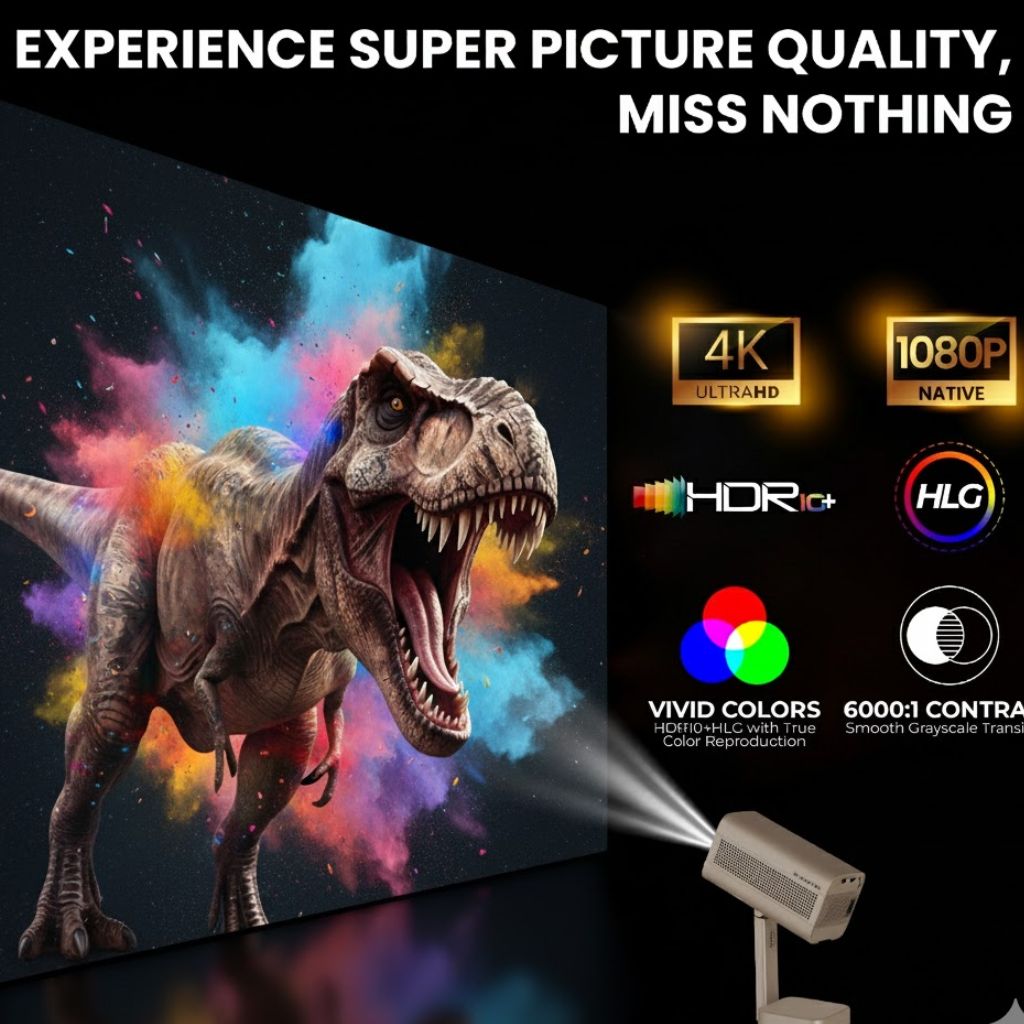
The Atom 4X Plus features native Full HD resolution, delivering clear and detailed visuals. Text appears sharp, and video content looks crisp, especially when watching high-quality streaming content.
Support for High-Resolution Content
Although the projector’s native output is Full HD, it supports higher-resolution content playback. This means users can enjoy modern streaming formats with improved clarity and color depth.
Large Screen Projection
One of the biggest strengths of the Atom 4X Plus is its ability to project a very large screen. Whether you want a moderate display for daily viewing or a massive cinematic experience, this projector can adapt to different room sizes.
Brightness and Viewing Environment
The Atom 4X Plus is designed primarily for indoor use. It performs best in low to moderate lighting conditions. In darker rooms, the visuals appear vibrant and immersive. While it can function in ambient light, reduced lighting enhances the overall viewing experience.
This makes the projector ideal for evening movie sessions, weekend binge-watching, or late-night sports viewing.
Smart Features and Operating System
Built-In Smart Platform
One of the most attractive features of the Atom 4X Plus is its built-in smart operating system. Users can access popular streaming applications directly from the projector without connecting a separate device.
App Support and Streaming
The projector supports a wide range of streaming and entertainment apps. This allows users to watch movies, TV shows, videos, and live content using only an internet connection.
User-Friendly Interface
The interface is designed to be simple and easy to navigate. Even users who are new to smart projectors will find the menus straightforward and responsive.
Audio Performance
Built-In Speakers
The Atom 4X Plus comes with built-in speakers that provide clear and balanced sound for everyday use. Dialogues are easy to understand, and volume levels are sufficient for small to medium-sized rooms.
External Audio Support
For users who want a richer sound experience, the projector supports external audio devices. You can connect speakers or sound systems to enhance bass and overall audio quality, making it suitable for movie nights and music playback.
Connectivity Options
Wireless Connectivity
The Atom 4X Plus supports modern wireless connectivity, allowing smooth streaming and stable performance. Wireless connections help reduce cable clutter and make setup more flexible.
Multiple Input Ports
The projector includes essential ports that allow users to connect gaming consoles, laptops, USB drives, and other media devices. This versatility ensures that the Atom 4X Plus can be used for various purposes beyond streaming.
Automatic Focus and Keystone Correction
Hassle-Free Setup
One of the standout features of the Atom 4X Plus is its automatic focus and keystone correction. These features adjust the image automatically to deliver a clear and properly aligned picture.
Ideal for Beginners
Users do not need technical knowledge to set up the projector. Even if the projector is placed at an angle, it adjusts itself to display a rectangular and sharp image.
Performance in Daily Use
Smooth Streaming Experience
In everyday usage, the Atom 4X Plus performs smoothly. Streaming apps load quickly, and navigation feels responsive. This makes it suitable for long viewing sessions without interruptions.
Suitable for Casual Gaming
While it is not designed as a hardcore gaming projector, the Atom 4X Plus handles casual gaming well. Games with moderate graphics run smoothly, making it enjoyable for family gaming sessions.
Who Should Buy Atom 4X Plus?
The Atom 4X Plus is ideal for:
Home users looking for an affordable big-screen solution
Students and renters who want portability
Families who enjoy movies and TV shows together
Users who prefer a smart projector without external devices
It may not be suitable for users who need extremely high brightness for daylight viewing or advanced gaming features.
The Atom 4X Plus is a well-balanced smart projector that delivers strong value for everyday home entertainment. It combines ease of use, smart features, and good visual quality in a compact form. While it may not replace high-end cinema projectors, it performs exceptionally well for its category.
For users who want a reliable, simple, and modern projector for movies, streaming, and casual gaming, the Atom 4X Plus is a solid and practical choice.
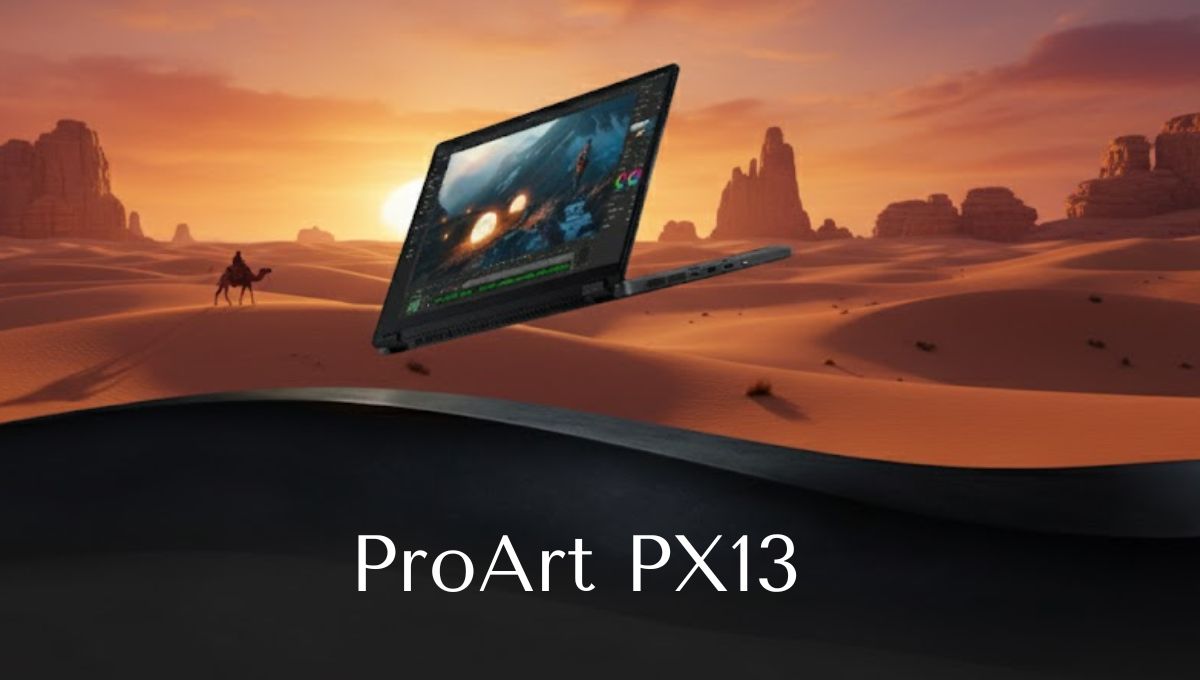
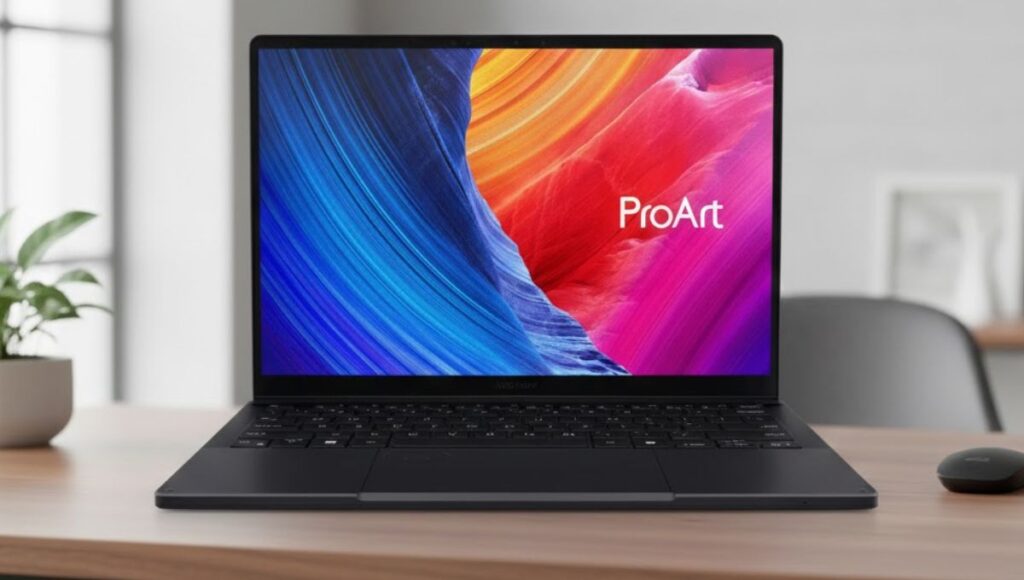
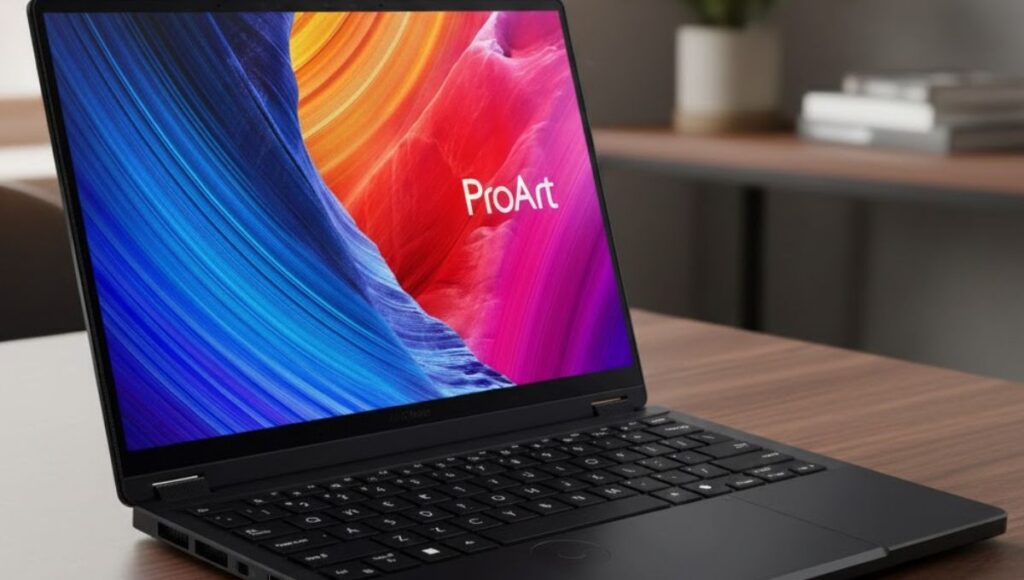
The ProArt PX13 is a premium laptop designed specifically for creative professionals who need strong performance in a compact and portable body. ASUS has built this device with creators in mind, focusing on display accuracy, processing power, and flexibility. Whether you are a graphic designer, video editor, animator, or digital artist, the ProArt PX13 aims to deliver professional-level performance without the bulk of a traditional workstation laptop.
In this detailed article, we explore every important aspect of the ProArt PX13, including its design, display quality, performance, battery life, features, and real-world usability. This guide will help you decide whether the ProArt PX13 is the right laptop for your creative needs.
Overview of the ProArt PX13
The ProArt PX13 sits in a unique position in the creator laptop segment. It is compact like an ultrabook but powerful like a workstation. ASUS has designed it for users who want high-end performance in a smaller, travel-friendly form factor.
This laptop focuses on:
Creative accuracy
Strong processing power
Touch and stylus support
Portability and durability
The ProArt PX13 is especially appealing to creators who work on the move and need a reliable machine that can handle demanding software.
Design and Build Quality
The ProArt PX13 features a clean, professional design that feels premium from the moment you pick it up. The chassis is slim, lightweight, and finished in a subtle dark tone that reflects a modern and professional aesthetic.
Build and Durability
Despite its compact size, the ProArt PX13 feels solid and well-built. It is designed to handle daily wear and travel, making it suitable for creators who frequently move between workspaces. The hinge is sturdy, and the overall construction gives confidence that the laptop can withstand regular use.
The compact 13-inch size makes it easy to carry in a backpack or laptop bag without adding unnecessary weight.
The display is one of the strongest features of the ProArt PX13. It comes with a 13.3-inch OLED touchscreen that offers high resolution and excellent color reproduction.
Display Highlights
High-resolution OLED panel
Touchscreen support
Excellent contrast and deep blacks
Wide color coverage for creative work
Smooth visuals for editing and previewing content
For creators working with photos, videos, or illustrations, color accuracy is critical. The ProArt PX13 delivers sharp visuals and vibrant colors that help ensure your work looks consistent across different platforms.
The touch and stylus support also make the ProArt PX13 ideal for sketching, drawing, and precise editing tasks.
Performance and Processing Power
The ProArt PX13 is built to handle professional creative workloads. It is powered by advanced processors designed for multitasking and heavy applications.
CPU and GPU Performance
The laptop offers strong CPU performance that handles tasks like:
Video editing
Photo processing
3D modeling
Multitasking with creative software
In addition, dedicated graphics support allows the ProArt PX13 to perform well in GPU-accelerated tasks such as rendering, effects processing, and design work.
This combination makes the ProArt PX13 suitable for both everyday creative tasks and more demanding professional projects.
Memory and Storage
The ProArt PX13 comes with fast memory and solid-state storage, which play a big role in its smooth performance.
Key Benefits
Fast system startup
Quick file access
Smooth multitasking
Reduced loading times in creative software
Whether you are opening large design files or working on high-resolution videos, the ProArt PX13 handles data efficiently and reliably.
Cooling and Thermal Management
A compact laptop with powerful hardware needs an efficient cooling system. The ProArt PX13 includes a smart thermal design that helps maintain performance during extended workloads.
The cooling system works quietly during light tasks and ramps up when needed during heavy processing. This helps prevent overheating and ensures consistent performance without excessive noise.
Keyboard, Touchpad, and Input Experience
The ProArt PX13 offers a comfortable typing experience suitable for long work sessions.
Keyboard Experience
Well-spaced keys
Comfortable key travel
Suitable for writing, coding, and editing
The touchpad is responsive and accurate, making navigation smooth and reliable. Combined with touchscreen and stylus support, the laptop offers multiple input options depending on your workflow.
Connectivity and Ports
Despite its compact size, the ProArt PX13 provides a good range of ports for professional use.
Connectivity Options
USB Type-C ports for fast data transfer and charging
USB Type-A port for accessories
HDMI port for external displays
Memory card reader for easy file transfer
Wireless connectivity is also strong, allowing fast and stable internet connections for cloud-based workflows and online collaboration.
Audio and Webcam Performance
The ProArt PX13 includes clear speakers suitable for casual media consumption and video calls. While it is not a replacement for external studio speakers, it provides good clarity for meetings and content previews.
The webcam supports secure login features and delivers decent image quality for online meetings, classes, or client calls.
Battery Life and Daily Use
Battery life on the ProArt PX13 depends on how it is used. For light tasks such as browsing, writing, or watching videos, the laptop can last several hours. However, during heavy creative work such as video editing or rendering, battery life may be reduced faster.
For creators who work on the go, it is recommended to manage power settings or carry a charger for longer sessions.
Real-World Usage Experience
In real-world use, the ProArt PX13 feels fast, responsive, and reliable. It handles creative applications smoothly and offers a comfortable working experience, even during extended sessions.
The compact size makes it easy to use in different environments, from studios to cafés to client locations. For creators who value mobility without sacrificing performance, the ProArt PX13 fits well into daily workflows.
Who Should Buy the ProArt PX13?
The ProArt PX13 is ideal for:
Graphic designers
Video editors
Digital artists
Content creators
Creative students
Professionals who travel frequently
If you need a portable laptop that can handle serious creative tasks, the ProArt PX13 is a strong option.
Pros and Cons
Pros
Excellent OLED display
Strong performance for creative tasks
Compact and lightweight design
Touch and stylus support
Premium build quality
Cons
Battery life can drop during heavy workloads
A smaller screen may feel limiting for some users
Premium pricing compared to standard laptops
The ProArt PX13 is a powerful and compact laptop built for creators who need performance, accuracy, and portability. It delivers excellent display quality, reliable performance, and flexible input options, making it a strong choice for creative professionals and students alike.
While battery life under heavy use may require planning, the overall experience offered by the ProArt PX13 makes it a valuable tool for modern creative workflows. If you are looking for a premium creator-focused laptop in a small form factor, the ProArt PX13 deserves serious consideration.
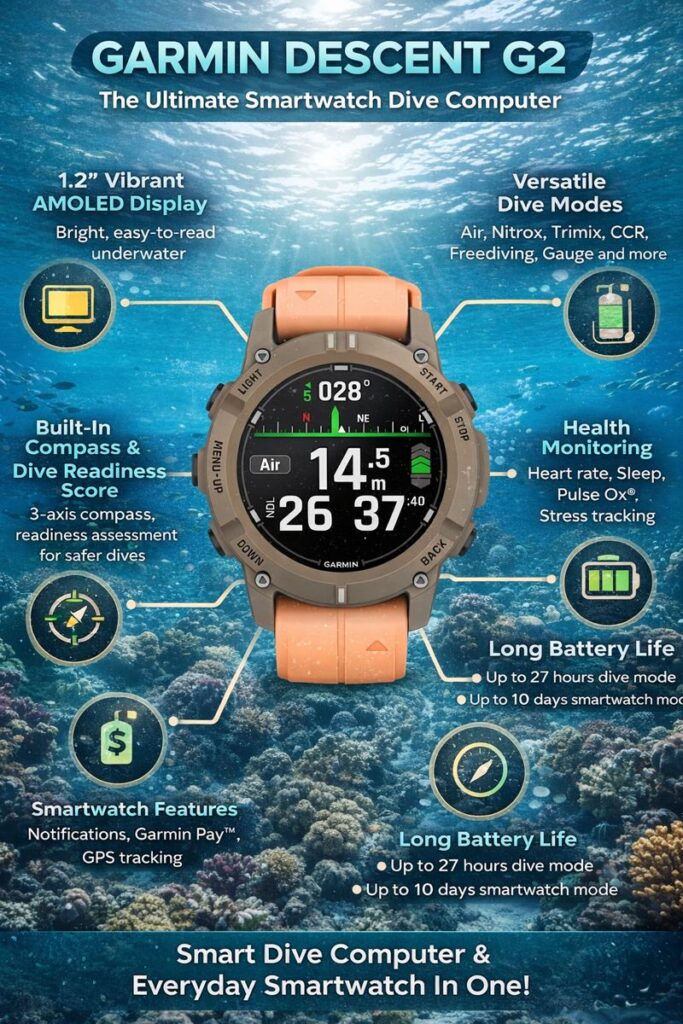
The underwater world demands precision, reliability, and safety. Divers today need more than just a basic dive computer; they need a smart companion that supports them both underwater and on land. The Descent G2 is designed exactly for this purpose. It combines advanced dive technology with everyday smartwatch features, making it a powerful tool for recreational divers, technical divers, and adventure enthusiasts.
This detailed guide explores everything you need to know about the Descent G2, including its features, performance, design, dive modes, health tracking, and real-world usability.
What Is Descent G2?
The Descent G2 is a watch-style dive computer that offers full dive functionality along with smartwatch capabilities. Unlike traditional dive computers that are used only during dives, the Descent G2 is built for continuous use. You can wear it all day, track your health, plan dives, and review detailed dive logs.
It is suitable for both beginners who prioritize safety and simplicity, as well as experienced divers who require advanced dive planning tools.
Design and Build Quality
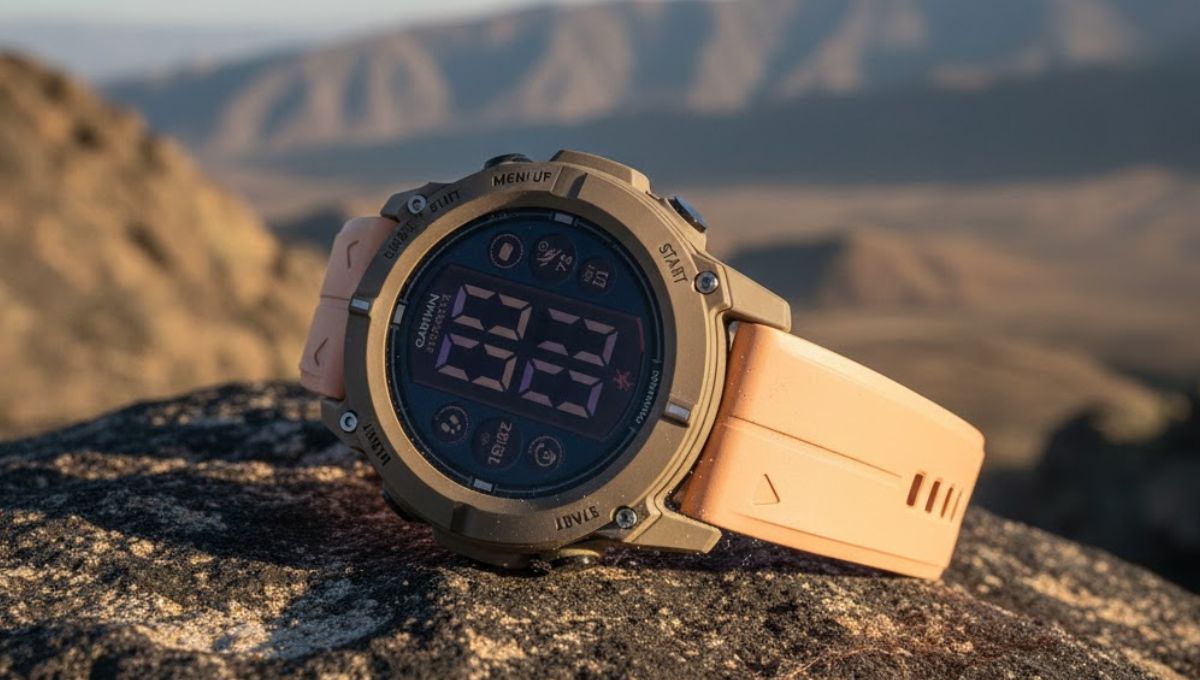
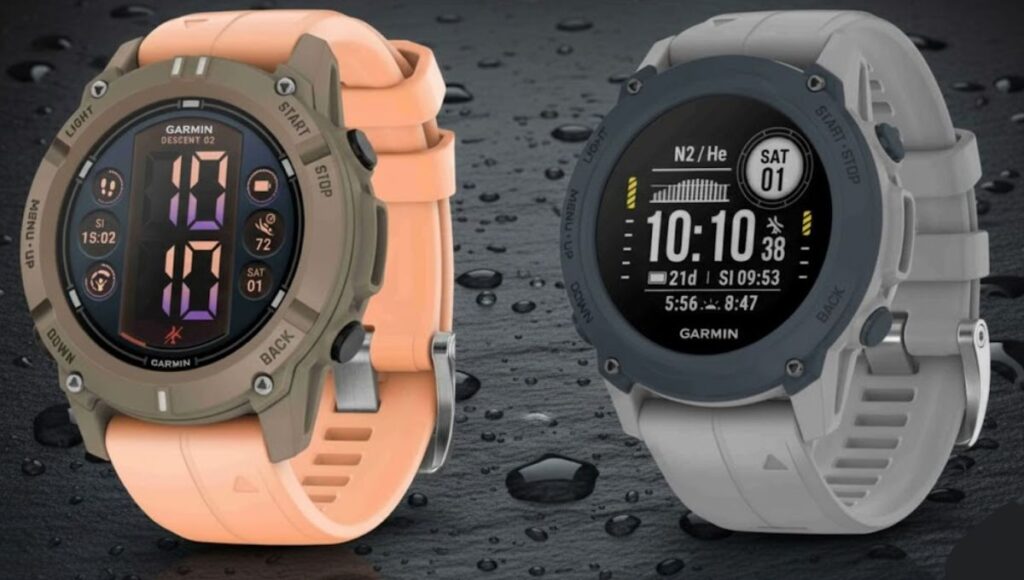
The Descent G2 boasts a modern, rugged design that strikes a balance between durability and comfort. The watch body is strong enough to withstand underwater pressure while remaining lightweight for daily wear.
Key Design Highlights
Scratch-resistant sapphire glass
Strong casing built for underwater conditions
Comfortable strap suitable for wetsuits and drysuits
Leak-proof buttons for added safety
Stylish enough for everyday use
The watch has a clean and professional look, making it suitable for both adventure and casual settings.
Display Quality and Visibility
One of the most impressive upgrades in the Descent G2 is its bright AMOLED display. Visibility underwater is critical, and this display ensures dive data is clear even in low-light conditions.
Display Benefits
Bright and sharp visuals
Easy readability underwater
Clear contrast for depth, time, and decompression data
Smooth interface navigation
The screen remains visible under direct sunlight and deep underwater, making it highly reliable.
Dive Modes and Capabilities
The Descent G2 supports a wide range of dive modes, making it suitable for different diving styles and experience levels.
Supported Dive Modes
Single-gas air diving
Multi-gas diving
Nitrox diving
Trimix diving
Closed-circuit rebreather (CCR)
Freediving and apnea mode
Gauge mode
Pool apnea mode
Each mode provides accurate calculations and customizable settings to match the diver’s needs.
Dive Safety and Monitoring Features
Safety is a core focus of the Descent G2. It continuously monitors key parameters during your dive and alerts you when necessary.
Important Safety Features
Real-time depth tracking
Ascent and descent rate warnings
Decompression stop guidance
Safety stop reminders
Adjustable dive alarms
Surface interval tracking
These features help divers make informed decisions underwater and reduce the risk of dive-related issues.
Dive Readiness Score
A unique and highly valuable feature of the Descent G2 is the Dive Readiness Score. This tool evaluates your physical condition before a dive.
It considers:
Sleep quality
Stress levels
Recent physical activity
Previous dive history
The score helps divers decide whether they are physically prepared for a dive, promoting safer diving habits.
Underwater Navigation and Compass
The built-in 3-axis compass allows accurate underwater navigation. This is especially useful for wreck diving, reef exploration, or low-visibility environments.
Navigation Benefits
Clear compass display underwater
Easy direction tracking
Helps return to the entry point
GPS logging for dive start and end points
This feature adds confidence, especially for divers exploring unfamiliar dive sites.
Battery Life Performance
Battery life is an important factor for any dive computer. The Descent G2 offers balanced performance across different modes.
Battery Life Overview
Up to 27 hours in dive mode
Up to 10 days in smartwatch mode
Up to 20 hours with GPS active
Extended battery mode for long activities
This allows multiple dives over several days without frequent charging.
Beyond diving, the Descent G2 functions as a full-featured health smartwatch.
Health Features Include
Continuous heart rate monitoring
Sleep tracking
Stress level monitoring
Pulse oxygen tracking
Daily activity tracking
These features help users understand their overall fitness and recovery, which is especially useful for active divers.
Fitness and Activity Tracking
The Descent G2 supports multiple sports and activities outside of diving.
Supported Activities
Walking and running
Cycling
Swimming
Strength training
Hiking
Cardio workouts
It tracks calories, performance trends, and recovery time, making it useful even when you are not diving.
Smartwatch Features for Daily Use
The Descent G2 is designed to be worn all day, not just underwater.
Smart Features
Smartphone notifications
Call and message alerts
App connectivity
Contactless payments
Custom watch faces
These features eliminate the need to switch between a dive computer and a smartwatch.
Dive Log and Data Review
After each dive, the Descent G2 automatically stores detailed dive data.
Logged Dive Information
Maximum depth
Dive time
Water temperature
Decompression data
Entry and exit locations
Dive logs can be reviewed on the watch or synced with compatible apps for deeper analysis.
Who Should Buy Descent G2?
The Descent G2 is ideal for:
Recreational divers looking for safety and ease
Technical divers need advanced dive modes
Freedivers and apnea divers
Adventure travelers
Fitness-focused users who also dive
It offers excellent value for divers who want one device for both underwater and daily use.
Advantages of Descent G2
Supports multiple dive styles
Bright and clear AMOLED display
Strong safety and readiness features
Long battery life
Advanced health and fitness tracking
Stylish enough for everyday wear
Possible Limitations
Higher price compared to basic dive computers
AMOLED display uses more battery than older screens
Advanced features may take time to learn for beginners
Despite these minor points, the overall performance remains impressive.
The Descent G2 is more than just a dive computer. It is a complete dive and lifestyle companion built for safety, performance, and convenience. Whether you are exploring coral reefs, training in the pool, or tracking your daily health, the Descent G2 delivers reliable performance in every situation.
For divers who want one powerful device that works underwater and on land, the Descent G2 is a smart and future-ready choice.
FAQs
What is Descent G2 used for?
Descent G2 is used as a dive computer and smartwatch. It tracks dives, health, fitness, and daily activities.
Is Descent G2 suitable for beginners?
Yes, it offers simple dive modes for beginners while also supporting advanced features for experienced divers.
Can Descent G2 be worn every day?
Yes, it is designed for all-day wear with smartwatch and health tracking features.
Does Descent G2 support freediving?
Yes, it includes dedicated freediving and apnea modes.
How deep can Descent G2 go?
Descent G2 is rated for deep dives up to 100 meters.
Does Descent G2 track health data?
Yes, it tracks heart rate, sleep, stress, and activity levels.
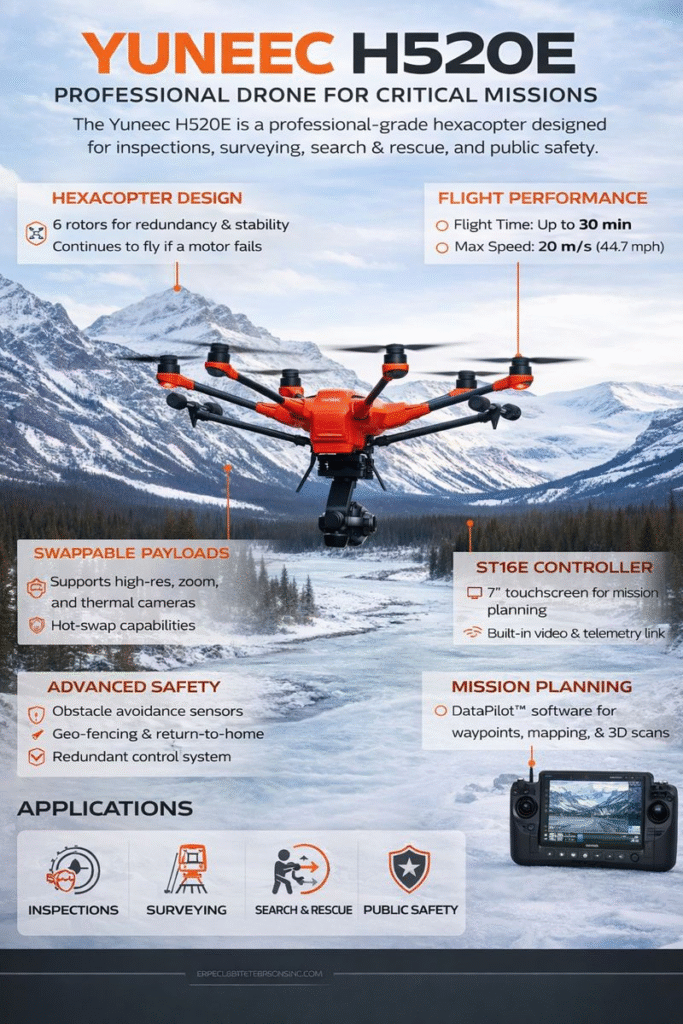
The Yuneec H520E is a professional-grade hexacopter designed for commercial and industrial drone operations. Unlike consumer drones that focus on portability and social media features, the Yuneec H520E is built for stability, safety, and mission-critical performance. It is widely used in surveying, inspection, public safety, search and rescue, and mapping applications.
With a strong airframe, redundant flight systems, and support for multiple professional camera payloads, the Yuneec H520E remains a dependable option for users who need consistent results rather than flashy extras. This article explores its design, performance, features, use cases, and answers common questions professionals search for online.
The Yuneec H520E is part of Yuneec’s H520 series, created specifically for enterprise and government users. The “E” version introduces improved electronics, enhanced reliability, and better integration with mission planning software.
This drone features a hexacopter design, meaning it has six motors instead of four. This structure improves flight stability and adds an important safety advantage—if one motor fails, the aircraft can still remain airborne and land safely.
The Yuneec H520E is designed to work in demanding environments where precision and control matter more than entertainment features.
Build Quality and Design
The first thing you notice about the Yuneec H520E is its solid and professional construction. The airframe is strong, well-balanced, and clearly built for long-term use rather than casual flying.
Hexacopter Frame
The six-rotor configuration provides:
Better stability in windy conditions
Higher payload capacity
Improved safety during motor failure
This makes the Yuneec H520E especially suitable for industrial sites and public safety missions.
Retractable Landing Gear
The retractable landing gear allows a full 360-degree camera view during flight. This is essential for inspections, mapping, and filming, as it removes any obstruction from the camera’s field of view.
Weather-Resistant Construction
The drone is designed to handle moderate wind and challenging environments, making it dependable for outdoor professional work.
Camera and Payload Compatibility
One of the strongest advantages of the Yuneec H520E is its support for interchangeable camera payloads. The drone uses a professional connector system that allows quick swapping of cameras without restarting the aircraft.
Supported Camera Types
The Yuneec H520E can be equipped with:
High-resolution RGB cameras for inspection and mapping
Zoom cameras for long-distance observation
Thermal cameras for search and rescue and firefighting
Dual sensor cameras combining visual and thermal imaging
This flexibility allows a single drone platform to serve multiple industries and missions.
Flight Performance and Stability
Performance is where the Yuneec H520E truly proves its professional value.
Flight Time
Depending on the camera payload and flight conditions, the Yuneec H520E offers an average flight time of 25 to 30 minutes. This duration is sufficient for most commercial missions without frequent battery changes.
Speed and Control
The drone can reach high speeds when needed, but prioritizes smooth and controlled movement. This balance is ideal for precise data capture and inspection tasks.
Wind Resistance
Thanks to its hexacopter design and advanced flight controller, the Yuneec H520E maintains stable flight even in windy conditions where consumer drones may struggle.
Safety and Redundancy Features
Safety is a major focus of the Yuneec H520E, making it suitable for high-risk and regulated environments.
Motor Redundancy
If one motor fails, the drone can continue flying and land safely. This feature alone makes the Yuneec H520E more reliable than standard quadcopters.
Obstacle Awareness
The drone uses ultrasonic sensors to assist with collision avoidance during landing and low-altitude flight.
Return-to-Home and Geo-Fencing
Built-in safety features ensure that the drone returns safely if the signal is lost or the battery reaches a critical level. Geo-fencing helps prevent the drone from entering restricted areas.
Controller and Software Experience
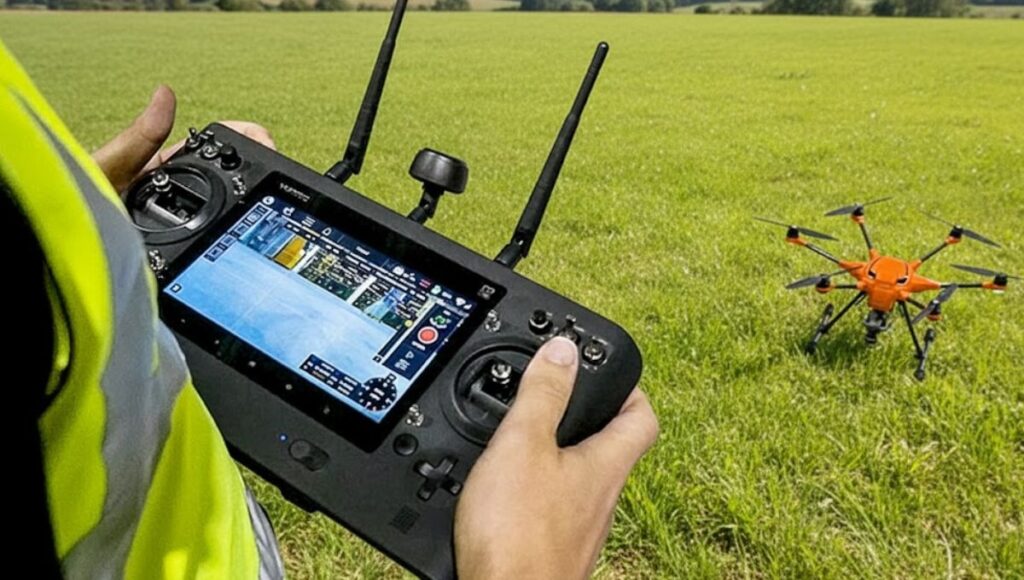
ST16E Ground Station
The Yuneec H520E is controlled using the ST16E remote controller, which features:
A built-in 7-inch touchscreen
Android-based operating system
Integrated video downlink
No need for smartphones or tablets
This all-in-one design simplifies field operations and reduces setup time.
DataPilot Mission Planning
The drone supports advanced mission planning through professional software tools. Users can:
Create waypoint missions
Plan mapping and survey flights
Adjust overlap and altitude settings
Save and repeat missions
This makes the Yuneec H520E ideal for mapping, construction monitoring, and infrastructure inspection.
Its stable hover and zoom camera options allow inspectors to capture detailed imagery without risking human safety.
Public Safety and Emergency Response
With thermal camera support, the Yuneec H520E is useful for:
Search and rescue operations
Firefighting support
Disaster response
Law enforcement surveillance
The reliable flight system makes it suitable for time-critical missions.
Mapping and Surveying
Using mission planning tools, the drone can collect consistent data for:
Land surveys
Construction progress tracking
3D modeling
Orthomosaic mapping
Advantages of the Yuneec H520E
Professional hexacopter design
High flight stability and safety
Interchangeable camera payloads
Strong mission planning capabilities
No dependency on mobile devices
Reliable performance for commercial use
Limitations to Consider
While powerful, the Yuneec H520E may not be ideal for everyone:
Larger and heavier than consumer drones
Higher learning curve for beginners
Designed for professionals, not casual users
The Yuneec H520E is a dependable and professional drone built for serious commercial work. Its stable hexacopter design, advanced safety systems, flexible camera options, and mission planning capabilities make it a strong choice for industries that demand accuracy and reliability.
While it may not appeal to casual drone enthusiasts, professionals looking for a robust and versatile aerial platform will find the Yuneec H520E to be a valuable long-term investment.
FAQs
What is the Yuneec H520E mainly used for?
The Yuneec H520E is used for professional applications such as inspection, surveying, mapping, public safety, and search and rescue missions.
Is the Yuneec H520E suitable for beginners?
This drone is designed for trained operators and professionals. Beginners may find it complex compared to consumer drones.
Does the Yuneec H520E support thermal cameras?
Yes, the Yuneec H520E supports thermal and dual-sensor camera payloads for advanced applications.
How long can the Yuneec H520E stay in the air?
The average flight time is between 25 and 30 minutes, depending on payload and conditions.
Can the Yuneec H520E fly safely if a motor fails?
Yes, its hexacopter design allows it to remain airborne and land safely even if one motor stops working.
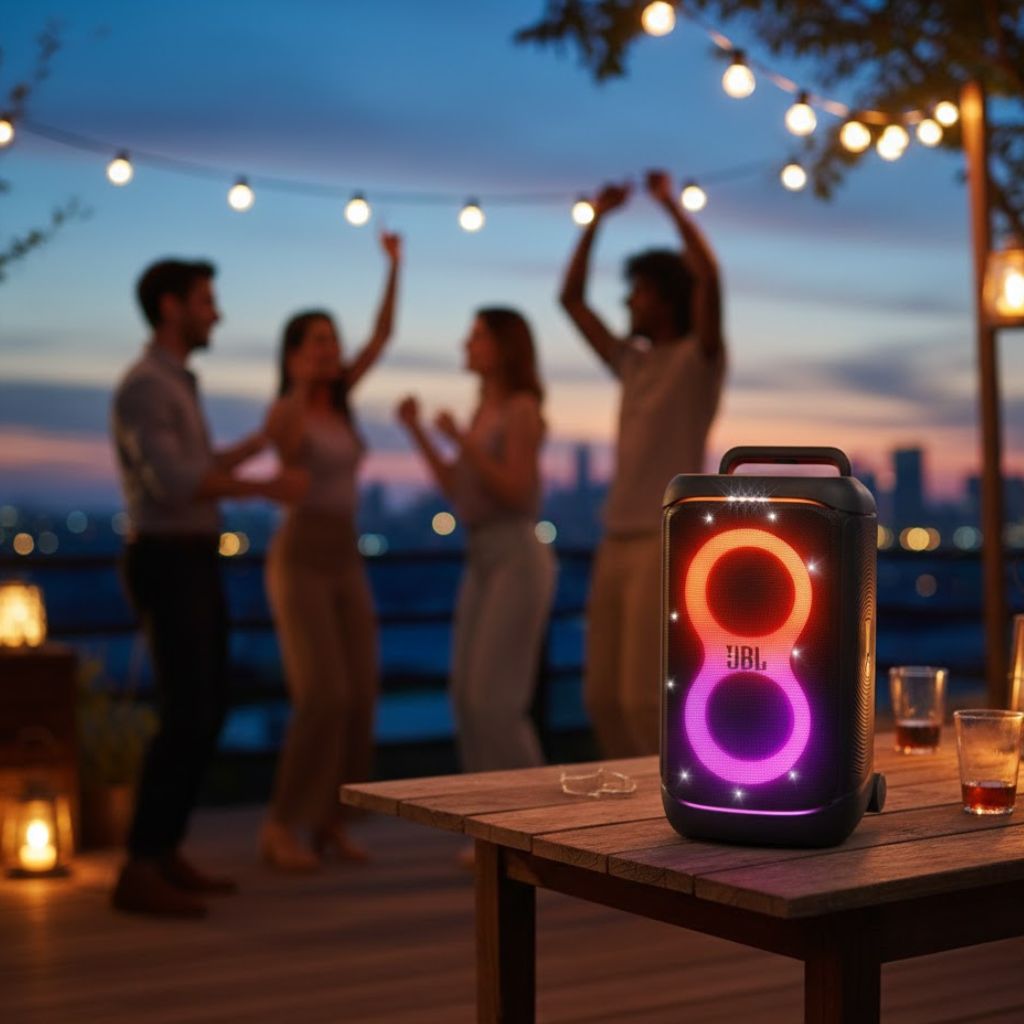
The JBL PartyBox 520 is designed for people who love loud music, energetic gatherings, and immersive sound experiences. It is not just a speaker—it is a complete party system that combines powerful audio, colorful lighting, long battery life, and flexible connectivity in one solid unit. Whether you are hosting a house party, outdoor event, or casual get-together, the JBL PartyBox 520 aims to be the center of attention.
In this detailed article, we explore every important aspect of the JBL PartyBox 520, including sound performance, design, battery, portability, connectivity, real-world usage, and frequently asked questions. The content is written in a natural, easy-to-understand tone and is fully original.
The JBL PartyBox 520 belongs to JBL’s popular PartyBox lineup, known for delivering loud, bass-heavy sound and vibrant lighting effects. This model is built for users who want strong audio output without the complexity of professional sound systems. It offers a balance between power, portability, and ease of use, making it suitable for both indoor and outdoor parties.
Unlike compact Bluetooth speakers, the JBL PartyBox 520 is meant to fill large spaces with sound. It focuses on high volume, deep bass, and a visual experience that matches the music.
Design and Build Quality
The first thing you notice about the JBL PartyBox 520 is its bold and rugged design. It looks like a serious party speaker, and its build quality supports that impression. The body is made from strong materials that feel durable and ready for frequent use.
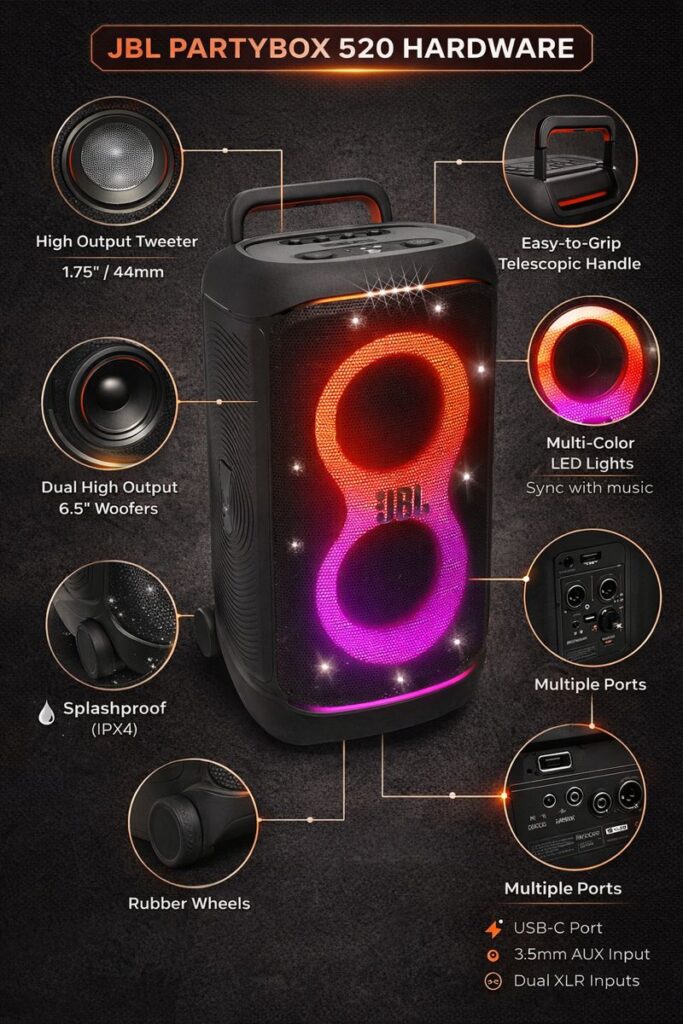
The speaker has a tall and wide structure, which allows it to house large drivers for better sound output. Despite its size, JBL has made it easier to move by adding built-in wheels and a telescopic handle. This design makes transporting the speaker much more practical, even for a single person.
The front of the JBL PartyBox 520 features a large grille with integrated LED lighting, while the control panel on top gives quick access to volume, playback, and lighting controls.
Sound Performance and Audio Output
Sound quality is the heart of the JBL PartyBox 520, and it does not disappoint. The speaker delivers loud, room-filling audio with strong bass that you can feel as much as hear. It is designed to perform well at high volumes without losing clarity.
The bass is deep and powerful, making it ideal for electronic music, pop, hip-hop, and dance tracks. At the same time, vocals remain clear, and instruments do not get completely drowned out by low frequencies. The speaker maintains a good balance between bass, mids, and highs, especially for a party-focused sound profile.
The JBL PartyBox 520 also uses smart audio tuning to adjust performance depending on the music and volume level. This helps reduce distortion and keeps the sound clean even during loud playback.
Light Show and Visual Experience
One of the most exciting features of the JBL PartyBox 520 is its built-in light show. The LED lights are designed to sync with the beat of the music, creating a dynamic and energetic atmosphere. These lights add a visual layer to the audio experience and make the speaker feel like part of the party, not just a sound source.
The lighting effects include pulses, flashes, and patterns that move with the rhythm. Users can change light modes or turn them off entirely if they prefer a more minimal setup. The lights are bright enough to be visible in both indoor and outdoor settings, especially at night.
Battery Life and Charging
Battery performance is another strong area for the JBL PartyBox 520. On a full charge, the speaker can deliver up to 15 hours of playback, depending on volume level and lighting usage. This makes it suitable for long events without constant recharging.
For users who need extra flexibility, the speaker supports fast charging, allowing you to get additional playtime with a short charge session. The battery is also replaceable, which is a valuable feature for extended outdoor events or professional use.
Charging is straightforward, and the speaker provides clear indicators to show battery status.
Portability and Ease of Movement
Although the JBL PartyBox 520 is a large speaker, portability has been carefully considered. The built-in wheels roll smoothly across flat surfaces, while the telescopic handle makes pulling the speaker comfortable.
This design makes it easy to move the speaker between rooms, take it outdoors, or transport it to events. While it is not something you would carry by hand for long distances, the mobility features make it practical for its size and power level.
Connectivity Options
The JBL PartyBox 520 offers multiple connectivity options to suit different needs. Bluetooth allows wireless streaming from smartphones, tablets, and laptops. The connection is stable and easy to set up, making it convenient for quick music playback.
For users who prefer wired connections, the speaker includes USB and auxiliary input options. Additionally, the JBL PartyBox 520 supports microphone and instrument inputs, making it suitable for karaoke, live performances, or announcements.
These flexible input options make the speaker more than just a music device—it becomes a multi-purpose entertainment system.
Controls and App Support
The control panel on the JBL PartyBox 520 is simple and intuitive. Physical buttons allow you to control volume, playback, lighting effects, and Bluetooth pairing directly from the speaker.
For advanced control, users can connect the speaker to a companion mobile app. The app allows fine-tuning of sound settings, light patterns, and other features. While the app is optional, it adds extra customization for users who want more control over their experience.
Water Resistance and Outdoor Use
The JBL PartyBox 520 is designed to handle real-world party conditions. It offers splash resistance, which means it can survive accidental spills or light rain. This makes it suitable for poolside parties, backyard events, and outdoor gatherings.
While it is not meant to be submerged in water, the added protection gives peace of mind during energetic events where accidents can happen.
Real-World Use Experience
In real-world usage, the JBL PartyBox 520 shines as a reliable and powerful party speaker. It performs best in medium to large spaces where its sound can spread freely. Users often appreciate how quickly it can transform a quiet space into a lively party environment.
The combination of strong bass, loud volume, and synchronized lighting creates an engaging experience that keeps guests entertained. The ability to connect microphones or instruments also adds versatility, especially for karaoke or casual performances.
Anyone looking for a speaker with both sound and visual impact
If your priority is energy, volume, and atmosphere, this speaker is a strong choice.
The JBL PartyBox 520 is built for people who want more than just background music. It delivers powerful sound, deep bass, vibrant lighting, long battery life, and flexible connectivity in one solid package. Whether you are hosting a party, enjoying music outdoors, or setting up a karaoke night, this speaker offers an energetic and reliable experience.
With its strong performance and practical design, the JBL PartyBox 520 stands out as a speaker that truly understands what a party needs.
FAQs
How long does the JBL PartyBox 520 battery last?
The JBL PartyBox 520 can provide up to 15 hours of playback on a full charge, depending on volume and lighting usage.
Can I use JBL PartyBox 520 outdoors?
Yes, the speaker is suitable for outdoor use and includes splash resistance for added protection.
Does JBL PartyBox 520 support microphones and instruments?
Yes, it includes dedicated inputs for microphones and musical instruments, making it suitable for karaoke and live performances.
Can I control the JBL PartyBox 520 using my phone?
Yes, you can use a companion app for advanced control, although basic controls are available directly on the speaker.
Is the JBL PartyBox 520 easy to move?
Despite its size, the speaker includes wheels and a telescopic handle, making it easier to transport.
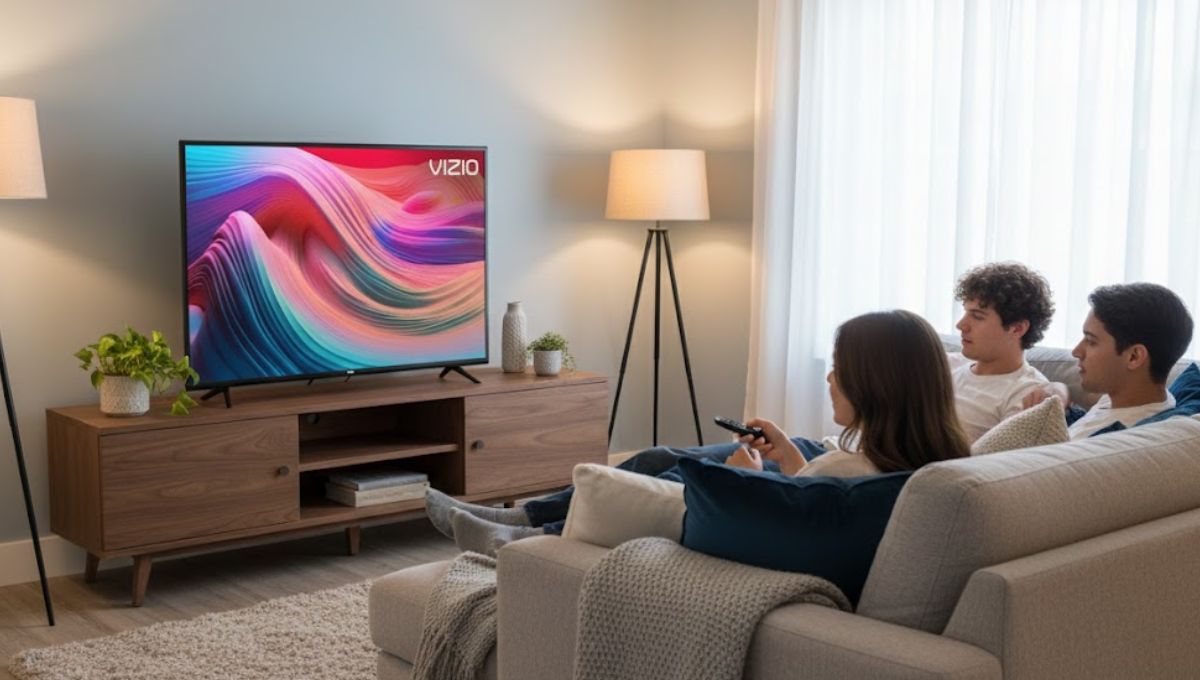
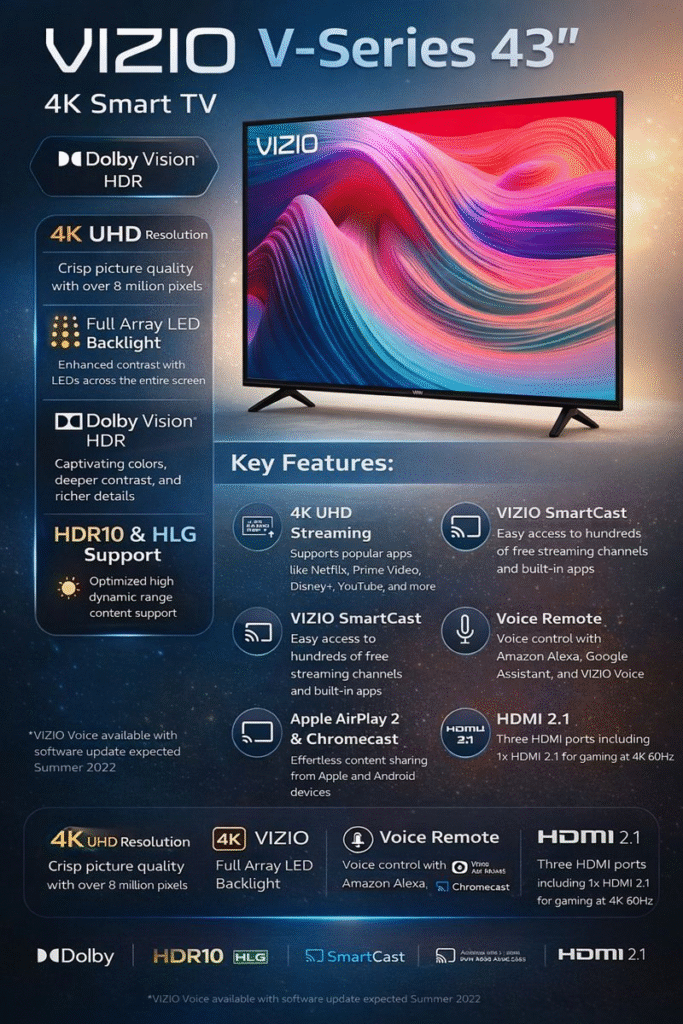
The VIZIO V-Series 43 has been a popular choice for people seeking an affordable 4K smart TV without compromising on performance. With its crisp 4K resolution, HDR support, SmartCast platform, and sleek design, it stands out in the budget TV segment. But does it truly deliver a cinematic experience at home? This guide explores everything you need to know about the VIZIO V-Series 43, from picture quality and smart features to connectivity and real-world performance.
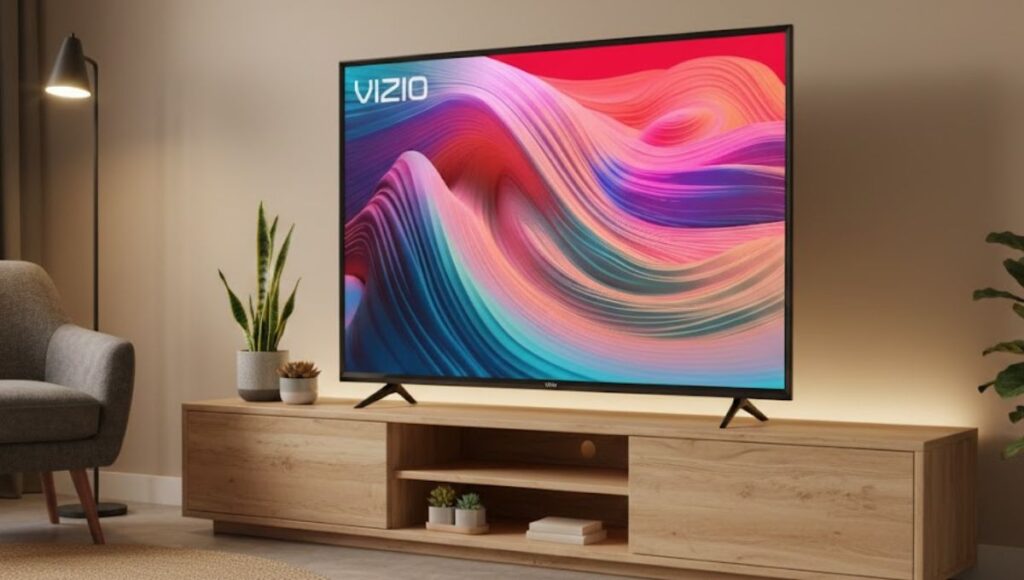
The VIZIO V-Series 43 is a 43-inch class LED TV (42.5-inch viewable) designed to balance affordability with modern features. Offering 4K Ultra HD resolution, HDR support, and a robust smart platform, it’s an ideal choice for everyday viewers, streaming enthusiasts, and casual gamers.
VIZIO focuses on delivering high-quality picture performance with Dolby Vision HDR, HDR10+, and HLG support, while SmartCast provides access to streaming apps, Apple AirPlay 2, and Google Chromecast. Its minimalist design and easy setup make it suitable for any living space, from apartments to bedrooms.
Design and Build Quality
One of the first things you notice about the VIZIO V-Series 43 is its simple and modern design.
Slim Bezels: The TV features thin bezels that give it a contemporary look and maximize screen space.
Lightweight: Its relatively lightweight frame makes wall-mounting easy and convenient.
Practical Stand: The included stand is functional and sturdy, ideal for TV cabinets or desktops.
While it doesn’t have ultra-premium finishes like high-end models, its build quality is solid and durable, providing good value for its price range.
Picture Quality: How Does It Perform?
Picture quality is a key factor for any TV, and the VIZIO V-Series 43 offers several features to enhance your viewing experience.
4K Ultra HD Resolution
The TV’s 3840 x 2160 resolution provides clear and sharp visuals, making movies, shows, and games look more detailed than standard HD. For a 43-inch screen, 4K ensures a crisp picture even when sitting relatively close.
High Dynamic Range (HDR) Support
Supporting Dolby Vision, HDR10+, and HLG, the VIZIO V-Series 43 can display a wider range of colors, deeper blacks, and brighter highlights. HDR content looks more cinematic, with more life-like textures and improved contrast.
Full Array LED Backlight
The full array LED backlight ensures even light distribution across the screen, reducing brightness inconsistencies and enhancing contrast. Scenes with both dark shadows and bright highlights look balanced and immersive.
Gaming Performance
The TV supports AMD FreeSync, Auto Game Mode, and a variable refresh rate. These features help reduce screen tearing and input lag during gameplay, making it a decent choice for casual gamers. While not a high-end gaming monitor, it handles console gaming comfortably.
Smart Features of VIZIO V-Series 43
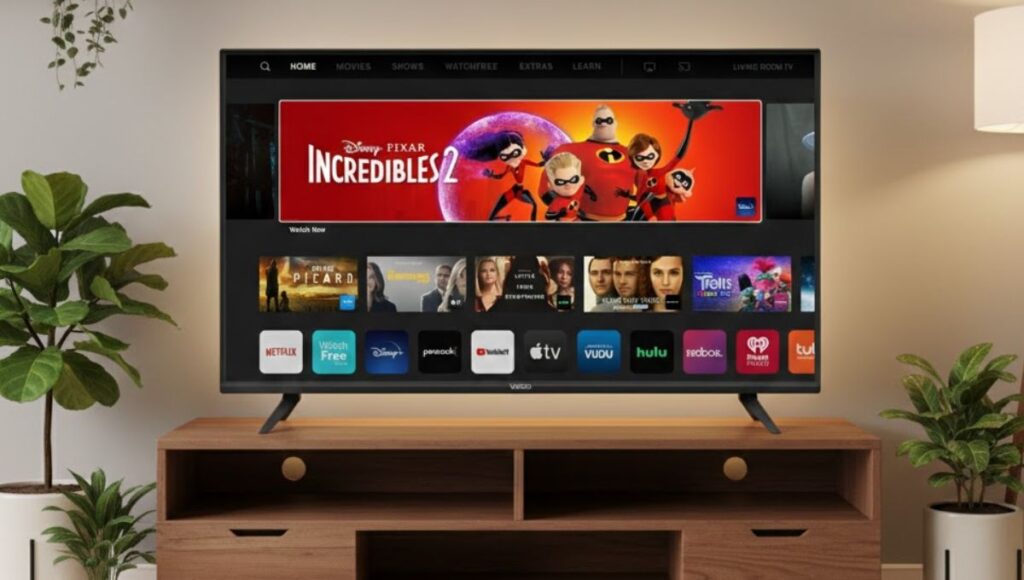
The VIZIO V-Series 43 comes with SmartCast, a user-friendly smart TV platform with several convenient features:
Built-in Streaming Apps
You can access Netflix, Disney+, Amazon Prime Video, Hulu, and other popular apps directly on the TV. VIZIO also includes WatchFree+, which offers free live channels and on-demand content.
Apple AirPlay 2 and Chromecast Built-In
With AirPlay 2 and Google Chromecast, you can easily cast videos, photos, or music from your smartphone, tablet, or laptop without needing an external device.
Voice Control & Smart Home Integration
The TV works with Amazon Alexa, Google Assistant, and Apple HomeKit, allowing voice commands for easy control. You can adjust volume, change channels, or launch apps hands-free.
User Interface
SmartCast’s interface is simple, responsive, and intuitive, making it easy for beginners and casual users to navigate streaming apps and settings.
Connectivity Options
Connectivity is essential in today’s multimedia environment, and the VIZIO V-Series 43 offers ample ports:
3 HDMI Ports: One HDMI port supports eARC for high-quality audio connections.
USB Port: Play multimedia files directly from a flash drive.
Wi-Fi and Ethernet: Reliable wired and wireless internet connectivity.
Bluetooth: Connect headphones, soundbars, or speakers wirelessly.
This makes it easy to connect gaming consoles, Blu-ray players, external streaming devices, or audio systems without hassles.
Audio Quality
While the built-in speakers provide decent sound for daily viewing, they are not as powerful as dedicated sound systems.
Stereo Audio: Clear and balanced for TV shows and casual movies.
Enhanced by Soundbar: Pairing with a soundbar improves bass and creates a more immersive experience.
For most buyers in this budget range, the audio performance is adequate, but audiophiles might prefer an external sound system.
Performance in Real Life
In everyday use, the VIZIO V-Series 43 performs reliably:
Streaming: Quick loading times and smooth app navigation.
Picture: Vibrant, sharp images with good HDR effects.
Gaming: Responsive enough for casual gaming; input lag is minimal.
Setup: Simple out-of-the-box setup with intuitive on-screen instructions.
For its price, it offers a strong overall experience, making it a great choice for first-time 4K TV buyers or secondary TV setups.
Gaming-friendly features like FreeSync and low input lag
Cons:
Built-in speakers are average
Brightness and peak HDR performance are limited compared to premium models
SmartCast interface may feel slower than high-end alternatives
VIZIO V-Series 43
Comparison Table: VIZIO V-Series 43 vs Other 43-Inch TVs
Feature / Model
VIZIO V-Series 43
Samsung TU7000 43”
LG UP8000 43”
TCL 4-Series 43” (S435)
Resolution
4K UHD (3840×2160)
4K UHD (3840×2160)
4K UHD (3840×2160)
4K UHD (3840×2160)
HDR Support
Dolby Vision, HDR10+, HLG
HDR10+
HDR10, HLG
Dolby Vision, HDR10
Smart Platform
SmartCast
Tizen
webOS
Roku TV
Built-in Voice Assistants
Alexa, Google, HomeKit
Alexa, Bixby
Alexa, Google
Alexa, Google
HDMI Ports
3 (1 eARC)
2
3
3
USB Ports
1
1
1
1
Bluetooth Support
Yes
Yes
Yes
Yes
Gaming Features
FreeSync, Game Mode
Game Mode
Game Optimizer
Auto Game Mode
Built-in Streaming Apps
Netflix, Disney+, Prime, Hulu, WatchFree+
Netflix, Disney+, Prime, Hulu
Netflix, Disney+, Prime, Hulu
Netflix, Disney+, Prime, Hulu, Roku Channel
Speaker Quality
Average
Average
Average
Average
Design
Slim bezels, modern
Slim bezels, modern
Slim bezels
Slim bezels, modern
Approx. Price Range (USD)
$300 – $350
$330 – $380
$320 – $370
$280 – $330
Analysis from the Table
The VIZIO V-Series 43 stands out for HDR variety (Dolby Vision, HDR10+, HLG) compared to competitors.
Its SmartCast platform is versatile and includes Apple AirPlay 2 and Chromecast, which the Samsung TU7000 lacks.
Gaming features like FreeSync make it a better option for casual console players than some rivals.
Price-wise, it is competitive and slightly more affordable than Samsung TU7000 and LG UP8000 in most markets.
The VIZIO V-Series 43 is an excellent budget-friendly 4K TV that balances performance, design, and smart features. Its crisp 4K display, HDR support, and easy-to-use SmartCast platform make it suitable for streaming, gaming, and everyday entertainment. While the built-in speakers and HDR brightness are not top-tier, pairing it with a soundbar can elevate the experience.
If you are looking for a reliable, feature-packed 43-inch TV without breaking the bank, the VIZIO V-Series 43 is a solid choice in 2026.