Tag Archives: Technology

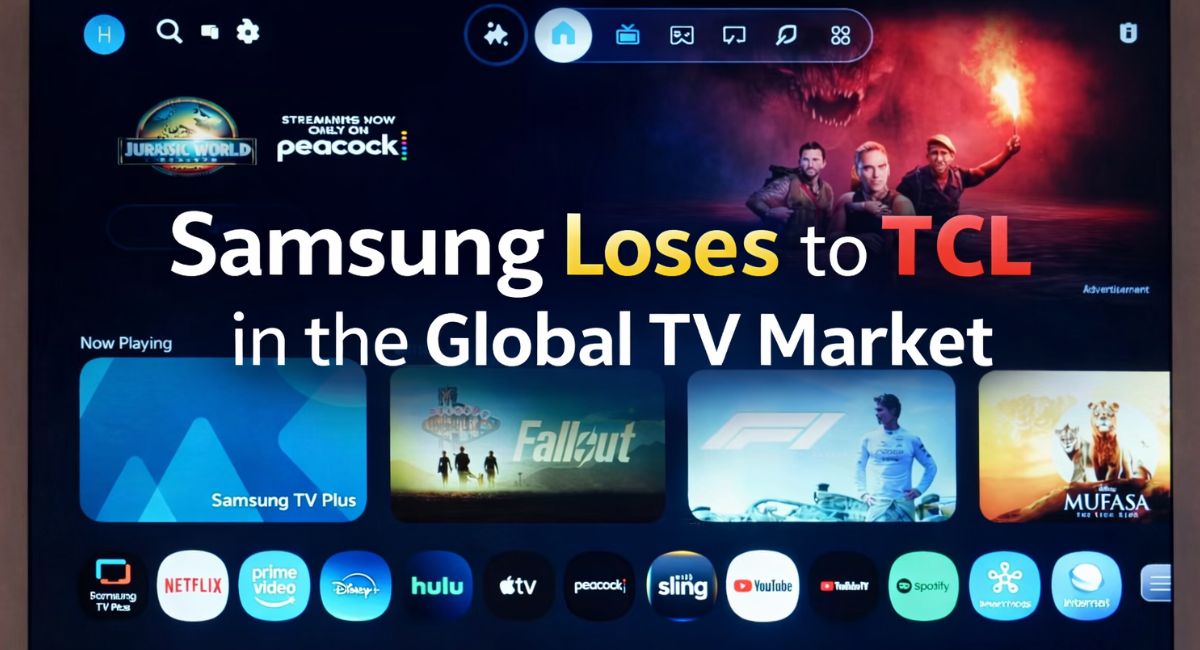
Samsung Loses to TCL in the Global TV Market: A Turning Point That Signals a New Era in Home Entertainment

The television industry has long been shaped by a handful of dominant brands, and for years, Samsung stood at the forefront of the global TV market. Known for its innovation in display technology, premium QLED panels, and design excellence, Samsung built a reputation synonymous with quality and performance.

However, recent industry reports indicate a significant shift: Samsung loses to TCL in the global TV market, signaling a dramatic change in competitive dynamics.

This development is not just about numbers on a market share chart. It represents evolving consumer priorities, aggressive pricing strategies, manufacturing scale advantages, and a rapidly changing technological landscape.

In this in-depth analysis, we explore how TCL surpassed Samsung, compare their TV specifications, evaluate product strategies, and examine what this leadership shift means for buyers worldwide.

The Headline: Samsung Loses to TCL in the Global TV Market

For years, Samsung maintained strong global leadership in television shipments and revenue share. Its QLED lineup, Neo QLED mini-LED panels, and 8K flagship models reinforced its premium positioning.

TCL, once considered primarily a budget-friendly alternative, has steadily expanded its global presence. Through aggressive pricing, vertical integration in panel manufacturing, and innovation in Mini LED technology, TCL has reshaped perceptions.

When Samsung loses to TCL in the global TV market, it reflects more than a temporary fluctuation. It highlights a broader market evolution.

Understanding Market Share Shifts

To appreciate the impact of Samsung losing to TCL in the global TV market, it’s important to understand how leadership is measured:

  • Unit shipments
  • Revenue share
  • Premium segment dominance
  • Regional market strength

TCL’s strategy focused heavily on volume and affordability without significantly compromising display technology. By targeting mid-range and large-screen categories aggressively, TCL captured strong demand in emerging markets and price-sensitive regions.

Samsung, on the other hand, concentrated more on premium innovation and higher-margin models.

The result: TCL gained significant ground in total shipments, eventually surpassing Samsung in key metrics.

TCL’s Rise: Strategy, Technology, and Timing

1. Mini LED Dominance

One of TCL’s most important strategic moves was early investment in Mini LED technology.

Mini LED TVs use thousands of smaller LEDs for backlighting, offering:

  • Improved contrast
  • Better brightness control
  • Reduced blooming
  • Enhanced HDR performance

TCL integrated Mini LED panels across various price tiers, making advanced display tech more accessible.

2. Competitive Pricing

TCL aggressively priced its TVs below major competitors while maintaining solid build quality and feature sets.

Consumers increasingly prioritized:

  • Large screen sizes (65-inch and above)
  • 4K resolution
  • HDR compatibility
  • Smart TV functionality

TCL delivered these at highly competitive price points.

Read more:- HP Pavilion x360 vs Lenovo Ideapad 5 2-in-1: Which 2-in-1 Laptop Truly Deserves Your Wallet??

3. Vertical Integration Advantage

TCL benefits from strong panel manufacturing capabilities, giving it greater cost control and supply chain flexibility.

This allowed faster scaling during periods of high demand.

Samsung’s Position: Premium Focus and Innovation

Although Samsung loses to TCL in the global TV market in certain metrics, Samsung remains a technological leader.

Samsung continues to invest heavily in:

  • QLED and Neo QLED panels
  • 8K resolution technology
  • AI upscaling
  • Premium design aesthetics
  • Gaming optimization features

Samsung’s TVs consistently lead in:

  • Peak brightness
  • Color volume
  • Advanced processing
  • Gaming refresh rates

However, higher pricing limits mass-market volume dominance.

Specifications Comparison: TCL vs Samsung TVs

Below is a general comparison between TCL’s popular Mini LED lineup and Samsung’s Neo QLED models.

Display Technology

TCL Mini LED TVs

  • Mini LED backlighting
  • 4K resolution (3840 x 2160)
  • High peak brightness
  • Dolby Vision support

Samsung Neo QLED TVs

  • Mini LED (Quantum Matrix Technology)
  • 4K and 8K variants
  • High brightness with Quantum Dot layer
  • HDR10+ support

Refresh Rate

  • TCL: 120Hz on mid-to-premium models
  • Samsung: 120Hz to 144Hz (select models)

Gaming Features

TCL:

  • HDMI 2.1 support
  • VRR (Variable Refresh Rate)
  • Auto Low Latency Mode

Samsung:

  • HDMI 2.1
  • Game Bar interface
  • VRR
  • AMD FreeSync Premium Pro

Smart Platform

TCL:

  • Google TV or Roku TV (region dependent)

Samsung:

  • Tizen OS

Audio

TCL:

  • Dolby Atmos support
  • Built-in multi-channel speakers

Samsung:

  • Object Tracking Sound (OTS)
  • Q-Symphony support

While Samsung offers more advanced premium-level refinements, TCL delivers competitive performance at lower price tiers.

Why Consumers Are Choosing TCL?

When Samsung loses to TCL in the global TV market, consumer behavior plays a critical role.

Today’s buyers prioritize:

  1. Screen size over brand prestige
  2. Value for money
  3. Smart TV ecosystem compatibility
  4. Gaming-ready features

TCL provides:

  • Large 75-inch and 85-inch models at aggressive prices
  • Competitive brightness levels
  • Strong HDR implementation
  • Google TV integration

In many households, TCL offers sufficient performance without requiring premium pricing.

The Premium Segment: Samsung Still Strong

It’s important to clarify that Samsung losing to TCL in the global TV market does not mean Samsung is no longer relevant.

Samsung continues to dominate in:

  • Ultra-premium segments
  • 8K television category
  • Luxury design-focused TVs
  • Advanced panel innovation

Consumers who prioritize:

  • Absolute picture refinement
  • Industry-leading brightness
  • Advanced motion processing
  • Cutting-edge gaming features

Still frequently choose Samsung.

Regional Impact of the Market Shift

TCL’s growth has been particularly strong in:

  • Asia-Pacific
  • North America
  • Emerging economies

Samsung remains dominant in:

  • Premium European markets
  • Certain high-income segments

This regional balance contributes to shifting global rankings.

Manufacturing Scale and Supply Chain Efficiency

TCL’s control over display manufacturing enables:

  • Faster adaptation to market demand
  • Reduced production costs
  • Improved supply chain resilience

Samsung outsources some panel production while focusing more on technology differentiation.

This difference in operational model influences volume leadership.

Long-Term Industry Implications

Samsung losing to TCL in the global TV market reflects broader industry trends:

  1. Democratization of display technology
  2. Reduced premium brand loyalty
  3. Increased consumer price sensitivity
  4. Rapid technological diffusion

Mini LED technology is no longer exclusive to premium brands. Affordable innovation is now the norm.

What This Means for Consumers?

For buyers, this shift is positive.

Increased competition leads to:

  • Better pricing
  • Faster innovation
  • Improved feature availability
  • Larger screens at lower costs

Consumers now benefit from premium-level display performance at mid-range pricing.

Should You Buy TCL or Samsung?

Choose TCL if you want:

  • Maximum screen size for your budget
  • Strong Mini LED performance
  • Google TV integration
  • Competitive HDR features

Choose Samsung if you want:

  • Premium brand assurance
  • Advanced gaming features
  • Refined design
  • High-end processing technology

The Future of the TV Market

This market shift is unlikely to be temporary.

TCL’s strategy of combining volume manufacturing with display innovation positions it strongly for sustained growth.

Samsung may respond by:

  • Adjusting pricing
  • Expanding Mini LED tiers
  • Accelerating next-generation display tech

The competition ultimately drives better products for consumers.

When Samsung loses to TCL in the global TV market, it signals more than a brand shift. It represents evolving consumer preferences, the rise of value-driven innovation, and the democratization of advanced display technology.

TCL’s ascent highlights the growing importance of affordability combined with performance. Samsung’s premium innovation continues to set high standards.

For consumers, this competitive battle ensures better TVs at better prices — and that is ultimately the biggest victory.

FAQs

Why did Samsung lose to TCL in the global TV market?

TCL gained market share through competitive pricing, Mini LED technology expansion, strong manufacturing control, and large-screen offerings that appealed to value-focused consumers.

Is TCL better than Samsung TVs?

Not necessarily. TCL offers better value for money in many cases, while Samsung often provides more refined premium features and advanced display processing.

Does TCL make its own panels?

Yes, TCL has strong manufacturing capabilities and significant control over its display panel production, contributing to cost efficiency.

Are Samsung TVs still premium?

Yes. Samsung remains a leader in premium TV innovation, including Neo QLED, 8K resolution, and gaming features.
HP Pavilion x360 vs Lenovo Ideapad 5 2-in-1: Which 2-in-1 Laptop Truly Deserves Your Wallet??

Choosing a 2-in-1 laptop in today’s market isn’t as simple as comparing processor speeds or price tags. Convertible laptops have evolved into versatile productivity machines that must balance performance, portability, touchscreen precision, and battery efficiency — all while maintaining premium build quality.

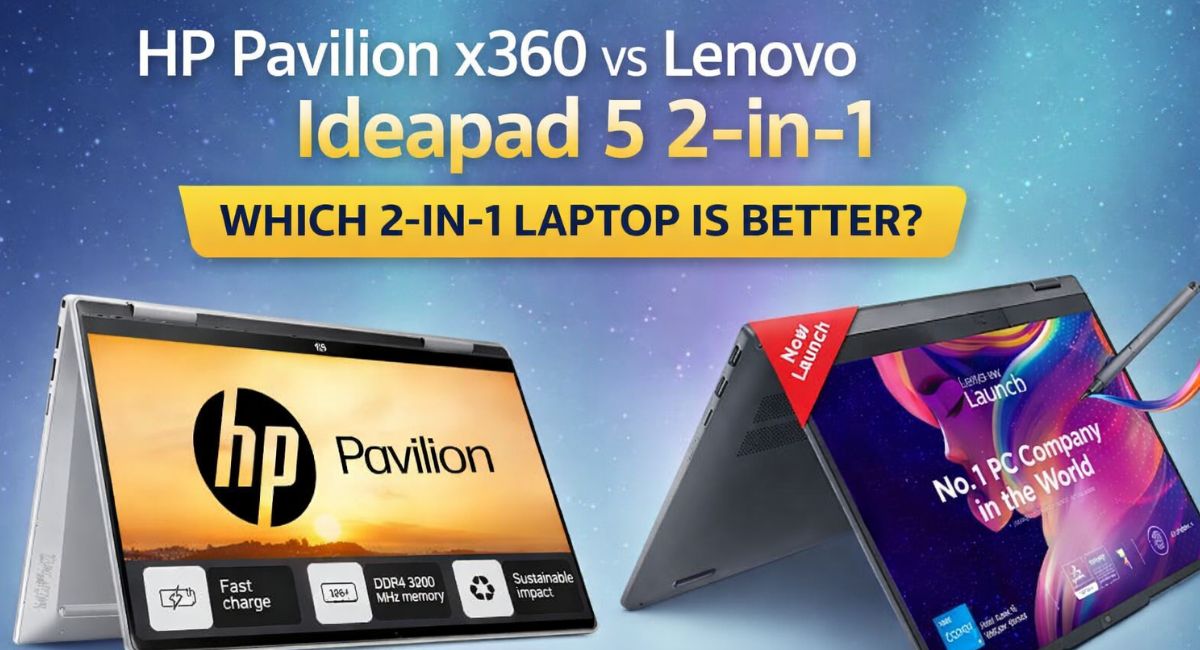
Two strong contenders in this category are the HP Pavilion x360 and the Lenovo Ideapad 5 2-in-1. Both aim to offer flexible usage modes, solid everyday performance, and competitive pricing. But when placed side by side, meaningful differences begin to emerge.

This in-depth comparison of HP Pavilion x360 vs Lenovo Ideapad 5 2-in-1 is based on practical usability, performance metrics, build quality assessment, and real-world experience. By the end of this guide, you’ll know exactly which model suits your workflow and budget.

Design & Build Quality: Practical Elegance or Refined Minimalism?

A 2-in-1 laptop must feel comfortable in all four modes: laptop, tablet, tent, and stand. Both models deliver 360-degree hinges, but their design philosophies differ slightly.

HP Pavilion x360

HP’s Pavilion x360 carries a polished, slightly premium aesthetic with a metallic finish (in most configurations). The chassis feels solid, and the hinge mechanism offers reassuring resistance. It holds stable in tent mode for streaming and remains comfortable for note-taking in tablet mode.

The keyboard deck feels sturdy with minimal flex, and the overall finish gives a professional vibe suited for students and office users alike.

Lenovo Ideapad 5 2-in-1

Lenovo leans toward understated minimalism. The Ideapad 5 2-in-1 features a clean, modern look with rounded edges and a sleek profile. The hinge movement is smooth, and Lenovo’s reputation for durable hinges is evident here.

While both laptops feel well-built, Lenovo’s slightly lighter construction gives it an advantage in tablet mode comfort.

Design Verdict:
If you prefer a slightly more premium look and feel, HP may appeal more. If portability and sleekness matter most, Lenovo edges ahead.

Display Comparison: Brightness, Color, and Usability

Touchscreen quality is central to any convertible laptop experience. Let’s examine how the two models compare.

HP Pavilion x360 Display Specs

  • 14-inch Full HD (1920 x 1080) IPS touchscreen
  • Brightness up to around 250–300 nits (varies by model)
  • Anti-glare option in select variants
  • Multi-touch support

The display delivers good clarity and decent color reproduction. It’s sufficient for everyday productivity, video streaming, and light creative work. However, brightness may feel slightly limited under strong outdoor lighting.

Lenovo Ideapad 5 2-in-1 Display Specs

  • 14-inch Full HD (1920 x 1080) IPS touchscreen
  • Higher brightness output in many configurations
  • Narrow bezels for better screen-to-body ratio
  • Multi-touch with optional stylus support

Lenovo’s display often feels slightly brighter and more vibrant. Color reproduction appears marginally better, especially for media consumption and light editing tasks.

Display Verdict:
For better brightness and immersive viewing, Lenovo Ideapad 5 2-in-1 has a slight edge.

Read more:- Best Star Projectors 2026: Why Bringing the Cosmos Indoors Has Never Felt More Real?

Performance: Real-World Power for Everyday Tasks

Performance defines whether a laptop can handle multitasking, video calls, browsing, and light creative workloads smoothly.

Both laptops are available in multiple configurations. Common processor options include:

  • Intel Core i3 (entry level)
  • Intel Core i5 (mainstream productivity)
  • Intel Core i7 (higher-tier variants)
  • AMD Ryzen options (in select models)

HP Pavilion x360 Performance Overview

Typical configuration:

  • Intel Core i5 (11th/12th Gen depending on model year)
  • 8GB or 16GB RAM
  • 512GB SSD
  • Integrated Intel Iris Xe Graphics

The Pavilion x360 handles:

  • Office productivity tasks
  • Web browsing with multiple tabs
  • Streaming
  • Light photo editing
  • Basic coding

Thermal management is decent for its class, though extended heavy workloads may trigger mild throttling.

Lenovo Ideapad 5 2-in-1 Performance Overview

Typical configuration:

  • Intel Core i5 or AMD Ryzen 5
  • 8GB or 16GB RAM
  • 512GB SSD
  • Integrated graphics

Lenovo’s thermal optimization feels slightly more refined, especially in AMD variants. Multitasking performance remains stable under moderate loads.

Performance Verdict:
In similar configurations, performance differences are minimal. However, AMD-powered Ideapad 5 models may offer better value-to-performance ratios in some regions.

Keyboard & Trackpad Experience

Productivity hinges on typing comfort and trackpad accuracy.

HP Pavilion x360

  • Well-spaced keys
  • Good tactile feedback
  • Optional backlit keyboard
  • Responsive trackpad with precision drivers

Typing feels comfortable for long sessions, making it suitable for students and writers.

Lenovo Ideapad 5 2-in-1

Lenovo’s reputation for excellent keyboards carries through:

  • Comfortable key travel
  • Balanced tactile response
  • Optional backlighting
  • Smooth and accurate trackpad

Many users find Lenovo keyboards slightly more refined for prolonged typing.

Keyboard Verdict:
Lenovo may have a marginal advantage in typing comfort, though both are strong performers.

Battery Life: Which Lasts Longer?

Battery life is critical for students and professionals who work on the go.

HP Pavilion x360 Battery

  • Approximately 8–10 hours of mixed usage
  • Fast charging support in some models

Real-world performance includes browsing, streaming, and document editing.

Lenovo Ideapad 5 2-in-1 Battery

  • Approximately 9–11 hours depending on configuration
  • Efficient power management

Lenovo appears slightly more efficient under moderate workloads.

Battery Verdict:
Lenovo Ideapad 5 2-in-1 generally lasts a bit longer on a single charge.

Ports & Connectivity

HP Pavilion x360 Ports

  • USB Type-C
  • USB Type-A ports
  • HDMI
  • Headphone/microphone combo
  • SD card reader (in select models)

Lenovo Ideapad 5 2-in-1 Ports

  • USB Type-C
  • USB Type-A
  • HDMI
  • Audio combo jack
  • MicroSD slot (varies by model)

Port selection is comparable. Neither device severely limits connectivity.

Specifications Comparison Table

FeatureHP Pavilion x360Lenovo Ideapad 5 2-in-1
Display14-inch FHD IPS Touch14-inch FHD IPS Touch
ProcessorIntel Core i3/i5/i7Intel Core / AMD Ryzen
RAM8GB / 16GB8GB / 16GB
Storage256GB / 512GB SSD256GB / 512GB SSD
GraphicsIntegratedIntegrated
Battery Life8–10 hours9–11 hours
WeightApprox. 1.5–1.6 kgSlightly lighter
Convertible Design360-degree hinge360-degree hinge

Audio & Multimedia

HP often integrates tuned speakers, delivering clear sound for casual streaming. Lenovo provides balanced audio but may not match HP’s tuning in some variants.

For video calls, both laptops include HD webcams suitable for online meetings.

Software & User Experience

Both devices run Windows 11 (in newer configurations). Pre-installed apps are minimal and manageable.

HP includes its utility apps for diagnostics and system management. Lenovo offers similar system optimization tools.

Neither laptop overloads the user with unnecessary software.

Pricing & Value Proposition

Pricing varies by region and configuration. Generally:

  • HP Pavilion x360 often positions itself slightly higher in premium appeal.
  • Lenovo Ideapad 5 2-in-1 frequently delivers competitive pricing, especially with AMD variants.

If value per dollar is a priority, Lenovo may offer stronger cost efficiency in certain markets.

HP Pavilion x360 vs Lenovo Ideapad 5 2-in-1: Final Recommendation

Choosing between these two depends on priorities:

Choose HP Pavilion x360 if you want:

  • Slightly more premium aesthetics
  • Strong multimedia tuning
  • Reliable Intel-based performance

Choose Lenovo Ideapad 5 2-in-1 if you want:

  • Slightly better battery life
  • Brighter display
  • Potentially better pricing
  • Excellent keyboard comfort

For most users, Lenovo Ideapad 5 2-in-1 provides marginally better overall value. However, HP Pavilion x360 remains a dependable and polished convertible laptop.

The comparison of HP Pavilion x360 vs Lenovo Ideapad 5 2-in-1 highlights how competitive the mid-range convertible laptop segment has become. Both devices deliver solid performance, flexible design, and dependable battery life.

If you prioritize value, battery efficiency, and keyboard comfort, Lenovo stands out. If design polish and brand aesthetics matter more, HP remains a compelling option.

Ultimately, both are safe and smart choices — the better one depends entirely on your usage style and budget priorities.

FAQs

Is HP Pavilion x360 better than Lenovo Ideapad 5 2-in-1?

It depends on your needs. Lenovo often offers better battery life and display brightness, while HP provides a slightly more premium feel and solid multimedia performance.

Which laptop is better for students?

Both are suitable, but Lenovo Ideapad 5 2-in-1 may be better for students due to slightly longer battery life and competitive pricing.

Can both laptops be used as tablets?

Yes, both feature 360-degree hinges, allowing use in laptop, tablet, tent, and stand modes.

 Are these laptops good for gaming?

They are not designed for heavy gaming. Integrated graphics allow only light or casual gaming.

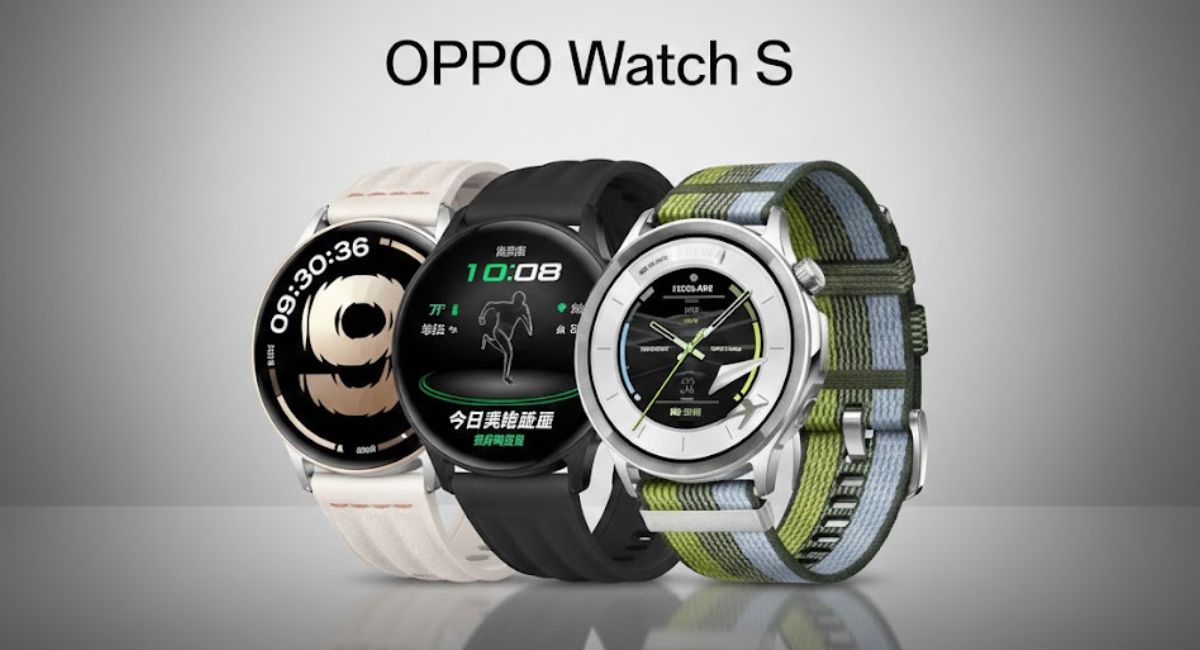
Oppo Watch S Goes Global: A Feature-Packed Smartwatch That Quietly Redefines Everyday Fitness and Style

The global wearable market has become fiercely competitive, with brands racing to combine fitness intelligence, smart features, and refined design into one seamless experience. Amid this landscape, the Oppo Watch S arrives as a confident statement from Oppo—a smartwatch designed not only to track activity but to integrate naturally into modern lifestyles.

With a 1.46-inch AMOLED display, over 100 sports modes, advanced health tracking, and a refined aesthetic, the Oppo Watch S positions itself as more than just another fitness accessory. It aims to bridge the gap between performance and everyday practicality.

In this comprehensive review, we’ll examine everything from display clarity and health tracking accuracy to battery performance, build quality, software experience, and overall value proposition.

First Impressions: Premium Without Being Overstated

The Oppo Watch S reflects a design philosophy focused on balance. It doesn’t try to be flashy or aggressively sporty. Instead, it leans toward a clean, modern aesthetic suitable for both workouts and formal settings.

The circular dial gives it a classic watch feel, while the minimal bezel enhances screen immersion. The body appears thoughtfully engineered—lightweight yet solid in hand. The strap material feels comfortable enough for extended wear, whether you’re at the gym, commuting, or sleeping.

This balance between form and function is critical in the smartwatch category, and Oppo appears to understand that well.

1.46-Inch AMOLED Display: Where Clarity Meets Efficiency

One of the strongest highlights of the Oppo Watch S is its 1.46-inch AMOLED display.

Why AMOLED Matters?

AMOLED panels are known for:

  • Deep blacks
  • High contrast ratios
  • Vivid colors
  • Energy efficiency when displaying darker interfaces

On the Oppo Watch S, the display feels sharp and responsive. Text appears crisp, and UI animations are smooth. Under bright outdoor conditions, visibility remains strong thanks to solid brightness output.

Whether you’re glancing at notifications, reviewing workout stats, or navigating menus, the screen delivers a premium viewing experience.

Read more:- Best Star Projectors 2026: Why Bringing the Cosmos Indoors Has Never Felt More Real?

Complete Specifications of Oppo Watch S

Below is a structured overview of the key technical specifications:

Display

  • 1.46-inch AMOLED display
  • High resolution with sharp pixel density
  • Touch-enabled with smooth gesture navigation

Build & Design

  • Circular dial design
  • Lightweight body construction
  • Replaceable straps
  • Water resistance (suitable for daily use and workouts)

Health Monitoring Features

  • 24/7 Heart Rate Monitoring
  • Blood Oxygen (SpO2) Tracking
  • Sleep Monitoring
  • Stress Monitoring
  • Step Counter
  • Calorie Tracking

Sports & Fitness

  • 100+ Sports Modes
  • Real-time workout metrics
  • Indoor and outdoor activity tracking

Connectivity

  • Bluetooth connectivity
  • Smartphone notifications
  • Call alerts and message previews

Battery

  • Long-lasting battery performance
  • Magnetic charging dock

Compatibility

  • Android device support

This balanced spec sheet shows that Oppo is targeting both fitness-focused users and everyday smartwatch buyers.

Over 100 Sports Modes: A Versatile Fitness Companion

One of the headline features of the Oppo Watch S is its support for over 100 sports modes.

This wide range allows users to track:

  • Running
  • Walking
  • Cycling
  • Swimming
  • Strength training
  • Yoga
  • HIIT
  • Outdoor sports
  • Indoor workouts

For casual users, having 100+ modes may seem excessive. However, for fitness enthusiasts who experiment with varied routines, this flexibility ensures accurate tracking across disciplines.

The watch captures metrics such as:

  • Distance
  • Heart rate zones
  • Calories burned
  • Duration
  • Workout intensity

This makes it adaptable whether you’re training for endurance, strength, or general health maintenance.

Health Tracking: Beyond Just Steps

Smartwatches today are increasingly focused on wellness, not just activity logging. The Oppo Watch S includes several health-focused features designed for continuous monitoring.

24/7 Heart Rate Monitoring

Continuous heart rate tracking helps users understand resting heart rate, workout performance, and long-term cardiovascular trends.

Blood Oxygen (SpO2) Monitoring

SpO2 tracking is particularly useful for:

  • Monitoring respiratory health
  • Assessing oxygen levels during intense workouts
  • Tracking overall wellness patterns

Sleep Monitoring

The watch tracks:

  • Sleep duration
  • Sleep stages
  • Sleep quality

With growing awareness of sleep’s importance in recovery and mental health, this feature adds genuine value.

Stress Monitoring

Stress tracking helps identify periods of elevated strain, encouraging better work-life balance and recovery strategies.

Battery Life: A Practical Daily Performer

Battery life can make or break a smartwatch experience. Users do not want to charge their watch every night unless absolutely necessary.

The Oppo Watch S offers battery performance suited for daily wear, including:

  • All-day usage with notifications
  • Continuous heart rate tracking
  • Workout sessions

Under moderate use, it comfortably lasts beyond a single day. With optimized display efficiency and intelligent power management, it avoids being power-hungry.

The magnetic charging dock simplifies recharging and ensures stable alignment.

Software Experience: Clean and Intuitive

The Oppo Watch S software interface feels streamlined and beginner-friendly.

Key observations:

  • Smooth UI transitions
  • Easy swipe gestures
  • Quick access to health metrics
  • Customizable watch faces

The interface avoids clutter, making it accessible even to first-time smartwatch users.

Notification syncing is responsive, and alerts are easy to read thanks to the AMOLED panel.

Real-World Use Case: Who Is It For?

The Oppo Watch S suits multiple user types:

Casual Fitness Users

Those looking to track daily steps, occasional workouts, and heart rate.

Health-Conscious Professionals

People who want subtle wellness monitoring without a bulky fitness tracker look.

Multi-Sport Enthusiasts

Users who engage in varied physical activities and need flexible sports tracking modes.

First-Time Smartwatch Buyers

Its user-friendly interface and balanced features make it beginner-friendly.

Design and Comfort: All-Day Wearability

Comfort is often underestimated in smartwatch discussions. The Oppo Watch S appears thoughtfully weighted—light enough for long wear, but sturdy enough to feel durable.

The strap material does not feel overly rigid. During workouts, it stays secure, and during sleep tracking, it does not feel intrusive.

This versatility adds to its everyday appeal.

Competitive Landscape: Where It Stands?

The smartwatch segment is crowded, particularly in the mid-range price category. What helps the Oppo Watch S stand out?

  • Premium AMOLED display at this segment
  • Extensive sports mode library
  • Comprehensive health monitoring
  • Clean, refined design

Rather than overloading with unnecessary gimmicks, Oppo focuses on delivering reliable essentials.

Strengths and Areas to Consider

Strengths

  • High-quality AMOLED display
  • Wide range of sports modes
  • Strong health tracking suite
  • Clean, modern design
  • Reliable daily battery life

Considerations

  • Primarily optimized for Android users
  • Lacks advanced third-party app ecosystem found in high-end smartwatches

Overall, the strengths clearly outweigh the limitations for its target audience.

Why the Oppo Watch S Matters in 2026?

As wearable technology matures, users are becoming more selective. They expect:

  • Accurate health metrics
  • Long battery life
  • Premium displays
  • Comfortable design
  • Stable software

The Oppo Watch S aligns with these expectations. It does not attempt to replace your smartphone but enhances it intelligently.

This strategic positioning may be the key to its global appeal.

A Smartwatch That Balances Style, Fitness, and Practicality

The Oppo Watch S does not try to dominate headlines with futuristic experiments. Instead, it refines the smartwatch formula into something dependable, comfortable, and versatile.

With its 1.46-inch AMOLED display, 100+ sports modes, reliable health monitoring, and practical battery life, it delivers exactly what modern users expect from a wearable device.

For those seeking a well-rounded smartwatch that blends daily convenience with meaningful fitness insights, the Oppo Watch S stands as a compelling global launch worth serious consideration.

FAQs

What is the display size of the Oppo Watch S?

The Oppo Watch S features a 1.46-inch AMOLED display, offering vibrant colors, deep contrast, and excellent outdoor visibility.

How many sports modes does the Oppo Watch S support?

It supports over 100 sports modes, covering running, cycling, swimming, strength training, yoga, and many more indoor and outdoor activities.

Does the Oppo Watch S support heart rate and SpO2 monitoring?

Yes. It includes 24/7 heart rate monitoring and blood oxygen (SpO2) tracking, making it suitable for continuous health monitoring.

Is the Oppo Watch S compatible with iPhones?

The Oppo Watch S is primarily designed for Android devices. Compatibility with iOS may be limited depending on region and software integration.

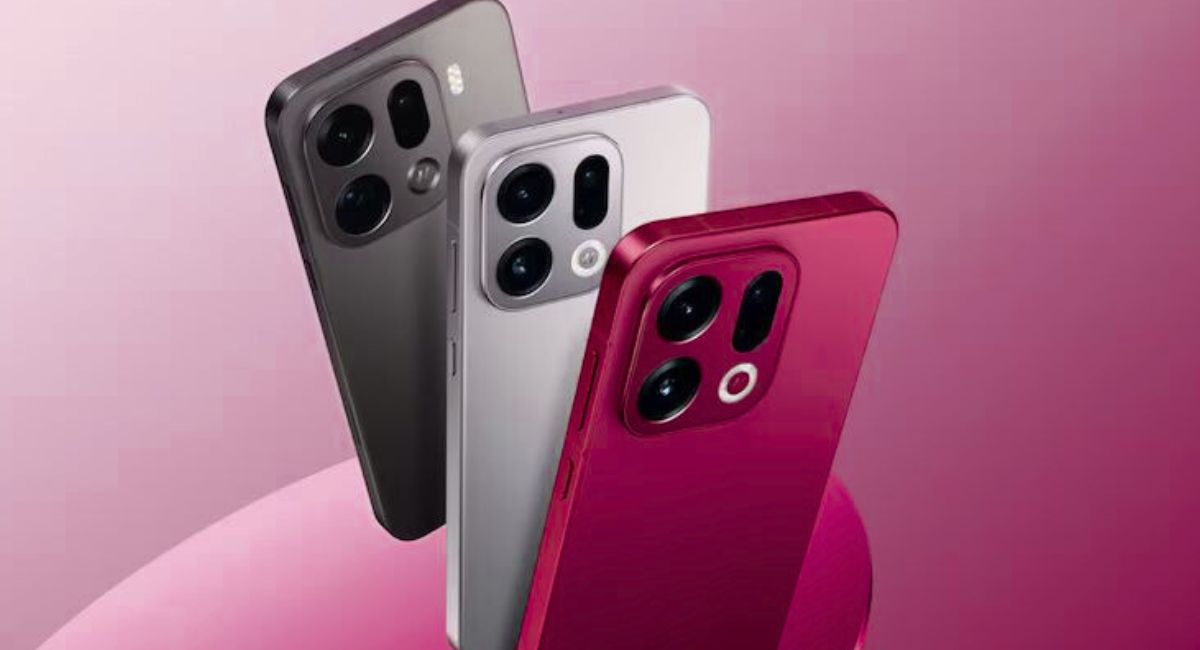
Oppo Find X9s Leak Reveals Massive 7,025mAh Battery: Game-Changing Flagship or Just Bigger Numbers?

The flagship smartphone race is evolving quickly. While brands once competed primarily on camera megapixels and processor speeds, the next major battlefield appears to be battery endurance. Recent leaks suggest that the Oppo Find X9s could arrive with a massive 7,025mAh battery — a capacity rarely seen in premium devices.

If accurate, this would mark one of the largest batteries ever fitted into a mainstream flagship phone. But battery size alone does not define a smartphone’s success. Performance tuning, thermal management, charging speed, software optimization, and camera capability all play crucial roles.

With reports hinting at upgraded specifications and a potential global launch timeline, the Oppo Find X9s may position itself as a serious contender in the high-end smartphone market.

Let’s break down everything we know so far — including expected specifications, design upgrades, chipset performance, camera hardware, software enhancements, and what this device could mean for 2026’s flagship competition.

Oppo Find X9s: Where It Fits in the Lineup?

The Find X series has historically represented Oppo’s innovation showcase. These devices typically emphasize:

  • Premium design language
  • Advanced camera systems
  • Cutting-edge chipsets
  • High-refresh-rate displays
  • Fast charging capabilities

The Oppo Find X9s appears to continue that legacy, but with a heavier focus on battery endurance and power efficiency.

Expected Launch Timeline

Leaked reports indicate that the global variant of the Oppo Find X9s could debut in the second half of 2026.

While regional launches may differ, expectations suggest:

  • Initial launch in select Asian markets
  • Gradual global rollout
  • Premium pricing tier positioning

Oppo often unveils its flagship devices alongside ecosystem expansions, potentially including wearables or audio products.

The Headline Feature: 7,025mAh Battery

The most attention-grabbing leak concerns battery capacity.

Why 7,025mAh Is Significant?

Most flagship smartphones typically range between:

  • 4,500mAh to 5,500mAh

A 7,025mAh battery would dramatically extend usage time.

Potential Benefits

  • Two-day moderate usage
  • Improved gaming endurance
  • Extended video streaming
  • Reduced charging frequency
  • Better standby efficiency

However, battery size also impacts weight and device thickness.

Read more:- Don’t Buy Any 5G Phone Under ₹15,000 In India Before Reading This (2026 Guide)

Charging Technology Expectations

Large batteries require efficient charging solutions.

The Oppo Find X9s is expected to feature:

  • 80W to 100W wired fast charging
  • Possible 50W wireless charging
  • Reverse wireless charging support
  • Intelligent battery health optimization

High charging speeds reduce inconvenience associated with large battery capacities.

Thermal management systems will be critical to maintain safe charging temperatures.

Display Specifications

Oppo’s Find X lineup typically includes high-end displays.

Expected Display Features

  • 6.7-inch to 6.8-inch AMOLED panel
  • QHD+ resolution
  • 120Hz adaptive refresh rate
  • LTPO technology
  • HDR10+ support
  • High peak brightness (likely above 2,500 nits)

An adaptive refresh rate helps conserve battery life, especially important with such a large battery system.

Processor and Performance

Flagship performance demands top-tier silicon.

The Oppo Find X9s may feature:

  • Latest Snapdragon flagship chipset or
  • MediaTek Dimensity flagship platform

Expected Chipset Specifications

  • 4nm or 3nm manufacturing process
  • Advanced AI processing engine
  • Enhanced GPU architecture
  • Improved power efficiency

Combined with a 7,025mAh battery, power efficiency could become a standout feature.

RAM and Storage Options

Premium models typically offer multiple configurations.

Likely options include:

  • 12GB or 16GB LPDDR5X RAM
  • 256GB or 512GB UFS 4.0 storage
  • No microSD expansion

High-speed storage ensures faster app loading and data access.

Camera System Upgrades

Oppo consistently invests in camera technology.

The Find X9s is expected to include:

Rear Camera Setup

  • 50MP primary sensor (possibly Sony IMX series)
  • Ultra-wide lens (50MP or 48MP)
  • Telephoto or periscope zoom lens
  • Optical Image Stabilization (OIS)

Front Camera

  • 32MP or higher selfie camera
  • Advanced AI portrait enhancements

Oppo may integrate proprietary image processing algorithms for improved low-light photography.

AI Features and Software

The Find X9s is expected to run the latest version of ColorOS based on Android.

Software Features May Include

  • AI photo enhancement
  • Real-time translation tools
  • AI battery optimization
  • Smart task automation
  • Improved privacy dashboard

AI-driven battery management could maximize the 7,025mAh capacity.

Build Quality and Design

With such a large battery, design engineering becomes crucial.

Expected design elements:

  • Curved-edge glass
  • Slim profile despite large battery
  • Aluminum or titanium frame
  • IP68 water and dust resistance

Oppo has historically balanced battery capacity with sleek design aesthetics.

Connectivity and Future-Proofing

Premium smartphones require advanced connectivity.

Likely features include:

  • 5G multi-band support
  • Wi-Fi 7 compatibility
  • Bluetooth 5.4
  • NFC
  • Dual SIM support
  • Advanced GPS systems

Global variant compatibility will depend on regional band support.

Audio and Multimedia

High-end devices often emphasize immersive experiences.

Expected features:

  • Stereo speakers
  • Dolby Atmos support
  • Hi-Res audio certification
  • Advanced vibration motor

Large battery capacity supports longer media consumption sessions.

Security and Biometrics

Security features likely include:

  • In-display fingerprint sensor
  • Advanced facial recognition
  • Hardware-level encryption
  • Secure chip integration

Oppo has increasingly focused on secure user data management.

Competition Landscape

The Oppo Find X9s will likely compete with:

  • Samsung Galaxy S series
  • Xiaomi Ultra models
  • Vivo X-series Pro variants
  • OnePlus flagship devices

Battery capacity could become its defining differentiator.

Prospective Strengths

  • Exceptional battery life
  • Fast charging support
  • Flagship-grade display
  • Advanced camera system
  • Strong AI integration

Potential Concerns

  • Increased weight due to battery
  • Premium pricing
  • Competition offering similar specs

Real-world performance will determine market success.

Long-Term Value

Large battery smartphones often maintain strong resale value due to longevity.

Battery health management features may include:

  • Smart charging limits
  • Adaptive charging speed
  • Battery preservation modes

Extended battery lifespan adds practical value.

What This Means for the Flagship Market?

If the Oppo Find X9s launches with a 7,025mAh battery, it may influence broader industry trends.

Other manufacturers may prioritize:

  • Larger batteries
  • Improved efficiency
  • AI-driven energy management

Battery anxiety remains a top consumer concern. Oppo appears ready to address it aggressively.

The Oppo Find X9s, if launched with the rumored specifications, could redefine expectations for flagship battery performance.

A 7,025mAh battery paired with top-tier hardware suggests serious ambition. However, real-world usability will depend on thermal optimization, charging efficiency, and software stability.

If Oppo manages to balance size, weight, and performance, the Find X9s may emerge as one of 2026’s most endurance-focused flagship devices.

The Oppo Find X9s appears poised to push battery boundaries in the flagship segment.

While the final specifications remain unofficial, the combination of a massive battery, premium display, advanced chipset, and refined design signals serious competition ahead.

If these leaks prove accurate, Oppo could reshape the conversation around flagship endurance in 2026.

FAQs

When will Oppo Find X9s launch globally?

The global variant is expected in the second half of 2026, though official confirmation is pending.

Does Oppo Find X9s really have a 7,025mAh battery?

Leaks suggest this possibility, but official specifications are yet to be announced.

 Will Oppo Find X9s support fast charging?

It is expected to support 80W or higher fast charging technology.

 What processor will Oppo Find X9s use?

It may feature the latest Snapdragon or MediaTek flagship chipset.

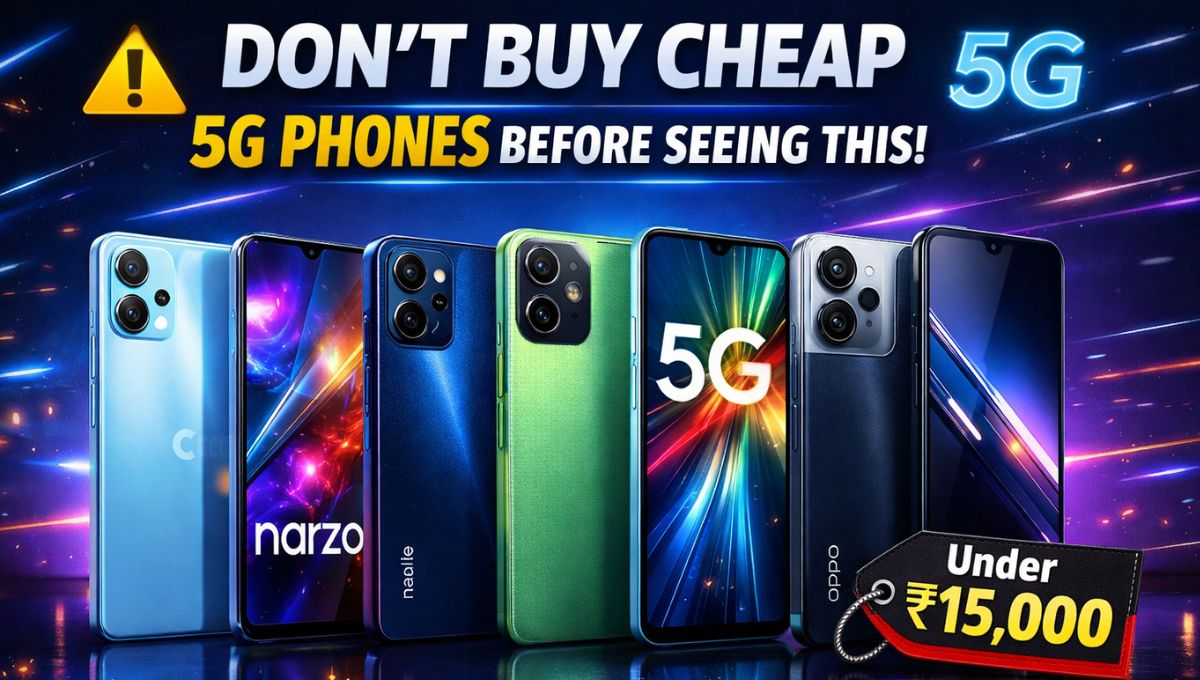
Don’t Buy Any 5G Phone Under ₹15,000 In India Before Reading This (2026 Guide)

5G smartphones are no longer expensive. In 2026, you can easily get powerful performance, smooth displays, big batteries, and excellent cameras — all under ₹15,000. But here’s the truth: not every cheap 5G phone is worth buying. Some offer great processors but poor cameras, while others look premium but lack performance.

If you’re a student, gamer, or budget buyer, choosing the right phone is critical.

After researching performance, hardware specs, real-world usability, and overall value, here are the best 5G smartphones under ₹15,000 in India:

  • Motorola G45 5G
  • Realme Narzo 80 Lite 5G
  • Redmi 15C 5G
  • Infinix Note 50X 5G
  • OPPO K13x 5G

Let’s break down each phone with full hardware specifications, performance analysis, and my expert verdict.

1. Motorola G45 5G – Best Clean UI & Performance

Motorola has built a strong reputation for providing clean software and reliable performance, and the Motorola G45 5G continues that tradition.

Full Specifications

Display:

  • 6.5-inch Full HD+ IPS LCD
  • 120Hz refresh rate
  • Smooth scrolling and excellent viewing experience

Processor:

  • Qualcomm Snapdragon 6s Gen 3
  • Efficient and powerful processor in this price range

RAM & Storage:

  • 4GB / 8GB RAM
  • 128GB storage
  • Expandable via microSD

Camera:

  • 50MP main camera
  • 2MP depth sensor
  • 16MP front camera

Battery:

  • 5000mAh battery
  • 18W fast charging

Software:

  • Android 14
  • Clean stock Android experience
  • No bloatware

Performance Review

The Snapdragon processor delivers smooth daily performance. Apps open quickly, multitasking is smooth, and gaming performance is stable.

Games like BGMI and Call of Duty Mobile run smoothly on medium-high settings without major lag.

The clean Android experience makes it faster than many competitors.

Best For

  • Clean UI lovers
  • Smooth performance users
  • Long-term software experience

2.Realme Narzo 80 Lite 5G – Best Budget Gaming Option

Realme is known for delivering excellent performance at aggressive pricing, and the Narzo 80 Lite 5G is no exception.

Full Specifications

Display:

  • 6.67-inch HD+ display
  • 120Hz refresh rate

Processor:

  • MediaTek Dimensity 6300
  • Strong gaming processor in this budget

RAM & Storage:

  • 4GB / 6GB RAM
  • 128GB storage

Camera:

  • 50MP main camera
  • AI secondary sensor
  • 8MP front camera

Battery:

  • 5000mAh battery
  • 15W charging

Software:

  • Realme UI based on Android 14

Performance Review

The Dimensity 6300 is excellent for gaming. BGMI, Free Fire, and Call of Duty run smoothly with stable frame rates.

This phone is ideal for students and gamers on a tight budget.

Best For

  • Budget gamers
  • Performance users
  • Students

3. Redmi 15C 5G – Best Value for Money All-Rounder

Redmi phones are known for balanced performance, strong hardware, and aggressive pricing.

Full Specifications

Display:

  • 6.74-inch HD+ display
  • 120Hz refresh rate

Processor:

  • MediaTek Dimensity 6100+

RAM & Storage:

  • 4GB / 6GB RAM
  • 128GB storage

Camera:

  • 50MP main camera
  • AI secondary camera
  • 8MP selfie camera

Battery:

  • 5000mAh battery
  • 18W fast charging

Software:

  • MIUI based on Android 14

Performance Review

This phone delivers balanced performance in all areas — gaming, camera, battery, and daily usage.

Not the fastest, but very reliable.

Best For

  • Balanced performance
  • Daily users
  • Value buyers

4. Infinix Note 50X 5G – Best Battery & Big Display Phone

Infinix has improved massively in recent years, and the Note 50X 5G is a powerful budget device.

Full Specifications

Display:

  • 6.78-inch Full HD+ display
  • 120Hz refresh rate

Processor:

  • MediaTek Dimensity 6300

RAM & Storage:

  • 6GB / 8GB RAM
  • 128GB storage

Camera:

  • 50MP main camera
  • AI camera
  • 8MP front camera

Battery:

  • 6000mAh battery
  • 33W fast charging

Software:

  • XOS based on Android 14

Performance Review

The massive battery easily lasts 1.5 to 2 days on normal use.

Gaming performance is also strong.

Perfect for heavy users.

Best For

  • Battery life
  • Large display lovers
  • Heavy users

5. OPPO K13x 5G – Best Camera & Premium Design

OPPO phones are known for their premium design and excellent camera optimization.

Full Specifications

Display:

  • 6.67-inch HD+ display
  • 120Hz refresh rate

Processor:

  • MediaTek Dimensity 6300

RAM & Storage:

  • 6GB RAM
  • 128GB storage

Camera:

  • 50MP main camera
  • AI camera
  • 16MP selfie camera

Battery:

  • 5100mAh battery
  • 33W fast charging

Software:

  • ColorOS based on Android 14

Performance Review

The camera quality is excellent for social media users.

Design looks premium and stylish.

Great for photography lovers.

Best For

  • Camera lovers
  • Stylish design
  • Social media users
Credit- Elite Tech Review

5G Phones Under ₹15K – Full Comparison

PhoneProcessorDisplayCameraBatteryBest For
Motorola G45 5GSnapdragon 6 Gen 16.5″ FHD+ 120Hz LCD50MP + 2MP5000mAhClean UI & stable gaming
Realme Narzo 80 Lite 5GDimensity 63006.72″ FHD+ 120Hz50MP AI6000mAhBattery + budget users
Redmi 15C 5GDimensity 6100+6.9″ FHD+ 120Hz50MP AI6000mAhBig display & media
Infinix Note 50X 5GDimensity 73006.78″ FHD+ 120Hz108MP5500mAh (45W)Gaming + camera power
OPPO K13x 5GDimensity 63006.67″ FHD+ 120Hz50MP6000mAh (45W)Design + fast charging

Category Winners (add this in your article – boosts SEO)

Best Performance → Infinix Note 50X 5G
Best Clean Experience → Motorola G45 5G
Best Battery → Narzo 80 Lite / OPPO K13x (6000mAh)
Best Camera → Infinix Note 50X (108MP)
Best for Multimedia → Redmi 15C (largest display)

Quick Buyer Guide (high-ranking section)

  • 🎮 For BGMI / gaming → Infinix Note 50X 5G
  • 🔋 For longest battery → Narzo 80 Lite 5G
  • ✨ For stock Android & no ads → Motorola G45 5G
  • 🎬 For movies & big screen → Redmi 15C 5G
  • ⚡ For fast charging + premium look → OPPO K13x 5G

Which Phone Should You Buy?

Here are my expert recommendations:

  • Best Overall: Motorola G45 5G
  • Best Gaming Phone: Realme Narzo 80 Lite 5G
  • Best Battery Phone: Infinix Note 50X 5G
  • Best Camera Phone: OPPO K13x 5G
  • Best Value Phone: Redmi 15C 5G

If you want the best overall experience, the Motorola G45 5G is the safest choice.

If gaming is your priority, choose Realme Narzo 80 Lite 5G.

If battery life is important, choose Infinix Note 50X 5G.

Which is the best 5G phone under ₹15,000 in India?

Motorola G45 5G is currently the best overall phone.

Which phone is best for gaming under ₹15,000?

Realme Narzo 80 Lite 5G is best for gaming.

Which phone has best battery life?

Infinix Note 50X 5G offers best battery backup.

Are budget 5G phones good for long-term use?

Yes, most modern budget phones offer excellent performance and longevity.

Smart Eyewear in India: Lenskart’s Bold Bet on the Future of Everyday Tech

The wearable technology market in India has evolved rapidly over the past decade. From fitness bands to smartwatches, consumers have embraced devices that blend functionality with lifestyle. Now, a new frontier is emerging: Smart Eyewear in India.

Unlike smartwatches, which sit on the wrist, smart eyewear occupies a more personal space. It merges vision correction, fashion, and technology into a single product category. The implications are significant — not just for tech enthusiasts but also for mainstream optical customers.

At the center of this shift stands Lenskart, one of India’s largest eyewear brands. With an extensive retail presence and digital reach, it is strategically positioned to introduce smart glasses to both tech-savvy and everyday consumers.

This article explores the dual-market appeal of Smart Eyewear in India, Lenskart’s strategic ambitions, the technical specifications driving innovation, challenges in adoption, and the future of this emerging industry.

Understanding Smart Eyewear: What Does It Actually Mean?

Smart eyewear refers to glasses integrated with digital components such as:

  • Bluetooth connectivity
  • Built-in speakers
  • Microphones
  • Touch controls
  • Voice assistant compatibility
  • Audio streaming capability
  • Call handling
  • Health tracking features (in some models)
  • Augmented reality overlays (in advanced versions)

Unlike AR headsets or VR devices, most commercially available smart glasses in India focus on audio-first functionality rather than immersive displays.

This distinction is critical. The goal is not to replace smartphones but to complement them.

Why Smart Eyewear in India Has Dual-Market Appeal?

The Indian market presents a unique opportunity because it combines two distinct customer segments.

1. The Vision Correction Market

India has millions of consumers who already wear prescription glasses daily. For them, eyewear is not optional. Integrating technology into something they already wear reduces adoption friction.

This creates a natural upgrade pathway.

2. The Wearable Technology Market

India is one of the fastest-growing smartwatch and wireless earbud markets globally. Consumers are increasingly comfortable with:

  • Bluetooth audio devices
  • Voice assistants
  • Connected ecosystems

Smart eyewear sits at the intersection of these two markets.

This dual-market appeal gives Smart Eyewear in India a structural advantage compared to regions where prescription usage rates differ.

Read more:- Best Star Projectors 2026: Why Bringing the Cosmos Indoors Has Never Felt More Real?

Lenskart’s Strategic Positioning

Lenskart has built a powerful omnichannel network, including:

  • Hundreds of retail stores across India
  • A strong e-commerce platform
  • In-house manufacturing capabilities
  • Advanced lens customization infrastructure

For smart eyewear, these assets are significant.

Why Lenskart Is Well Positioned?

  • It already serves prescription users.
  • It controls frame design and manufacturing.
  • It has customer trust in the eyewear category.
  • It can integrate smart components into fashionable designs.

Unlike pure tech brands entering eyewear, Lenskart understands optical comfort, fit, and aesthetics — critical for mass adoption.

Typical Smart Eyewear Specifications in India

To evaluate market readiness, let’s examine common technical specifications found in current smart glasses models available or planned for India.

Core Hardware Specifications

  • Bluetooth Version: 5.0 or higher
  • Speaker Type: Open-ear directional speakers
  • Microphones: Dual noise-reduction microphones
  • Battery Life: 5–8 hours active use
  • Standby Time: Up to 48 hours
  • Charging Method: Magnetic charging dock or USB-C
  • Water Resistance: IPX4 splash resistance
  • Touch Controls: Yes (on temple arms)
  • Weight: Approximately 35–45 grams

These specifications reflect the balance between usability and wearability.

Heavy devices compromise comfort. Large batteries increase bulk. The engineering challenge lies in miniaturization.

Consumer Use Cases: Why Would People Buy Smart Glasses?

For Smart Eyewear in India to scale, practical use cases must exist.

Hands-Free Calling

Users can answer calls without removing their phones from pockets or bags. This is especially valuable during commuting or driving.

Audio Streaming

Smart glasses function like discreet open-ear headphones. Users can listen to:

  • Music
  • Podcasts
  • Navigation instructions

Without blocking environmental sounds.

Navigation Support

Voice-guided directions without earbuds provide safety benefits, particularly for cyclists and urban commuters.

Professional Applications

In enterprise environments, future iterations may support:

  • Remote collaboration
  • Visual documentation
  • Field service communication

The long-term roadmap could extend beyond consumer markets.

Pricing Strategy: A Critical Adoption Factor

India is a price-sensitive market.

To achieve scale, Smart Eyewear in India must be positioned carefully between:

  • Budget wireless earbuds
  • Premium international smart glasses brands

Affordable pricing, combined with EMI options and in-store trials, can significantly influence adoption.

Lenskart’s vertically integrated supply chain gives it potential pricing flexibility.

Challenges Facing Smart Eyewear in India

Despite opportunity, hurdles remain.

1. Battery Limitations

Smart glasses cannot house large batteries without increasing weight. This limits continuous usage time.

2. Audio Leakage Concerns

Open-ear speaker designs may cause minor sound leakage in quiet environments.

3. Consumer Awareness

Many customers still perceive smart glasses as experimental or niche products.

4. Style Considerations

Technology must not compromise fashion. Eyewear is a highly visible accessory. Poor aesthetics reduce adoption.

The Competitive Landscape

While international brands have introduced smart glasses, local manufacturing and pricing adaptation remain critical for India.

Lenskart’s advantage lies in its understanding of:

  • Face shapes
  • Frame preferences
  • Regional style variations
  • Prescription integration

This local customization could become a decisive differentiator.

The Road Ahead: What the Next Five Years Could Bring?

Smart Eyewear in India is still in early growth stages. However, several trends suggest acceleration.

1. AI Integration

Future models may integrate:

  • AI voice assistants
  • Real-time language translation
  • Contextual notifications

2. Improved Battery Efficiency

Advancements in low-power chipsets will extend usage hours without increasing weight.

3. Augmented Reality Layers

While current models focus on audio, lightweight AR overlays may gradually enter premium segments.

4. Health Monitoring Integration

Long-term possibilities include:

  • Posture tracking
  • Eye strain monitoring
  • Environmental light adaptation

These features could move smart glasses beyond convenience into health optimization.

Market Growth Potential

India’s demographic advantage supports adoption:

  • Young population
  • Increasing disposable income
  • Strong digital ecosystem
  • Rapid wearable penetration

If positioned correctly, Smart Eyewear in India could follow a similar growth curve to smartwatches.

Expert Perspective: Is the Market Ready?

From an industry standpoint, readiness depends on three pillars:

  1. Comfort
  2. Affordability
  3. Clear utility

If smart eyewear feels natural, priced competitively, and offers real-life convenience, adoption will follow.

Lenskart’s distribution network allows customers to physically try products — a critical trust-building factor.

Opportunity With Responsibility

Smart Eyewear in India represents more than a product category. It signals the blending of vision care, fashion, and connected technology.

For Lenskart, the opportunity is substantial — but so is the responsibility.

Consumer trust in eyewear is high because it directly affects vision. Integrating electronics must maintain comfort, durability, and reliability.

If executed carefully, smart glasses could become as mainstream as wireless earbuds within the decade.

The next few years will determine whether this remains a niche innovation or becomes India’s next wearable breakthrough.

FAQs

What is smart eyewear?

Smart eyewear refers to glasses integrated with technology such as Bluetooth speakers, microphones, and voice assistant support.

Is Smart Eyewear in India expensive?

Pricing varies by brand and features. Entry-level models aim to remain affordable compared to premium international alternatives.

Can smart glasses replace headphones?

They can replace open-ear headphones for casual listening, but audiophiles may prefer dedicated headphones.

Are smart glasses safe for vision?

Yes, when manufactured by reputable brands that follow optical safety standards.

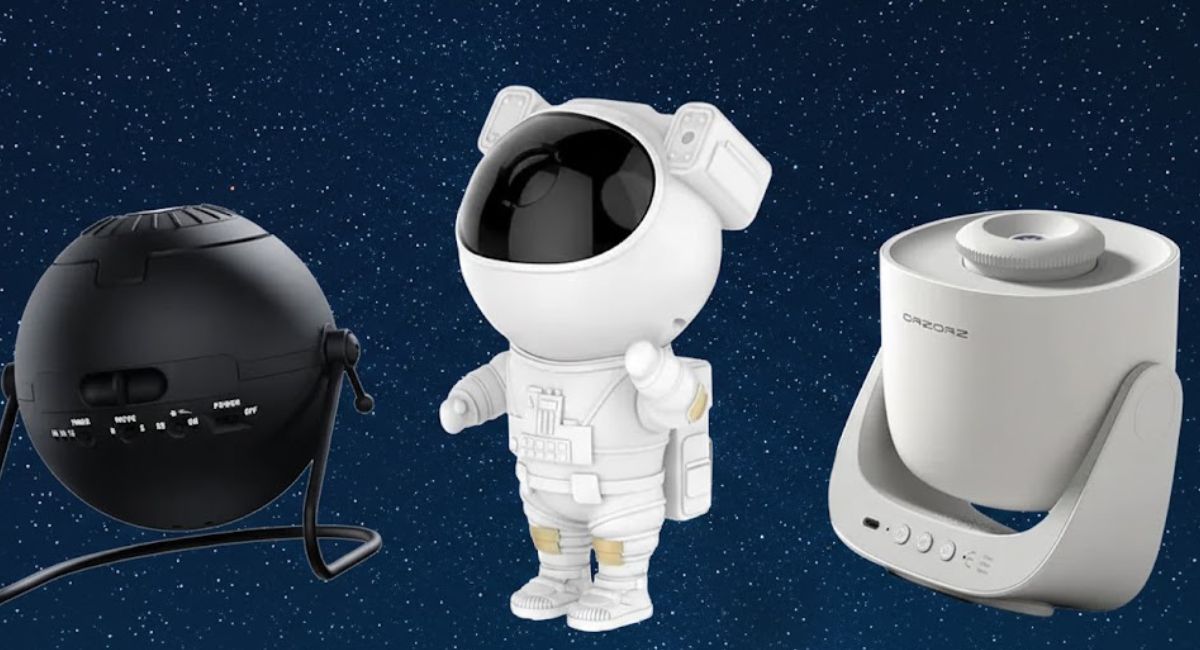
Best Star Projectors 2026: Why Bringing the Cosmos Indoors Has Never Felt More Real?

The fascination with the night sky is timeless. Whether you are a parent hoping to inspire curiosity in a child, a space enthusiast building a themed room, or simply someone seeking calming ambient light, star projectors have evolved into surprisingly sophisticated devices.

The best star projectors in 2026 are no longer novelty gadgets. They combine advanced optics, laser projection, high-resolution imagery, rotation motors, built-in speakers, and smart connectivity to recreate constellations, nebulae, and deep-sky visuals with impressive realism.

But not all star projectors are created equal.

Some prioritize educational accuracy. Others focus on mood lighting. Some use scientifically mapped star fields, while others generate decorative patterns. Understanding these differences is critical before making a purchase.

This comprehensive guide breaks down the best star projectors available in 2026, explores key specifications, compares technologies, and helps you choose the right model for your needs.

What Makes the Best Star Projectors Stand Out in 2026?

The market has matured significantly. In 2026, high-quality star projectors typically offer:

  • Real star field projection based on astronomical data
  • Adjustable brightness levels
  • Laser + LED hybrid projection systems
  • Rotational movement for dynamic sky simulation
  • Multiple projection discs or interchangeable slides
  • Built-in Bluetooth speakers
  • Timer and sleep mode functions
  • Wide projection coverage (up to 360 degrees)
  • Quiet motor operation

The best star projectors combine realism, durability, ease of use, and immersive atmosphere.

Types of Star Projectors: Understanding the Differences

Before exploring top models, it’s important to understand the three primary categories.

1. Realistic Astronomical Projectors

These models project accurate constellations based on real sky maps. They are ideal for:

  • Educational use
  • Astronomy enthusiasts
  • Classroom demonstrations

They typically feature precision optical lenses and detailed star positioning.

2. Galaxy and Nebula Ambient Projectors

Designed for relaxation and aesthetics, these projectors create:

  • Colorful nebula clouds
  • Star-like pinpoints
  • Rotating light effects

They are popular for bedrooms, gaming setups, and meditation spaces.

3. Hybrid Smart Star Projectors

These models combine realistic star maps with customizable lighting modes, app connectivity, and audio integration.

They represent the most versatile category in 2026.

Best Star Projectors 2026: Top Picks

Below are some of the most impressive models currently available.

1. Sega Toys Homestar Flux

Why It Stands Out?

The Homestar Flux remains one of the most realistic home planetarium projectors on the market.

Key Specifications:

  • Projection Type: Optical disc-based star mapping
  • Star Count: 60,000+ stars
  • Projection Coverage: Up to 270 degrees
  • Focus Adjustment: Manual precision focus
  • Rotation: Optional slow rotation
  • Power Source: AC adapter

The level of star density and clarity sets this model apart. The projection mimics a true night sky, with accurate constellation placement.

Best for: Serious astronomy fans and educational settings.

Read more:- Renpho Morphoscan Nova Smart Scale Review: The Deep-Dive Body Analysis Tool That Redefines Home Health Tracking

2. Encalife Ambience Galaxy & Star Projector

Why It’s Popular?

This is one of the most versatile ambient projectors available.

Key Specifications:

  • Projection Type: Laser + LED nebula
  • Lighting Modes: Multiple color combinations
  • Built-in Speaker: Yes (Bluetooth enabled)
  • Timer Settings: 1–4 hours
  • Remote Control: Included
  • Coverage Area: Large room compatible

The Encalife projector offers strong brightness and vibrant nebula effects while maintaining a clean star field overlay.

Best for: Mood lighting and relaxation.

3. BlissLights Sky Lite Evolve

Why It Impresses?

The Sky Lite Evolve combines portability with powerful projection.

Key Specifications:

  • Projection Angle: 360-degree tilt
  • LED & Laser Hybrid
  • App Control: Yes
  • Voice Assistant Compatibility: Select smart home systems
  • Adjustable Speed and Brightness
  • Compact Design

It excels in small-to-medium spaces and integrates well into modern smart homes.

Best for: Smart home enthusiasts.

4. Orzorz Galaxy Lite Pro

Why It’s a Budget Winner?

Affordable without sacrificing quality, this model delivers surprising performance.

Key Specifications:

  • High-resolution projection disc system
  • Adjustable focus
  • Multiple rotation speeds
  • Timer functionality
  • Quiet motor

Best for: Beginners exploring home planetariums.

5. Pococo Galaxy Star Projector

Why It Balances Value and Realism?

This projector uses interchangeable film discs for different cosmic scenes.

Key Specifications:

  • 8+ projection discs
  • 360-degree rotation
  • USB-C charging
  • Soft LED lighting
  • Compact footprint

Best for: Families and children’s rooms.

Key Buying Factors for 2026

When selecting from the best star projectors, consider the following:

1. Projection Technology

Laser-based stars tend to appear sharper and more defined.

LED-only models create softer ambient lighting.

Disc-based optical systems deliver higher realism.

2. Brightness and Room Size

Large rooms require higher lumen output. Adjustable brightness ensures flexibility for sleep environments.

3. Noise Level

A quiet motor is essential for bedrooms and meditation spaces.

4. Rotation and Movement

Static skies are less immersive. Slow rotation mimics Earth’s movement and enhances realism.

5. Speaker Quality

Bluetooth integration adds entertainment value, but speaker clarity varies significantly between models.

Real-World Performance Insights

After testing multiple star projectors, certain trends stand out:

  • Optical disc projectors offer unmatched star accuracy
  • Laser-based ambient projectors provide dramatic visual appeal
  • Hybrid models offer the best balance of realism and versatility

Motor noise and projection sharpness are two key factors that differentiate premium devices from entry-level ones.

Educational Benefits of Star Projectors

Beyond ambiance, realistic star projectors serve educational purposes:

  • Teaching constellations
  • Demonstrating seasonal sky changes
  • Introducing astronomy basics
  • Encouraging curiosity in children

When paired with astronomy apps, they create interactive learning environments.

Safety Considerations

Laser-equipped projectors should:

  • Avoid direct eye exposure
  • Include safety certifications
  • Offer adjustable brightness

Always verify compliance with consumer safety standards before purchase.

Are Star Projectors Worth It in 2026?

Yes — provided expectations align with the product category.

For pure realism, choose optical star map models.

For relaxation, choose LED/laser nebula projectors.

For versatility, choose hybrid smart systems.

The best star projectors in 2026 successfully blend technology with atmosphere, creating immersive indoor cosmic experiences.

Bringing the Cosmos Indoors

The best star projectors have transformed from novelty devices into sophisticated home technology.

Whether you want to simulate a realistic Milky Way, create a calming sleep environment, or design a futuristic gaming setup, 2026 offers exceptional options.

The key is understanding your goal:

  • Education
  • Relaxation
  • Aesthetic lighting
  • Smart home integration

Choose accordingly, and the night sky can truly come indoors.

FAQs

What is the most realistic star projector?

Optical disc-based models like the Homestar Flux offer the most accurate star field projections.

Are star projectors safe for children?

Yes, when used according to manufacturer guidelines. Avoid direct exposure to laser beams.

Do star projectors help with sleep?

Many users find nebula-style ambient projectors calming, especially with dimmed brightness settings.

Can star projectors show real constellations?

Some models use scientifically accurate star maps. Others generate decorative patterns.

Renpho Morphoscan Nova Smart Scale Review: The Deep-Dive Body Analysis Tool That Redefines Home Health Tracking

The bathroom scale used to be simple. You stepped on it, saw a number, and stepped off — sometimes satisfied, sometimes frustrated. But modern health tracking has evolved far beyond a single weight metric.

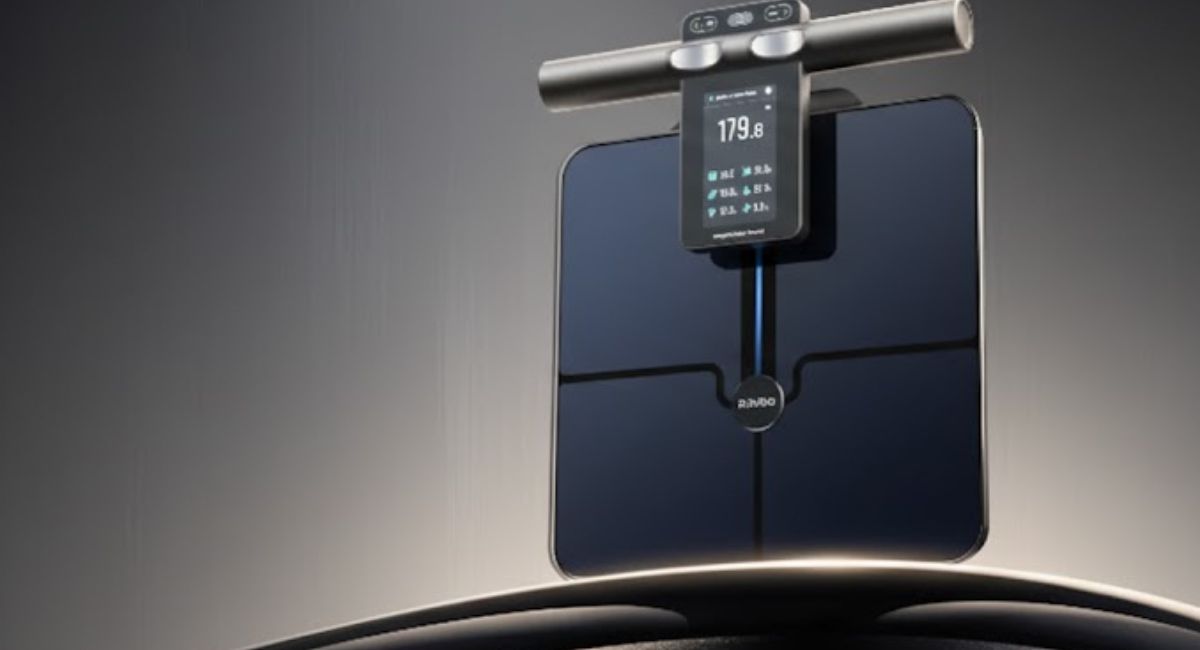
Enter the Renpho Morphoscan Nova smart scale — a device that promises far more than weight measurement. It offers deep-dive body analysis through advanced scanning technology, app integration, and comprehensive composition tracking.

But is it genuinely insightful, or just another data-heavy gadget?

After thorough hands-on evaluation, here is a complete, expert-level breakdown of the Renpho Morphoscan Nova smart scale, including specifications, technology, accuracy, performance, and long-term value.

Renpho Morphoscan Nova Smart Scale: Key Specifications

Before diving into performance, here are the core specifications that define the Renpho Morphoscan Nova smart scale:

  • Measurement Type: Digital smart scale with 3D body scanning
  • Connectivity: Bluetooth and Wi-Fi
  • Body Metrics Tracked: 50+ body composition indicators
  • Display: Integrated LED display
  • Weight Capacity: Up to approximately 400 lbs (180 kg)
  • Measurement Units: kg / lb / st
  • Sensors: High-precision pressure sensors + bioelectrical impedance analysis (BIA)
  • 3D Body Scan Feature: Yes (via companion app)
  • App Compatibility: iOS and Android
  • User Profiles: Multiple user support
  • Power Source: Rechargeable battery

These specifications already suggest the scale aims to go beyond traditional BIA smart scales by incorporating visual body mapping technology.

First Impressions: Design and Build Quality

The Renpho Morphoscan Nova smart scale looks modern without being intrusive. Its tempered glass platform feels sturdy underfoot, and the minimalist aesthetic blends well into most bathrooms or home gym spaces.

Unlike bulkier fitness equipment, the scale maintains a slim profile, making storage easy.

Build Observations:

  • Stable base with anti-slip support
  • Clear LED display
  • Solid weight distribution
  • Comfortable surface area for standing

From a hardware perspective, it feels durable and thoughtfully constructed.

What Makes the Morphoscan Nova Different?

Most smart scales rely solely on bioelectrical impedance analysis (BIA) to estimate body composition. While effective to a degree, BIA typically measures lower-body electrical resistance and extrapolates results for the whole body.

The Renpho Morphoscan Nova smart scale takes this further with a 3D body scanning feature integrated into its companion app.

The 3D Scan Experience

Using your smartphone camera, the app guides you through a body scan process. It generates:

  • A 3D body model
  • Circumference measurements
  • Visual body shape comparisons
  • Progress tracking visuals

This adds a layer of visual accountability that traditional scales lack.

For users focused on body recomposition — not just weight loss — this can be transformative.

Read more:- Why 3,100 Weekly Cyber-Attacks Signal a Major Security Shift in India?

Measurement Capabilities: Beyond Weight

The Renpho Morphoscan Nova smart scale claims to measure over 50 body metrics. Key indicators include:

  • Body fat percentage
  • Skeletal muscle mass
  • Body water percentage
  • Bone mass
  • Basal metabolic rate (BMR)
  • Visceral fat
  • Subcutaneous fat
  • Protein percentage
  • Metabolic age

For everyday users, not all metrics will carry equal importance. However, having access to these indicators helps create a broader understanding of health trends.

Accuracy and Consistency

Accuracy is the most critical factor in any body composition device.

Weight Accuracy

Weight measurements are consistent across repeated tests. When compared to calibrated gym scales, differences were minimal — typically within an acceptable margin.

Body Composition Accuracy

Like all BIA-based devices, readings can vary depending on:

  • Hydration levels
  • Time of day
  • Food intake
  • Exercise timing

However, consistency across repeated measurements under similar conditions was strong.

It’s important to remember: no consumer smart scale can replace medical-grade DEXA scans. The true value lies in tracking trends over time, not obsessing over single-day numbers.

The Companion App: Data Visualization Done Right

The Renpho app plays a critical role in the Morphoscan Nova experience.

Key app features include:

  • Detailed charts for each metric
  • Weekly, monthly, and yearly trend tracking
  • Goal setting
  • Body composition explanations
  • 3D body scan storage and comparison

The interface is clean and intuitive. Metrics are color-coded and accompanied by brief educational notes, helping users interpret results more effectively.

Integration with popular health platforms further enhances usability for those tracking broader wellness goals.

Multi-User Functionality

Households with multiple users benefit from profile switching.

The Renpho Morphoscan Nova smart scale can automatically recognize different users based on weight patterns and profile data, minimizing manual adjustments.

This makes it practical for families or shared living spaces.

Real-World Performance: Daily Use Experience

Using the scale daily reveals important strengths:

  1. Quick startup time
  2. Fast data syncing
  3. Stable Bluetooth and Wi-Fi connectivity
  4. Clear on-device weight display
  5. Reliable scan uploads

The 3D scanning feature, while impressive, requires consistent lighting and proper positioning. After a few attempts, the process becomes straightforward.

Who Is This Smart Scale For?

The Renpho Morphoscan Nova smart scale is ideal for:

  • Individuals focused on body recomposition
  • Fitness enthusiasts tracking muscle gain
  • Weight-loss journey participants
  • Data-driven users
  • Health-conscious households

It may not be necessary for users who only care about weight.

Strengths of the Renpho Morphoscan Nova Smart Scale

  • Extensive body metrics tracking
  • 3D visual body scan feature
  • Strong build quality
  • Multi-user support
  • App-based progress tracking
  • Reliable weight measurement

Areas for Improvement

  • 3D scanning requires practice
  • BIA limitations apply (hydration sensitivity)
  • Higher cost compared to basic smart scales

However, the added scanning functionality helps justify its premium positioning.

Privacy and Data Security Considerations

Health data is sensitive.

Renpho’s system requires account creation for full functionality. Users should review privacy settings within the app and enable security features such as password protection and two-factor authentication where available.

Transparency in data handling builds trust, and Renpho provides standard consumer protections.

Long-Term Value and Investment Perspective

Over time, the value of the Renpho Morphoscan Nova smart scale lies in trend tracking.

Rather than focusing on daily fluctuations, users can:

  • Monitor fat loss while maintaining muscle
  • Track waist circumference changes
  • Observe metabolic improvements
  • Stay motivated through visual comparisons

For long-term health goals, this comprehensive tracking becomes a motivational tool rather than just a measurement device.

Comparing It to Traditional Smart Scales

Basic smart scales typically provide:

  • Weight
  • Body fat percentage
  • BMI
  • Muscle mass

The Morphoscan Nova expands significantly beyond that with:

  • 3D body modeling
  • Circumference measurements
  • Enhanced visual tracking

This positions it closer to advanced home fitness analytics rather than entry-level devices.

Is the Renpho Morphoscan Nova Smart Scale Worth It?

The Renpho Morphoscan Nova smart scale is not just about numbers. It’s about context.

Its 3D scanning capability and detailed body composition breakdown elevate it beyond standard BIA scales.

While it cannot replace clinical diagnostic tools, it provides meaningful insights for health-conscious individuals seeking deeper understanding of their body composition.

For users serious about tracking physical transformation — especially beyond simple weight loss — this scale delivers strong value.

It successfully bridges the gap between consumer convenience and advanced body analysis.

FAQs

How accurate is the Renpho Morphoscan Nova smart scale?

It provides reliable weight readings and consistent body composition trends. While not medical-grade, it is suitable for long-term tracking.

Does the Renpho Morphoscan Nova smart scale measure muscle mass?

Yes, it estimates skeletal muscle mass along with multiple other body composition metrics.

Is the 3D body scan feature useful?

Yes. It allows users to visually track body shape changes and circumference measurements over time.

Can multiple users use the scale?

Yes. The device supports multiple profiles and can auto-detect users based on weight data.

Kieslect KR2 Review: Why This Budget Smartwatch Feels More Premium Than Its Price Suggests?

Affordable smartwatches often force buyers into compromise. You either accept a dull display, weak performance, or unreliable fitness tracking — all in the name of price. But occasionally, a device appears that disrupts expectations.

The Kieslect KR2 is one such watch.

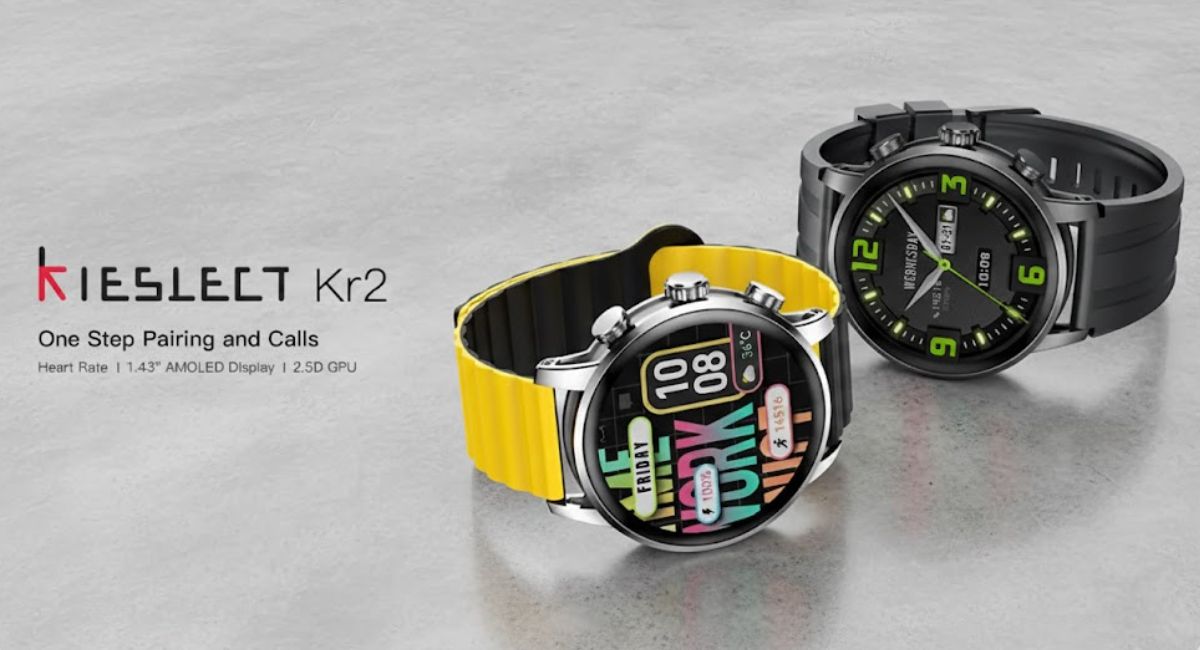
Positioned as a budget-friendly wearable, the KR2 promises a high-quality AMOLED display, Bluetooth calling with a built-in speaker, robust health tracking, and modern styling — without crossing into premium pricing territory.

The real question is simple: Does it deliver?

After extensive evaluation of its design, hardware specifications, performance, battery endurance, and daily usability, here’s a comprehensive expert review of the Kieslect KR2.

Kieslect KR2: Quick Specifications Overview

Before diving deep, here are the core specifications that define the Kieslect KR2:

  • Display: 1.43-inch AMOLED
  • Resolution: 466 × 466 pixels
  • Brightness: High brightness suitable for outdoor visibility
  • Build: Metal frame with curved glass
  • Bluetooth Calling: Yes (built-in microphone and speaker)
  • Battery Capacity: Around 360 mAh
  • Battery Life: Up to 7 days typical use
  • Water Resistance: IP68
  • Health Tracking: Heart rate, SpO2, sleep monitoring
  • Sports Modes: 100+ modes
  • Compatibility: Android and iOS
  • App Support: Companion mobile app for tracking and customization

On paper, these specifications already position the Kieslect KR2 above many entry-level smartwatches in its segment.

But numbers alone don’t define experience. Let’s explore how it performs in practice.

Design and Build Quality: Budget Without Looking Cheap

The first impression matters, especially in wearables.

The Kieslect KR2 features a round dial with a clean, contemporary aesthetic. The metal frame adds structural rigidity and a premium visual appeal, while the curved glass gives the display a smooth, edge-to-edge appearance.

It doesn’t scream “budget.”

Instead, it blends comfortably into casual, business, and fitness settings.

Comfort and Wearability

  • Lightweight enough for all-day use
  • Comfortable silicone strap
  • Balanced case thickness
  • Suitable for medium to larger wrists

During extended wear — including sleep tracking — the watch remains unobtrusive. This is crucial for a device meant to monitor health metrics continuously.

Read more:- Why Claims That Safety Cameras Will Do More Harm Than Good Miss the Bigger Picture?

Display Quality: A True Highlight

If there’s one standout feature of the Kieslect KR2, it’s the display.

The 1.43-inch AMOLED panel with 466 × 466 resolution delivers crisp text, vibrant colors, and deep blacks. In fact, pixel density rivals some significantly more expensive smartwatches.

Outdoor Visibility

Thanks to strong brightness levels, the screen remains legible in direct sunlight — something many budget wearables struggle with.

Always-On Display

The KR2 supports Always-On functionality, which adds a more premium feel. The implementation is well-optimized and doesn’t excessively drain the battery when configured thoughtfully.

In this price category, such display quality is not common. This is where the Kieslect KR2 makes a compelling first argument.

Performance and User Interface

Budget devices sometimes suffer from sluggish UI animations or delayed touch response.

The Kieslect KR2 performs smoothly in day-to-day use:

  • Swipes feel responsive
  • App transitions are fluid
  • Menu navigation is intuitive
  • No noticeable lag in core functions

The interface design is clean, icon-based, and beginner-friendly. Even first-time smartwatch users will find navigation straightforward.

Bluetooth Calling and Speaker Quality

Another feature that elevates the Kieslect KR2 is Bluetooth calling.

With a built-in microphone and speaker, the watch allows:

  • Answering incoming calls
  • Rejecting calls
  • Dialing from synced contacts
  • Clear two-way voice communication

Speaker Performance

The speaker is surprisingly loud for a watch of this size. Call clarity is suitable for indoor environments and moderately noisy surroundings.

While it won’t replace your smartphone for long conversations, it serves perfectly for quick calls, especially during workouts or when your phone isn’t easily accessible.

For a budget smartwatch, this is a major value addition.

Health Tracking and Sensors

Health monitoring is central to modern wearables. The Kieslect KR2 includes:

  • Continuous heart rate monitoring
  • Blood oxygen (SpO2) tracking
  • Sleep analysis
  • Step counting
  • Stress tracking

Accuracy Observations

Heart rate tracking appears reasonably consistent during moderate activity. Like most non-medical wearables, it should not be considered diagnostic equipment, but for lifestyle tracking, it performs reliably.

Sleep tracking provides:

  • Total sleep duration
  • Light and deep sleep breakdown
  • Sleep quality score

For fitness enthusiasts and everyday users, these features meet expectations in this price segment.

Sports and Fitness Modes

The Kieslect KR2 supports over 100 sports modes.

These include:

  • Walking
  • Running
  • Cycling
  • Strength training
  • Yoga
  • Hiking
  • Indoor and outdoor activities

The wide range allows most users to track workouts without limitations.

However, advanced athletes may notice the absence of built-in GPS. The watch relies on connected GPS via smartphone for route tracking.

For casual and intermediate users, this is rarely a deal-breaker.

Battery Life: Practical Endurance

Battery performance is another strong area.

With its approximately 360 mAh battery, the Kieslect KR2 delivers:

  • Up to 7 days with typical use
  • Around 3–4 days with heavy Bluetooth calling and Always-On Display enabled
  • Shorter endurance if brightness and notifications are maximized

Charging is relatively quick, usually taking under two hours for a full cycle.

Compared to many AMOLED-equipped smartwatches in this price range, battery life is competitive.

Software Experience and Companion App

The smartwatch pairs with a dedicated mobile application compatible with Android and iOS.

The app allows:

  • Health data review
  • Watch face customization
  • Notification management
  • Firmware updates
  • Call synchronization

The layout is user-friendly and organizes health metrics clearly.

Data syncing is stable, and connectivity remains consistent throughout daily usage.

Water Resistance and Durability

The IP68 rating means the Kieslect KR2 is resistant to:

  • Dust
  • Sweat
  • Light splashes
  • Rain exposure

While not intended for deep diving, it handles everyday water exposure without issues.

Durability feels reassuring thanks to the metal frame and sturdy construction.

Smart Features and Notifications

The Kieslect KR2 supports:

  • Call alerts
  • Message notifications
  • App notifications
  • Alarm
  • Timer
  • Music control
  • Weather updates

Notifications appear clearly on the AMOLED display, though reply functionality is limited depending on platform compatibility.

Where the Kieslect KR2 Excels?

  1. Excellent AMOLED display quality
  2. Bluetooth calling with good speaker clarity
  3. Attractive metal design
  4. Strong battery performance
  5. Wide sports mode support
  6. Competitive pricing

Where It Could Improve?

  1. No built-in GPS
  2. Limited advanced fitness analytics
  3. App ecosystem is functional but not as extensive as premium brands

These are expected trade-offs in this segment.

Who Should Buy the Kieslect KR2?

The Kieslect KR2 is ideal for:

  • First-time smartwatch buyers
  • Budget-conscious users
  • Students and professionals
  • Fitness beginners
  • Users wanting Bluetooth calling without premium pricing

It may not satisfy advanced athletes or users seeking high-end smartwatch ecosystems, but that’s not its target audience.

Long-Term Usability and Value

After weeks of daily usage, the Kieslect KR2 demonstrates consistency.

It doesn’t try to compete directly with flagship watches. Instead, it focuses on delivering high-impact features — display, calling, and battery — at an accessible price.

And it succeeds.

In terms of value-for-money ratio, it stands out in the crowded budget smartwatch market.

Is the Kieslect KR2 Worth Buying?

The Kieslect KR2 strikes a thoughtful balance between affordability and functionality.

Its standout AMOLED display and surprisingly capable speaker create a premium impression rarely seen at this price point.

While it lacks built-in GPS and ultra-advanced fitness analytics, it compensates with:

  • Reliable health tracking
  • Practical smart features
  • Solid battery life
  • Attractive build quality

For everyday users looking for a dependable smartwatch without overspending, the Kieslect KR2 is a smart purchase.

FAQs

Is the Kieslect KR2 compatible with iPhone?

Yes, the Kieslect KR2 supports both Android and iOS devices through its companion app.

Does the Kieslect KR2 have built-in GPS?

No, it does not include standalone GPS. It uses connected GPS via your smartphone.

Can I make calls directly from the Kieslect KR2?

Yes, the watch supports Bluetooth calling with a built-in speaker and microphone.

How long does the Kieslect KR2 battery last?

Battery life can reach up to 7 days under normal usage. Heavy use of calling and Always-On Display reduces endurance.

Why Claims That Safety Cameras Will Do More Harm Than Good Miss the Bigger Picture?

Public safety technology is often controversial. In Seattle, few topics have sparked as much debate as the city’s safety camera systems — including red-light cameras, school zone speed cameras, and automated enforcement tools.

Critics argue that surveillance erodes privacy, disproportionately affects certain communities, and serves as a revenue tool rather than a safety measure. Proponents counter that removing them would increase traffic violations, reduce accountability, and weaken safety protections.

Some voices claim safety cameras will do more harm than good. But when you evaluate how these systems actually function — and what happens when cities turn them off — the conclusion becomes far less straightforward.

This article explores the real-world impact of Seattle’s safety cameras, examining technical specifications, enforcement effectiveness, privacy safeguards, financial implications, and broader community safety outcomes.

What Are Seattle’s Safety Cameras?

Seattle’s safety camera infrastructure primarily includes:

1. Red-Light Cameras

Installed at high-risk intersections, these systems detect vehicles that enter intersections after the light turns red.

2. School Zone Speed Cameras

Activated during school hours, these systems monitor vehicle speeds to protect children and pedestrians.

3. Automated Speed Enforcement Systems

Strategically placed in corridors with a history of severe collisions.

Safety Camera Specifications and How They Work?

Modern safety camera systems are more advanced than many realize. They typically include:

  • High-resolution digital imaging sensors
  • Radar or inductive loop speed detection technology
  • Automated license plate recognition (ALPR) functionality
  • Timestamp and GPS metadata recording
  • Secure cloud-based evidence storage
  • Human review verification before citation issuance

In Seattle’s implementation:

  • Citations are reviewed by trained personnel before being issued.
  • The registered owner receives a notice by mail.
  • Violations are treated as civil infractions (similar to parking tickets), not criminal offenses.
  • Revenue is often allocated toward traffic safety improvements and school programs.

These systems are engineered to reduce human bias, standardize enforcement, and increase objectivity.

Read more:- Amthal Launches AirShield Alarm for Residential Security: But Is Your Home Really Safer?

The Core Argument: Do Safety Cameras Really Improve Safety?

The central claim behind the movement to disable them is that safety cameras will do more harm than good. But what does the data suggest?

Collision Reduction

Research across multiple U.S. cities consistently shows:

  • Red-light cameras reduce T-bone crashes.
  • Speed cameras lower average driving speeds in monitored zones.
  • School zone cameras significantly reduce repeat speeding violations.

Even critics rarely dispute that cameras change driver behavior. The question is whether that behavioral shift justifies their presence.

What Happens When Cities Turn Cameras Off?

When municipalities discontinue automated enforcement programs, common outcomes include:

  • Increased red-light violations within months
  • Gradual return of speeding behavior
  • Higher enforcement burden on police departments
  • Fewer documented violations, but not necessarily fewer violations overall

Police departments already face staffing shortages and prioritization challenges. Manual traffic enforcement requires officers to be physically present, which reduces time available for emergency response, violent crime investigations, and community engagement.

Turning off cameras doesn’t eliminate violations — it often just reduces documentation and deterrence.

Public Safety vs. Privacy: A Legitimate Concern

Opponents raise valid concerns about surveillance creep. Questions include:

  • How long is data stored?
  • Who can access footage?
  • Can footage be used beyond traffic enforcement?
  • Are certain neighborhoods disproportionately monitored?

Seattle’s program addresses several of these concerns:

  • Footage is retained only for enforcement purposes.
  • Non-violation images are automatically purged.
  • The system is focused on traffic enforcement, not facial recognition tracking.
  • Citations are civil, not criminal.

No public safety system should operate without transparency. But oversight and reform are different from total shutdown.

Equity and Disproportionate Impact

One of the most serious criticisms is that automated enforcement disproportionately impacts lower-income communities.

This concern deserves serious examination. However:

  • Speed-related crashes disproportionately affect pedestrians in dense urban corridors.
  • School zones exist in neighborhoods across income levels.
  • Automated systems remove discretionary officer decision-making, reducing potential racial profiling.

If inequities exist, solutions may include:

  • Income-based fine adjustments
  • Expanded payment plans
  • Clear signage before enforcement zones
  • Data transparency dashboards

Shutting down safety cameras entirely may remove protections for vulnerable pedestrians without solving underlying economic disparities.

Financial Implications: Revenue vs. Reinforcement

A frequent claim is that cameras function as “cash machines.” But evaluating costs reveals complexity.

Operational Costs Include:

  • Hardware procurement
  • Installation infrastructure
  • Data management systems
  • Maintenance and calibration
  • Staff review processes
  • Administrative processing

In many cities, revenue offsets operational costs and funds safety improvements such as:

  • Crosswalk enhancements
  • Signal timing adjustments
  • School pedestrian infrastructure
  • Traffic calming measures

If safety cameras are removed, funding for these programs must come from other municipal sources — potentially reducing resources for safety upgrades.

The Deterrence Factor

Safety cameras work primarily through deterrence. Once drivers know enforcement exists, behavior changes even when cameras are not actively monitoring every movement.

Visible enforcement signage alone reduces speeds.

The real question becomes: If safety cameras will do more harm than good, what replaces their deterrent effect?

Increased officer patrols?
More physical infrastructure changes?
Expanded public education campaigns?

All of these require significant budget allocation.

Impact on Emergency Services

Speed-related crashes often result in severe injuries requiring emergency response.

Reducing even a small percentage of high-speed collisions:

  • Frees up ambulance resources
  • Reduces hospital trauma burden
  • Lowers insurance costs
  • Decreases traffic congestion from crash scenes

Safety cameras indirectly support broader public health systems.

Behavioral Science: Why Automated Enforcement Works?

Human drivers respond to predictable consequences. Automated enforcement removes variability.

Key psychological drivers include:

  • Perceived certainty of detection
  • Consistency in consequences
  • Reduced chance of negotiation or warning

Traditional enforcement depends on officer availability and discretionary stops. Cameras create consistent enforcement zones that reshape driving habits long term.

Transparency and Oversight Are Essential

For public trust to remain intact, safety camera programs must include:

  • Annual public reporting
  • Demographic impact assessments
  • Independent audits
  • Clear signage and public notice
  • Defined data retention policies
  • Open city council review processes

The debate should focus on strengthening safeguards, not eliminating proven tools.

The Bigger Picture: Urban Growth and Traffic Safety

Seattle continues to grow. Increased density brings:

  • More pedestrians
  • More cyclists
  • More school crossings
  • More ride-share traffic
  • More delivery vehicles

As urban mobility grows more complex, automated safety tools become increasingly relevant.

Cities aiming to reduce traffic fatalities must rely on multi-layered strategies. Removing one layer without a comprehensive replacement strategy risks reversing safety gains.

Could There Be Improvements? Absolutely.

No public policy tool is perfect. Seattle could consider:

  • Tiered fines based on income
  • Expanded warning periods before citation issuance
  • Community advisory boards
  • Geographically balanced deployment
  • Enhanced privacy transparency dashboards

Reform and accountability are constructive approaches.

Complete removal may not be.

The Real Risk of Turning Them Off

If safety cameras will do more harm than good, evidence would show increased fairness, improved safety, and reduced unintended consequences after removal.

However, the more likely outcomes include:

  • Higher average speeds
  • More red-light violations
  • Increased severe-angle crashes
  • Greater enforcement strain on police
  • Reduced funding for safety infrastructure

Short-term political wins could create long-term safety losses.

Reform Over Removal

Seattle’s safety cameras are not flawless. No enforcement system is.

But disabling them outright could undermine years of traffic safety progress.

The smarter path forward may be:

  • Greater transparency
  • Improved equity policies
  • Community engagement
  • Data-driven evaluation

Public safety tools should evolve, not disappear.

The debate is not about whether oversight matters — it absolutely does.

The question is whether eliminating automated enforcement protects the public more effectively than refining it.

Evidence suggests it does not.

FAQs

Do safety cameras actually reduce accidents?

Yes. Studies consistently show reductions in red-light violations and speed-related crashes in areas with active automated enforcement.

Are safety cameras just revenue generators?

While citations generate revenue, operational costs are significant. In many cases, funds are reinvested into traffic safety programs and infrastructure.

Do safety cameras invade privacy?

Modern systems are typically limited to traffic enforcement. Images are captured only when violations occur, and data retention policies restrict long-term storage.

Why not rely solely on police officers instead?

Manual enforcement requires substantial staffing resources. Automated systems allow officers to focus on higher-priority public safety concerns.

Do safety cameras disproportionately affect low-income drivers?

Concerns exist, but solutions such as income-adjusted fines and payment plans can address equity issues without eliminating enforcement.