Tag Archives: Technology

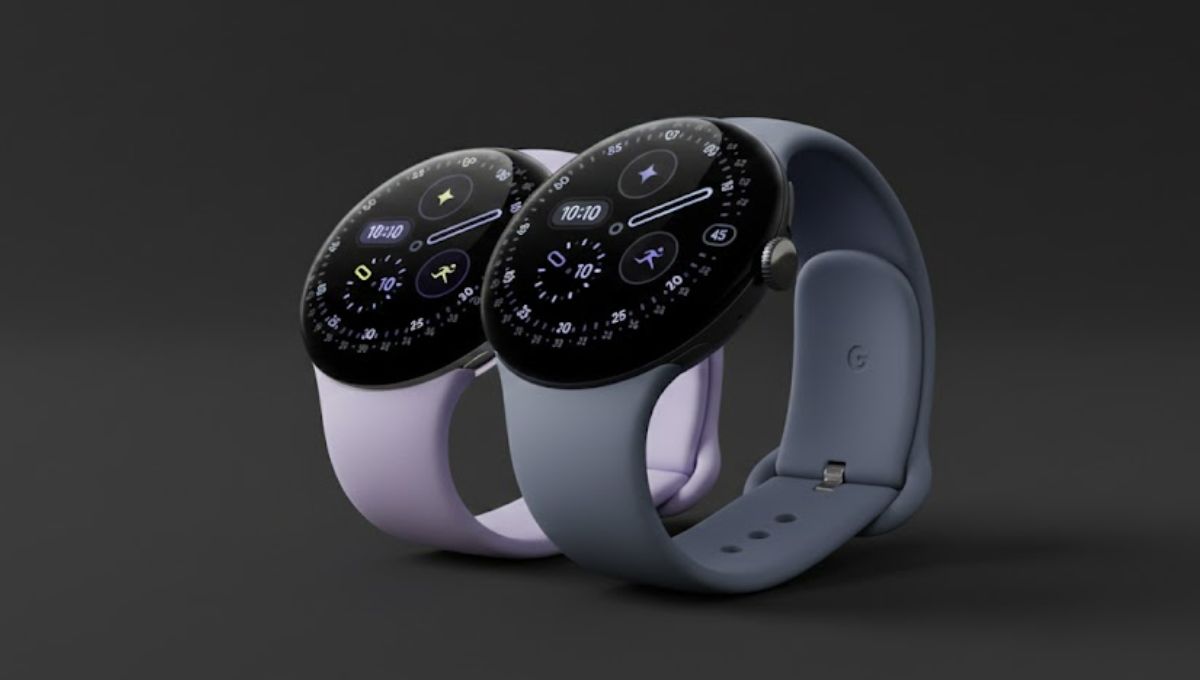
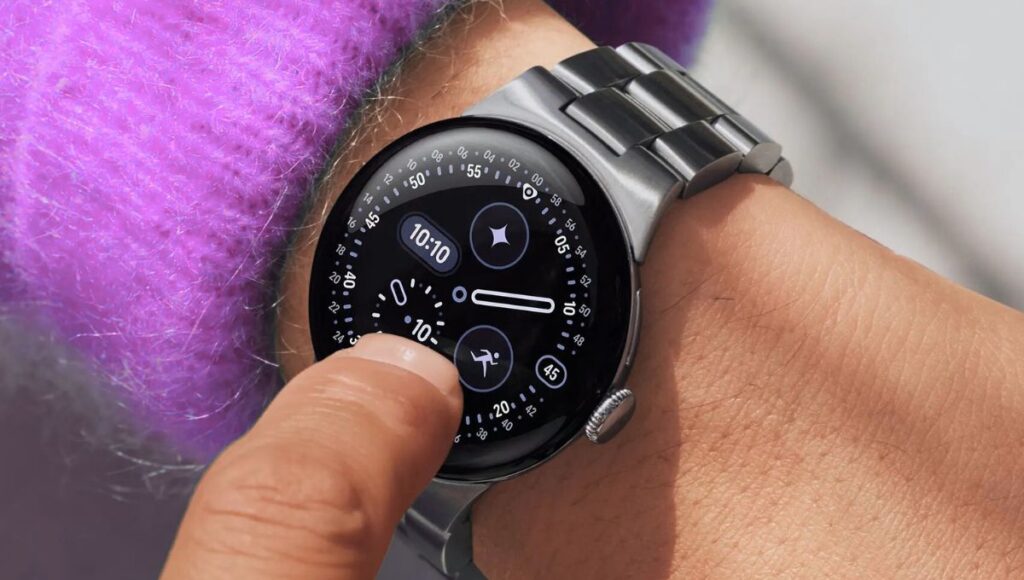
boAt Chrome Horizon Review: A Smartwatch That Redefines Value and Style

Smartwatches have become essential gadgets for anyone who wants to stay connected, monitor their health, and simplify daily tasks. One standout from the latest crop of wearables is the boAt Chrome Horizon. This smartwatch strikes a balance between style, performance, and price, making it appealing to tech lovers and fitness enthusiasts alike.

In this article, we’ll explore everything about the boAt Chrome Horizon — from design and display to health tracking, battery life, smart features, and frequently asked questions.

What is boAt Chrome Horizon?

The boAt Chrome Horizon is a feature-packed smartwatch from boAt that offers a premium experience without a premium price tag. It combines modern design with a vivid AMOLED display, comprehensive health and fitness tracking, Bluetooth calling, and an array of smart utilities that make everyday life simpler and more connected. This smartwatch caters to users who want more than basic notifications on their wrist — it aims to be a personal assistant, fitness tracker, and connectivity hub all in one device.

Sleek Design and Stunning Display

When you first see the boAt Chrome Horizon, its sleek design stands out. The smartwatch features a 1.51-inch AMOLED display with bright and sharp visuals that make reading text, viewing notifications, and navigating menus easy and enjoyable. The screen resolution of 466×466 pixels delivers crisp clarity and strong colour reproduction.

The display is protected with curved glass and coupled with modern watch faces that make the watch look stylish whether you are working out or dressed up for a night out. You can even personalise your watch face with video and animated watch faces, which adds a fun and interactive element to your wristwear. 

Performance That Keeps Up With You

Under the hood, the boAt Chrome Horizon includes Bluetooth v5.3 connectivity, which ensures stable pairing with your smartphone. You can make and receive calls right from your wrist via Bluetooth calling, thanks to the integrated HD speaker and microphone. The watch also supports a dial pad and lets you store contacts to make calling even more convenient. 

The watch body is designed with water resistance in mind — it carries an IP68 rating, making it resistant to dust, sweat, and splashes. This makes it suitable for daily use and active lifestyles.

Read more:- Zeb Juke Bar 9900 Review: A Power-Packed Soundbar That Brings Cinema Home

Health and Fitness Tracking Features

One of the most significant strengths of the boAt Chrome Horizon is its health and fitness ecosystem. The smartwatch offers a comprehensive suite of tracking tools: 

  • Heart Rate Monitor — Monitors your heart rate throughout the day.
  • SpO₂ Monitoring — Tracks blood oxygen levels.
  • Sleep Monitoring — Helps understand sleep quality.
  • Stress and HRV Insights — Provides deeper wellness insights.
  • VO₂ Max Tracking — Measures your fitness level.
  • Auto Activity Detection — Automatically detects workouts like walking and running.

Additionally, the device supports over 100 sports modes, tracking steps, calories, distance, and activity duration, making it valuable for fitness enthusiasts and beginners alike.

Smart Features That Go Beyond Fitness

More than a fitness watch, the boAt Chrome Horizon includes several smart utilities designed to enhance day-to-day life:

  • Instant Notifications for calls, messages, and apps
  • Quick Replies to respond on the go
  • Find My Device to quickly locate your smartphone
  • Music and Camera Control so you can manage media without touching your phone
  • Weather Updates and Event Reminders to stay organised
  • Stopwatch, Timer, Calendar, and Calculator for productivity tools on your wrist
  • Do Not Disturb and Bedtime Modes to help manage interruptions

These features make the smartwatch useful well beyond tracking workouts, turning it into a true everyday companion.

Battery Life and Charging

Battery life is an important factor for any wearable, and the boAt Chrome Horizon does well in this department. Equipped with a 300 mAh battery, it can last up to 7 days on a single charge under regular usage. If you use Bluetooth calling frequently, the battery life may reduce to around 3 days — still respectable for a smartwatch with calling capabilities. 

The smartwatch also supports ASAP Charge, which means a full charge can be achieved in about 45 minutes. This quick charging capability helps ensure you spend less time tethered to a charger and more time enjoying the watch’s features.

Who Should Consider boAt Chrome Horizon?

The boAt Chrome Horizon appeals to a wide range of users due to its combination of design, features, and affordability. Here are a few groups who will benefit from this smartwatch:

  • Fitness Enthusiasts who want detailed tracking for workouts and health metrics.
  • Professionals who value Bluetooth calling and quick notifications.
  • Everyday Users who want a stylish watch with practical smart utilities.
  • Budget-conscious Buyers who want premium features without a premium price.

Its versatility makes it suitable for work, play, fitness, and daily productivity.

In a market crowded with smartwatches, the boAt Chrome Horizon stands out for offering a strong mix of premium design, comprehensive health tracking, smart features, and stable connectivity — all at an attractive price point. Whether you want to stay connected without constantly checking your phone, monitor your fitness goals, or simply enjoy a stylish wearable, the boAt Chrome Horizon delivers a compelling experience. With its vibrant display, robust feature set, and smooth performance, this smartwatch is a great choice for anyone looking for a reliable and feature-rich wearable.

Zeb Juke Bar 9900 Review: A Power-Packed Soundbar That Brings Cinema Home

The Zeb Juke Bar 9900 is designed for users who want a premium home audio experience without investing in a complicated or expensive home theatre setup. With its powerful output, advanced surround sound technology, and modern design, this soundbar system aims to deliver cinema-like audio directly into your living room.

Whether you enjoy watching movies, streaming web series, playing games, or listening to music, the Zeb Juke Bar 9900 promises to elevate your sound experience. In this detailed guide, we take a closer look at its design, sound performance, features, connectivity options, and overall value.

The Zeb Juke Bar 9900 is a high-end soundbar system that comes with a complete multi-speaker setup. Unlike basic soundbars, it includes wireless subwoofers and rear satellite speakers, creating a true surround sound environment.

This soundbar is built for users who want powerful audio, deep bass, and immersive sound effects without dealing with complex wiring or bulky AV receivers.

Design and Build Quality

The Zeb Juke Bar 9900 features a sleek, modern design that blends well with most home interiors. The soundbar has a premium matte finish that gives it a clean and professional look. Its slim profile allows it to sit comfortably below your TV or be mounted on the wall.

Key Design Highlights

  • Wall-mountable soundbar for flexible placement
  • Wireless rear satellites and subwoofers for reduced cable clutter
  • LED lighting accents that add visual appeal
  • Solid and durable build suitable for long-term use

The wireless design not only keeps your setup tidy but also allows you to position speakers for the best sound coverage across the room.

Sound Performance and Audio Output

Sound quality is where the Zeb Juke Bar 9900 truly stands out. With a high total output, this soundbar fills the room with rich, detailed, and immersive audio.

Surround Sound Experience

The system is engineered to deliver multi-directional sound that surrounds you from all sides. Explosions in movies feel impactful, dialogues sound clearer, and background music gains depth.

The presence of wireless subwoofers ensures deep bass, while rear satellites enhance spatial effects, making action scenes and live sports feel more realistic.

Clarity and Balance

  • Clear vocals even at high volumes
  • Strong bass without overpowering mids
  • Balanced sound profile suitable for movies, music, and gaming

Whether you’re watching a thriller or listening to soft music, the Zeb Juke Bar 9900 adapts well to different audio needs.

Dolby Atmos and Surround Technology

One of the biggest highlights of the Zeb Juke Bar 9900 is its support for advanced surround sound formats. These technologies allow sound to move around you, creating a three-dimensional audio experience.

You can hear sounds coming from above, behind, and across the room, which significantly improves immersion during movies and games.

Connectivity Options

The Zeb Juke Bar 9900 offers multiple connectivity options, making it compatible with a wide range of devices.

Wireless Connectivity

  • Bluetooth connectivity for smartphones, tablets, and laptops
  • Stable wireless connection with minimal lag

Wired Connectivity

  • HDMI for high-quality audio transmission
  • Optical input for TVs and media devices
  • AUX input for older devices
  • USB port for direct music playback

These options ensure seamless integration with your TV, gaming console, streaming device, or music player.

Ease of Setup and User Experience

Setting up the Zeb Juke Bar 9900 is straightforward, even for users with limited technical knowledge. The wireless subwoofers and satellite speakers connect automatically, reducing installation time.

The included remote control allows you to:

  • Adjust volume and bass levels
  • Switch between input modes
  • Control playback and sound settings

Overall, the user experience is smooth and beginner-friendly.

Karaoke and Entertainment Features

A unique addition to the Zeb Juke Bar 9900 is the inclusion of a wireless microphone. This feature makes it suitable for karaoke sessions, parties, and family gatherings.

While it may not replace professional karaoke systems, it adds a fun and interactive element for casual use at home.

Performance for Movies, Music, and Gaming

Movie Watching

Movies benefit the most from this soundbar’s surround sound capabilities. Action scenes feel intense, dialogues remain clear, and background scores sound richer.

Music Playback

Music sounds full and energetic, with strong bass and good instrument separation. It performs well across genres like pop, rock, classical, and electronic music.

Gaming

Gamers will appreciate the directional audio, which helps in identifying in-game movements and effects more accurately.

Read more:- Google Pixel 10 Pro Fold Review: Ultimate Foldable Experience

Who Should Buy Zeb Juke Bar 9900?

The Zeb Juke Bar 9900 is ideal for:

  • Home theatre enthusiasts
  • Movie and web-series lovers
  • Gamers seeking immersive sound
  • Users upgrading from TV speakers
  • Families who enjoy karaoke and music

If you want a powerful and feature-rich soundbar system without investing in a full home theatre setup, this model is a strong choice.

Pros and Cons

Pros

  • Powerful and immersive sound output
  • Wireless subwoofers and rear speakers
  • Modern and premium design
  • Multiple connectivity options
  • Easy setup and user-friendly controls

Cons

  • Requires enough space for multiple speakers
  • Not designed for professional audio studios

The Zeb Juke Bar 9900 is a powerful, feature-packed soundbar system designed for users who want a cinematic audio experience at home. With strong sound performance, surround sound support, wireless speakers, and versatile connectivity, it offers excellent value in its category.

If you are looking for an upgrade from basic TV speakers or a simple soundbar, the Zeb Juke Bar 9900 is a smart and future-ready choice that enhances entertainment across movies, music, and gaming.

The Google Pixel 10 Review: Redefining Android with Intelligence and Style

The Google Pixel 10 continues Google’s vision of creating smartphones that focus on real-world usability, intelligent software, and exceptional camera quality. Rather than competing only on raw specifications, Google Pixel 10 stands out by offering a clean Android experience, smart AI-driven features, and long-term software support. Designed for users who value simplicity, performance, and photography, Pixel 10 proves that a phone can be powerful without being complicated.

In this detailed article, we explore every aspect of the Google Pixel 10, including design, display, performance, camera, battery life, software experience, and whether it is worth buying.

Design and Build Quality

The Google Pixel 10 follows Google’s signature design language while adding subtle refinements. The phone feels compact, lightweight, and comfortable in the hand, making it suitable for daily use without fatigue. The smooth matte finish on the back reduces fingerprints and adds a premium touch.

The camera bar on the rear blends seamlessly with the body, giving the Pixel 10 a distinctive identity. The phone is well-balanced, and its solid construction ensures durability. With water and dust resistance, the Google Pixel 10 is designed to handle everyday spills and splashes without worry.

Display Quality and Visual Experience

The Google Pixel 10 features a 6.3-inch OLED display that delivers vibrant colours, deep blacks, and excellent brightness. Whether you are watching videos, scrolling through social media, or reading articles, the display remains sharp and comfortable for the eyes.

With a 120Hz refresh rate, scrolling feels smooth and responsive, especially while gaming or browsing. The adaptive refresh rate adjusts automatically based on usage, helping to conserve battery life. The display also performs well outdoors, offering good visibility even under bright sunlight.

Overall, the Google Pixel 10 display strikes a perfect balance between size, clarity, and smoothness.

Performance and Hardware

At the heart of the Google Pixel 10 is Google’s latest Tensor chipset, designed specifically to handle AI-based tasks efficiently. Instead of focusing only on benchmark numbers, this processor excels at real-life performance such as voice recognition, image processing, multitasking, and smart features.

The phone handles daily tasks like messaging, video calls, browsing, and streaming without any lag. Multitasking between apps is smooth, and switching between applications feels fast and fluid. Even during extended usage, the device maintains stable performance without excessive heating.

The Google Pixel 10 is ideal for users who want reliable performance rather than unnecessary power that goes unused.

Software Experience and Android Features

One of the strongest reasons to choose the Google Pixel 10 is its software experience. The phone runs on the latest version of Android, offering a clean, clutter-free interface without unwanted apps. Everything feels intuitive, simple, and well-optimised.

Pixel-exclusive features such as smart call screening, voice typing, live captions, and intelligent suggestions make everyday usage more convenient. Google Pixel 10 also benefits from long-term software support, ensuring regular updates and security patches for years.

The integration of AI makes the phone feel smarter over time, adapting to your usage patterns and improving efficiency.

Camera Performance: Pixel’s Biggest Strength

The Google Pixel 10 camera is one of its biggest highlights. Google has built a strong reputation for smartphone photography, and the Pixel 10 continues that legacy.

Rear Camera Setup

The phone features a triple rear camera system, allowing users to capture a wide range of shots:

  • A high-resolution primary camera for everyday photography
  • An ultra-wide camera for landscapes and group photos
  • A telephoto lens for optical zoom and detailed long-distance shots

Photos taken with the Google Pixel 10 look natural, sharp, and well-balanced. Colours appear realistic rather than overly saturated, which many users prefer.

Low-Light and Night Photography

Low-light photography is where the Google Pixel 10 truly shines. Thanks to advanced image processing, night photos retain details, reduce noise, and maintain accurate colours. Night mode works automatically, ensuring great results without manual adjustments.

Read more:- New Kawasaki KX250 2025: Price in India, Specs, Mileage, Features, Pros & Cons

Front Camera

The front camera delivers clear and sharp selfies, making it suitable for video calls and social media. Skin tones appear natural, and background blur in portrait mode looks clean and realistic.

Video Recording Capabilities

The Google Pixel 10 also performs well in video recording. Videos appear stable, detailed, and smooth, even while moving. Audio recording is clear, making it a good choice for content creators and vloggers who want reliable video performance without additional equipment.

Battery Life and Charging

Battery life on the Google Pixel 10 is designed to last a full day with regular usage. Tasks such as browsing, calling, streaming, and navigation can be handled comfortably without frequent charging.

Google’s adaptive battery technology learns your usage habits and limits background activity for rarely used apps, helping extend battery life. The phone supports fast charging and wireless charging, offering flexibility for different charging needs.

For users who travel frequently or use their phone heavily, battery saver modes help stretch usage even further.

Connectivity and Additional Features

The Google Pixel 10 supports modern connectivity options, including fast mobile data, Wi-Fi, Bluetooth, and contactless payments. Call quality remains clear, and signal reception is strong in most environments.

Security is another strong area. The phone includes biometric protection, regular security updates, and built-in safety features that help protect personal data.

Stereo speakers provide clear and balanced sound, making media consumption enjoyable without headphones.

Who Should Buy the Google Pixel 10?

The Google Pixel 10 is ideal for:

  • Users who want a clean Android experience
  • Photography lovers who value natural-looking photos
  • People who prefer long-term software support
  • Users who want smart AI features without complexity

It may not be the best choice for users who prioritise gaming performance above all else, but for everyday use, it delivers a reliable and enjoyable experience.

Pros and Cons

Pros

  • Excellent camera performance
  • Clean and smooth Android experience
  • Smart AI-powered features
  • Long-term software and security updates
  • Comfortable and premium design

Cons

  • Charging speed could be faster
  • Not focused on heavy gaming users
  • Limited customisation compared to some brands

Is the Google Pixel 10 Worth It?

The Google Pixel 10 proves that a smartphone does not need flashy features to be great. By focusing on software intelligence, camera quality, and everyday usability, Google has created a phone that feels refined and dependable.

If you are looking for a smartphone that simply works well, takes excellent photos, and stays updated for years, the Google Pixel 10 is a strong and trustworthy choice.

Acer Copilot+ PCs Explained: How Acer Is Redefining the Future of AI-Powered Laptops

The laptop industry is entering a new phase where artificial intelligence is no longer an extra feature but a core part of everyday computing. Acer has embraced this change with its innovative range of Acer Copilot+ PCs, designed to deliver smarter performance, faster workflows, and more personalized user experiences. These laptops represent a major leap forward by combining powerful hardware with deeply integrated AI capabilities.

Acer Copilot+ PCs are built for users who want efficiency, creativity, and future-ready technology in one device. Whether you are a student, professional, or everyday user, these systems are designed to make work and entertainment more intuitive than ever.

What Are Acer Copilot+ PCs?

Acer Copilot+ PCs are next-generation Windows laptops that meet Microsoft’s Copilot+ certification standards. This means they are equipped with advanced hardware capable of running AI features directly on the device. Unlike traditional laptops that rely heavily on cloud-based processing, these PCs perform many AI tasks locally, ensuring faster responses, improved privacy, and smoother performance.

To qualify as a Copilot+ PC, a device must include:

  • A high-performance Neural Processing Unit (NPU)
  • At least 16 GB of RAM
  • A minimum of 256 GB SSD storage
  • Optimized support for Windows AI features

Acer Copilot+ PCs are built to deliver real-time AI assistance without compromising speed or battery life.

Why Acer Copilot+ PCs Are Different from Regular Laptops

Traditional laptops focus mainly on CPU and GPU performance. Acer Copilot+ PCs go beyond that by adding a dedicated NPU, which is specifically designed to handle AI workloads. This allows the system to run intelligent features in the background without slowing down normal tasks.

Key differences include:

  • Faster AI processing directly on the device
  • Smarter system search and file organization
  • Enhanced creativity tools
  • Better power efficiency
  • Improved multitasking with AI assistance

This makes Acer Copilot+ PCs a strong choice for users who want long-term value and future-ready technology.

Core Features of Acer Copilot+ PCs

Dedicated AI Hardware (NPU)

The Neural Processing Unit is the heart of Acer Copilot+ PCs. It handles AI tasks such as image processing, voice recognition, and contextual understanding efficiently. By offloading these tasks from the CPU and GPU, the system runs cooler and consumes less power.

Built-In Windows Copilot Integration

Acer Copilot+ PCs include a dedicated Copilot key on the keyboard, allowing instant access to the AI assistant. Windows Copilot can help users:

  • Draft emails and documents
  • Summarize content
  • Answer questions
  • Assist with system settings
  • Boost productivity across apps

This seamless integration turns the laptop into a smart assistant rather than just a computing device.

Read more:- Acer TravelMate P6 14 AI: The Ultimate Lightweight AI Business Laptop for Modern Professionals

Advanced AI Tools for Everyday Use

Acer Copilot+ PCs unlock several AI-powered tools that improve daily workflows:

  • AI image creation and editing
  • Smart photo enhancements
  • Real-time language translation
  • Intelligent text recognition
  • Improved voice clarity during calls

These features are especially useful for students, content creators, and professionals.

Performance and Battery Life

One of the standout advantages of Acer Copilot+ PCs is their balance between performance and efficiency. Thanks to AI-optimized hardware, these laptops deliver smooth multitasking while maintaining impressive battery life.

Users can expect:

  • Fast boot times
  • Responsive performance even with multiple apps open
  • All-day battery life for work or travel
  • Minimal heating and quiet operation

This makes Acer Copilot+ PCs ideal for both office use and remote work.

Display and Design Excellence

Acer has focused heavily on premium design in its Copilot+ PC lineup. Many models feature:

  • Thin and lightweight builds
  • High-resolution displays
  • OLED screen options
  • Slim bezels for immersive viewing
  • Durable yet stylish materials

These laptops are not only powerful but also visually appealing, making them suitable for professional and personal environments.

Acer Copilot+ PC Model Lineup Overview

Acer Swift Series Copilot+ PCs

The Swift series is designed for users who value portability and performance. These laptops are ultra-thin, lightweight, and powerful enough for demanding tasks like content creation, office work, and multitasking.

Key highlights:

  • Premium design
  • High-quality displays
  • Strong AI performance
  • Long battery life

Acer Aspire Copilot+ PCs

The Aspire lineup focuses on versatility and affordability while still delivering AI-powered features. These models are perfect for students, home users, and professionals who want modern AI tools without paying premium prices.

Key highlights:

  • Balanced performance
  • Multiple configuration options
  • Excellent value for money
  • Reliable everyday computing

How Acer Copilot+ PCs Improve Productivity

Productivity is one of the biggest strengths of Acer Copilot+ PCs. With AI running silently in the background, users can complete tasks faster and more efficiently.

Benefits include:

  • Smart file search using natural language
  • Faster content creation
  • Improved meeting experiences
  • Reduced manual work through automation
  • Better focus with AI assistance

These improvements make Acer Copilot+ PCs suitable for modern work environments.

Security and Privacy Features

Acer Copilot+ PCs are designed with privacy and security in mind. Since many AI tasks are processed locally on the device, sensitive data does not always need to be sent to the cloud.

Security features include:

  • On-device AI processing
  • Secure boot and hardware-level protection
  • Biometric login options
  • Regular system updates

This ensures a safer computing experience for personal and professional use.

Who Should Buy Acer Copilot+ PCs?

Acer Copilot+ PCs are suitable for a wide range of users:

  • Students who need smart tools for learning and assignments
  • Professionals who want productivity and performance
  • Creators who rely on AI-based editing and design
  • Remote workers who need long battery life and reliability
  • Everyday users who want future-ready laptops

These laptops offer excellent value for anyone looking to upgrade to intelligent computing.

Future-Ready Technology

One of the biggest advantages of Acer Copilot+ PCs is their readiness for future software updates. As AI features continue to evolve, these systems are built to support upcoming Windows enhancements without requiring new hardware.

Investing in Acer Copilot+ PCs means staying ahead of technological changes.

Lenovo Yoga Pro 7i Gen 10 Aura Edition: The Perfect Blend of Power, Style, and Smart Performance

The Yoga Pro 7i Gen 10 Aura Edition is Lenovo’s latest premium laptop designed for users who want performance, elegance, and intelligence in one device. Whether you are a professional, content creator, student, or multitasker, this laptop aims to deliver a smooth and reliable experience in daily work and creative tasks. With advanced Intel Core Ultra processors, a stunning OLED display, and a refined design, the Yoga Pro 7i Gen 10 Aura Edition sets a new standard in the premium laptop segment.

This article takes a deep look at the design, display, performance, battery life, connectivity, and overall user experience to help you understand whether this laptop fits your needs.

Premium Design and Build Quality

The Yoga Pro 7i Gen 10 Aura Edition features a sleek and modern aluminum chassis that feels sturdy and premium from the first touch. The smooth matte finish gives it a professional look while also resisting fingerprints. Despite its powerful internal hardware, the laptop remains slim and lightweight, making it easy to carry in a backpack or laptop bag.

Lenovo has focused on durability as well as aesthetics. The solid hinge mechanism ensures long-term reliability, and the overall build quality reflects attention to detail. This makes the Yoga Pro 7i Gen 10 Aura Edition ideal for users who travel frequently or work from multiple locations.

Stunning OLED Display for Immersive Viewing

One of the biggest highlights of the Yoga Pro 7i Gen 10 Aura Edition is its 14.5-inch OLED touchscreen display. With a high 3K resolution (3000 x 1876) and a 120Hz refresh rate, the screen delivers sharp visuals, smooth motion, and vibrant colors.

The OLED panel offers deep blacks, excellent contrast, and accurate color reproduction, which is perfect for video editing, photo work, and content consumption. Whether you are watching movies, editing images, or working on presentations, the display provides a visually pleasing experience. The high brightness level also ensures good visibility in bright indoor environments.

Powerful Performance with Intel Core Ultra Processors

The Yoga Pro 7i Gen 10 Aura Edition is powered by Intel Core Ultra processors, designed to deliver strong performance with better efficiency. These processors handle everyday tasks like browsing, document editing, and video calls with ease, while also supporting demanding workloads such as content creation and multitasking.

With support for up to 32GB of LPDDR5X RAM, the laptop offers smooth multitasking without slowdowns. You can easily work with multiple applications open at the same time, switch between tasks, and manage heavy workloads comfortably.

The integrated Intel Arc graphics add extra power for creative applications, casual gaming, and visual tasks. While it is not a gaming laptop, the Yoga Pro 7i Gen 10 Aura Edition performs well for light graphics work and creative software.

Fast and Reliable Storage

Storage is another strong point of the Yoga Pro 7i Gen 10 Aura Edition. With up to 1TB PCIe Gen 4 SSD, the laptop offers fast boot times, quick file transfers, and plenty of space for documents, media files, and creative projects.

The fast SSD ensures that applications load quickly and system performance remains smooth, even during heavy usage.

Smart AI Features with Aura Edition Experience

As part of the Aura Edition lineup, the Yoga Pro 7i Gen 10 Aura Edition includes smart AI-powered features that improve the overall user experience. These features help optimize performance, battery usage, and system responsiveness based on how you use the laptop.

AI enhancements also improve video calls by adjusting lighting, reducing background noise, and enhancing clarity. This makes the laptop a strong choice for professionals who attend frequent online meetings or remote work sessions.

Comfortable Keyboard and Large Touchpad

Typing comfort is important for long work sessions, and Lenovo delivers well in this area. The keyboard on the Yoga Pro 7i Gen 10 Aura Edition offers good key travel and a satisfying typing feel. The backlit keyboard allows comfortable use in low-light environments.

The large precision touchpad is smooth and responsive, supporting multi-touch gestures accurately. Whether you prefer using the touchpad or an external mouse, navigation feels effortless and precise.

Read more:- Acer TravelMate P6 14 AI: The Ultimate Lightweight AI Business Laptop for Modern Professionals

Connectivity Options for Modern Users

The Yoga Pro 7i Gen 10 Aura Edition provides a versatile set of connectivity options to meet modern needs. It includes multiple USB-C ports with Thunderbolt support, allowing fast data transfer, charging, and external display connections.

Additional ports such as USB-A, HDMI, and an SD card reader make it easy to connect accessories, monitors, and storage devices without needing extra adapters. With Wi-Fi 7 and Bluetooth 5.4, wireless connectivity is fast, stable, and future-ready.

Audio and Webcam Experience

The laptop features high-quality speakers that deliver clear and balanced sound. Whether you are watching movies, attending meetings, or listening to music, the audio quality enhances the overall experience.

The 5MP webcam ensures sharp and clear video calls, which is a major advantage for professionals and students. A physical privacy shutter adds an extra layer of security, giving peace of mind when the camera is not in use.

Battery Life for All-Day Productivity

Battery performance is a key factor in a premium laptop, and the Yoga Pro 7i Gen 10 Aura Edition does not disappoint. The large battery is designed to support long hours of productivity, allowing users to work through most of the day on a single charge under normal usage.

Fast charging support ensures that even when the battery runs low, you can quickly recharge and get back to work without long interruptions.

Who Should Buy the Yoga Pro 7i Gen 10 Aura Edition?

The Yoga Pro 7i Gen 10 Aura Edition is ideal for users who want a powerful yet portable laptop. It is well-suited for:

  • Professionals who need performance and reliability
  • Content creators who value a high-quality display
  • Students who want a premium device for studies and creativity
  • Users who prefer a stylish laptop with modern AI features

If you are looking for a balanced laptop that excels in display quality, performance, and design, this model is worth considering.

Pros and Cons at a Glance

Pros

  • Stunning 3K OLED display with smooth refresh rate
  • Powerful Intel Core Ultra performance
  • Premium build quality and sleek design
  • Strong battery life with fast charging
  • Excellent keyboard and touchpad

Cons

  • Not designed for high-end gaming
  • Premium pricing compared to basic laptops

The Yoga Pro 7i Gen 10 Aura Edition is a well-rounded premium laptop that successfully combines power, beauty, and intelligence. Its OLED display stands out as one of the best in its class, while the strong performance and thoughtful features make it suitable for a wide range of users.

If you want a future-ready laptop that offers style, productivity, and smart enhancements, the Yoga Pro 7i Gen 10 Aura Edition is a strong and reliable choice.

Lenovo IdeaPad Slim 3i 13th Gen Review: Smart Performance, Sleek Design, Everyday Power

When it comes to choosing a laptop that balances performance, style, and everyday usability, the IdeaPad Slim 3i 13th Gen stands out as a strong contender in the mid-range segment. Designed for students, professionals, and casual users alike, this laptop offers a reliable mix of features powered by the latest Intel processors, a slim design, and long-lasting performance. In this article, we will explore every important aspect of the IdeaPad Slim 3i 13th Gen to help you make an informed decision.

Overview of IdeaPad Slim 3i 13th Gen

The IdeaPad Slim 3i 13th Gen is the newest iteration in Lenovo’s popular IdeaPad lineup, bringing modern computing power to everyday tasks such as work, study, browsing, and entertainment. Powered by up to a 13th Generation Intel® Core™ processor, this laptop is built to handle your daily demands with stability and speed. Performance improvements, military-grade durability, and a lightweight chassis make it a practical choice for those seeking value and functionality in one package. 

Design and Build Quality

The design of the IdeaPad Slim 3i 13th Gen is refined and minimalist. It remains thin and lightweight, making it easy to carry between classes, meetings, or travel. Despite its slim form, the laptop is built with durability in mind, passing several military-grade tests for shock and dust resistance. Its slim bezels around the display offer a modern look and help enhance your viewing experience.

Display and Visuals

The laptop typically features a 15.6-inch Full HD (1920 x 1080) display that delivers sharp visuals for everyday use. While some variants use a TN panel with anti-glare coating, the screen is generally adequate for productivity tasks, video streaming, and casual use. A few models also come with TÜV Low Blue Light certification to reduce eye strain during longer sessions.

Performance and Hardware

Processor

At the heart of the IdeaPad Slim 3i 13th Gen is the 13th Generation Intel® Core™ processor family. The entry-level configuration often includes an Intel Core i3-1305U, which delivers a balanced mix of performance and efficiency for everyday tasks like web browsing, document editing, and multimedia consumption. Higher configurations may include Intel Core i5 processors for improved multitasking and faster application performance. 

Memory and Storage

Most units are equipped with 8GB of LPDDR5 RAM, soldered onto the motherboard. While this amount is sufficient for general productivity and multitasking, memory cannot be upgraded due to its fixed configuration. Storage options often include a 512GB NVMe SSD, which ensures quick boot times, fast application loading, and ample space for files. 

Graphics

The IdeaPad Slim 3i relies on integrated Intel UHD Graphics, which efficiently handles everyday visual tasks and casual media playback. This solution is best suited for light creative work and streaming, rather than intensive gaming or heavy graphics processing. 

Connectivity and Ports

Connectivity features on the IdeaPad Slim 3i 13th Gen include:

  • USB-C 3.2 Gen 1 with full functionality
  • USB-A 3.2 Gen 1 ports
  • HDMI 1.4 for external displays
  • SD card reader
  • Headphone/microphone combo jack
  • Wi-Fi 6 (2×2) and Bluetooth 5.1/5.2

These ports make it easy to connect accessories, external monitors, and storage devices without needing additional adapters.

Keyboard, Audio, and Camera

The keyboard on the IdeaPad Slim 3i is comfortable for long typing sessions and often includes a number pad. While some variants come with a backlit keyboard, others might not, depending on the specific model.

Audio performance is boosted by dual speakers tuned with Dolby Audio, offering clear sound for meetings, videos, or casual listening. The laptop also includes a 1080p FHD webcam with a physical privacy shutter, which is a useful feature for video calls and ensures privacy when not in use. 

Read more:- Acer TravelMate P6 14 AI: The Ultimate Lightweight AI Business Laptop for Modern Professionals

Battery Life and Charging

This laptop packs a 47Wh battery that delivers solid performance for typical daily use. It supports rapid charging, allowing you to get up to a couple of hours of use with just a short charge. While battery life may vary based on usage, it is generally capable of lasting through a school or workday under moderate use. 

Pros and Cons

Pros

  • Reliable performance with 13th Gen Intel processors
  • Sleek and lightweight design
  • Adequate port selection
  • Full HD display with narrow bezels
  • FHD webcam with privacy shutter

Cons

  • RAM is soldered and not upgradeable
  • Integrated graphics are limited for gaming or heavy tasks
  • Some models use TN panels instead of IPS displays

The IdeaPad Slim 3i 13th Gen is a solid choice for users who want a balanced laptop for daily productivity, streaming, and light work without breaking the bank. Its combination of modern performance, lightweight design, and essential features makes it ideal for students, home users, and professionals seeking a dependable everyday machine. While it may not be perfect for heavy gaming or demanding graphics work, its strengths lie in delivering reliable real-world performance and portability for everyday use.

Acer TravelMate P6 14 AI: The Ultimate Lightweight AI Business Laptop for Modern Professionals

The Acer TravelMate P6 14 AI is designed for professionals who demand speed, intelligence, and portability in one powerful device. As work environments become more dynamic, laptops must do more than just run software—they must think smarter, last longer, and adapt faster. This is where the TravelMate P6 14 AI truly shines.

Built with next-generation AI capabilities, premium materials, and enterprise-grade security, the Acer TravelMate P6 14 AI is a perfect companion for business leaders, remote workers, and frequent travelers. It combines lightweight construction with strong performance, making it suitable for both office and on-the-go productivity.

Premium Design with Ultra-Lightweight Build

One of the most impressive aspects of the Acer TravelMate P6 14 AI is its incredibly lightweight design. Weighing under 1 kg, this laptop is crafted for professionals who travel often and need a device that does not slow them down.

The carbon fiber and magnesium-aluminum chassis not only reduce weight but also improve durability. The laptop meets military-grade durability standards, ensuring it can handle daily wear, travel stress, and unexpected bumps.

Despite its slim profile, the Acer TravelMate P6 14 AI feels solid and professional. Its minimalistic design makes it suitable for corporate environments, meetings, and presentations.

High-Quality Display for Comfortable Viewing

The 14-inch display on the Acer TravelMate P6 14 AI offers a sharp and immersive viewing experience. With a high-resolution screen and a 16:10 aspect ratio, users get more vertical space, which is especially helpful when working on documents, spreadsheets, or browsing the web.

The display provides excellent brightness and clarity, making it comfortable to use for long hours. Whether you are attending virtual meetings, editing documents, or reviewing presentations, the screen quality enhances productivity without causing eye strain.

AI-Powered Performance That Works Smarter

At the heart of the Acer TravelMate P6 14 AI is an advanced processor with a dedicated AI engine. This allows the laptop to handle AI-based tasks directly on the device, without relying heavily on cloud processing.

The built-in Neural Processing Unit helps improve speed, efficiency, and battery life. Everyday tasks such as multitasking, video conferencing, and data handling feel smoother and more responsive.

The Acer TravelMate P6 14 AI is also part of the new generation of AI PCs, offering smart features that learn from user behavior and improve performance over time.

Copilot+ Experience for Enhanced Productivity

The Acer TravelMate P6 14 AI comes with integrated Copilot AI features that assist users in daily tasks. These tools help summarize information, organize workflows, and provide quick suggestions, making work faster and more efficient.

AI features such as smart search, content recall, and real-time captions add value to business users who rely on speed and accuracy. The Copilot experience transforms the laptop from a simple device into a digital assistant.

Read more:- Redmi Note 14 Pro+ 5G Review: A Strong Mid-Range Champion with Premium Features

Smooth Multitasking and Storage Options

The Acer TravelMate P6 14 AI is designed to handle demanding workloads. With support for high-speed memory and fast SSD storage, users can run multiple applications without lag.

Whether you are working with large files, managing business software, or switching between tasks, the laptop maintains smooth performance. This makes it ideal for professionals in finance, management, consulting, and creative roles.

Advanced Connectivity for Modern Work

Connectivity is a major strength of the Acer TravelMate P6 14 AI. It supports the latest wireless standards, ensuring fast and stable internet connections even in busy environments.

The laptop also includes multiple modern ports, allowing users to connect external displays, storage devices, and accessories without needing extra adapters. This flexibility is especially useful for presentations, remote work setups, and office use.

Crystal-Clear Audio and Video for Meetings

Virtual meetings are a daily part of modern work life, and the Acer TravelMate P6 14 AI is built to excel in this area. It features AI-enhanced audio and video technologies that improve communication quality.

Noise reduction technology filters out background sounds, ensuring clear voice transmission during calls. The webcam uses intelligent features to improve lighting and clarity, helping users appear professional in every meeting.

These features make the Acer TravelMate P6 14 AI an excellent choice for remote workers and professionals who rely heavily on video conferencing.

Long-Lasting Battery for All-Day Use

Battery life is crucial for professionals who work on the move. The Acer TravelMate P6 14 AI offers impressive battery performance, allowing users to work for long hours without frequent charging.

Thanks to its energy-efficient processor and AI-based power management, the laptop intelligently balances performance and battery usage. This ensures consistent productivity throughout the day, whether you are traveling, attending meetings, or working remotely.

Enterprise-Grade Security Features

Security is a top priority in business laptops, and the Acer TravelMate P6 14 AI delivers strong protection. It includes hardware-level security features that safeguard sensitive data from threats.

Biometric authentication options, such as fingerprint and facial recognition,n provide quick and secure access. These features help prevent unauthorized access while keeping login processes fast and convenient.

The laptop is also designed to meet enterprise security standards, making it suitable for corporate environments and professionals handling confidential information.

Durability Built for Real-World Use

The Acer TravelMate P6 14 AI is tested against strict durability standards. It can withstand temperature changes, vibrations, and minor impacts, ensuring reliability in various working conditions.

This makes it an ideal laptop for professionals who travel frequently or work in demanding environments. The combination of lightweight design and strong durability sets it apart from many competitors.

Who Should Buy the Acer TravelMate P6 14 AI?

The Acer TravelMate P6 14 AI is perfect for:

  • Business professionals and executives
  • Remote workers and freelancers
  • Frequent travelers
  • Corporate users needing secure devices
  • Students seeking a premium productivity laptop

Its balance of performance, intelligence, and portability makes it suitable for a wide range of professional needs.

Pros and Overall Value

The Acer TravelMate P6 14 AI offers excellent value for users who prioritize mobility, smart features, and security. Its AI capabilities future-proof the device, ensuring it remains relevant as technology continues to evolve.

With its premium build quality, long battery life, and intelligent tools, this laptop stands out as a reliable long-term investment for modern professionals.